New Trade Zone
Trade Zone is now live
Use the new Trade Zone for auctions and instant-price trades so Pokemon and item offers are easy to find.

Barsonball
Registered User
-
Joined
-
Last visited
Everything posted by Barsonball
-
1.2m
-
1m
-
800k
-
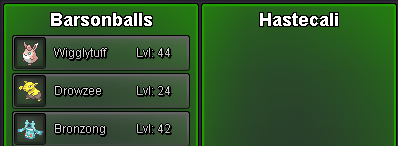
Ty Hastecali ❤️
-
Congratulations @Patomilenar, you are the auction winner, let know when and where you can pick up. I can be on anytime for the next 12h.
-
Bump, ends in 48min
-
Thank you everyone for your support and participation! The giveaway winner is @Eetaachee Congradulations!
-
Ty Samukinha01 ❤️

-
Bump
-
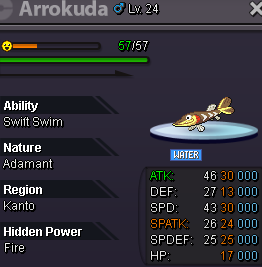
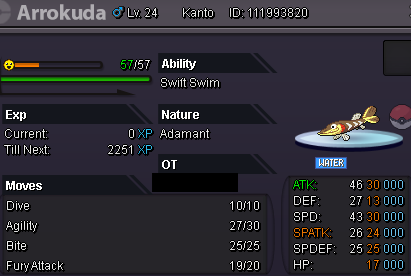
[Auction] Arrokuda 30/30 - Swift Swim - Adament Details: -Starting offer: 2m -Minimum raise: 200k -Ends in 72h after first bid -No Insta Accepted payment methods : -PokeDollars - Coin Capsule = 500k - IV Reroll Ticket = 700k Contact: -In-game user: Barsonball -Discord user: Barsonballs Notes: Currently experiencing in-game disconnection issues. If bidding, please do so in the forum in the meantime. Thank you, happy bidding!
-
900k each
-
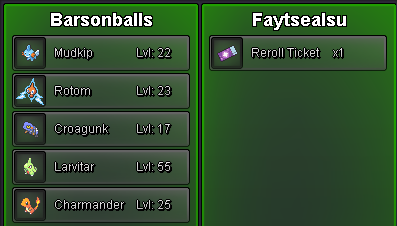
Ty Faytsealsu ❤️
-
Congrats @Hasanchucha You won the auction with 3.2m. Let me know when and where you would like to meet. Cheers!
-
Ty Dream123456 ❤️

-
Bump 2h 15 min left
-
1m
-
800k gliscor300k gliscorTy Bil0di ❤️
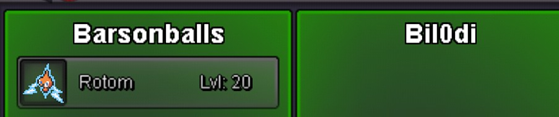 Started @3m
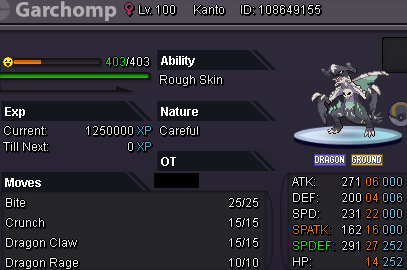
 Hlw Garchomp Rough Skin, Careful Starting offer: 3m Ends in 48h after first bid Minimum raise: 200k No Insta ACCEPTED PAYMENT METHODS : PokeDollars - Coin Capsule = 500k - IV Reroll Ticket = 700k Contact: In-game user: Barsonball Discord user: Barsonballs
 @Dream123456 tried these?
 start
start