New Trade Zone
Trade Zone is now live
Use the new Trade Zone for auctions and instant-price trades so Pokemon and item offers are easy to find.

Rotomdexes
Suspended
-
Joined
-
Last visited
Everything posted by Rotomdexes
-
ah alrights just suggesting xd thanks
-
30minutes left
-
-
Hi gm ,just suggesting Acution time alert command Something like Auction time clock real time in forum like auctioner should inpt Auction time : 48hr then when time is end the forum or the theads will automatic message all the player in the thread so this can take the chance of making problems between time problems.
-
Up
-
-
-
-
-
-
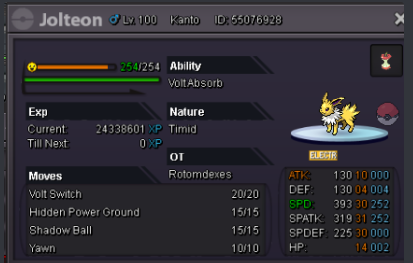
To start -900k min increase -100k insta -3.5m accept cc=400k reroll=650k time: 48hrs after start
-
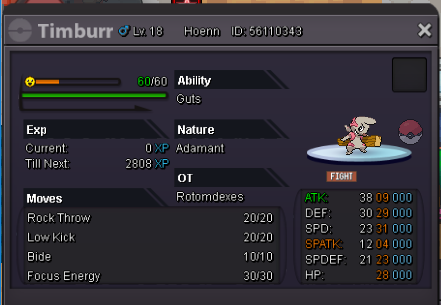
To start -200k min increase -100k insta -2m accept cc=400k reroll=650k time: 48hrs after start
-
Bro now is 400k as glaciate says
-
Thanks glaciate
-
-
-
-
-
To start -100k min increase -100k insta -2m accept cc=400k reroll=650k time: 48hrs after start

-
-
-
Accept cc - 410k auction time -1day only rr- 650k to start - 200k min increase 100k insta 2.5m


-
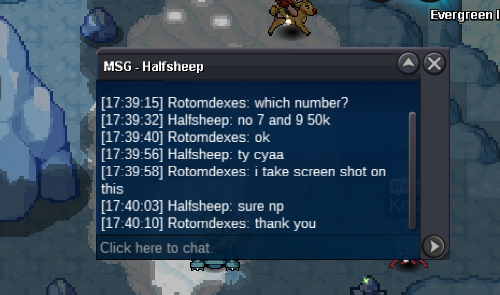
start 7 and 9 start time :17.39 pm in asia
-
-
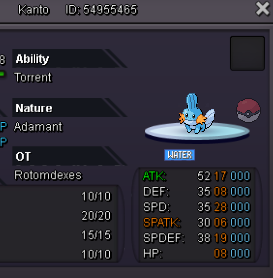
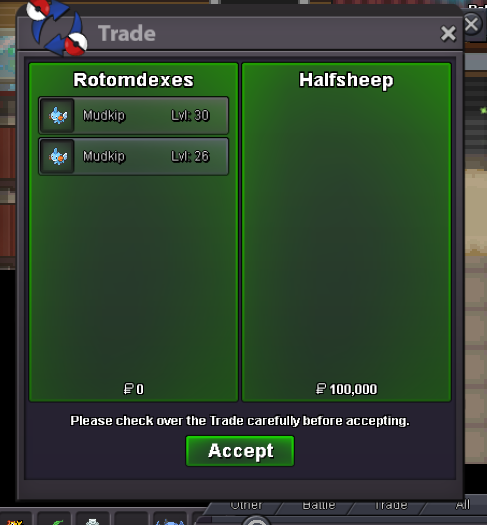
Reminder : every mudkip has 1day auction after start To start -50k min increase -50k insta -800k To start your auction please select the idetify the number of mudkip And do the max front on the number when you offering thank you and happy new year ---------------------------- Number 1 ---------------------------- Number 2 --------------------------- Number 3 ---------------Number 4 ---------------Number 5 --------------Number 6 -------------Number 7 sold to halfsheep 50k -------------Number 8 -----------Number 9 sold to halfsheep 50k