New Trade Zone
Trade Zone is now live
Use the new Trade Zone for auctions and instant-price trades so Pokemon and item offers are easy to find.

Backo0711
Registered User
-
Joined
-
Last visited
Everything posted by Backo0711
-
start
-
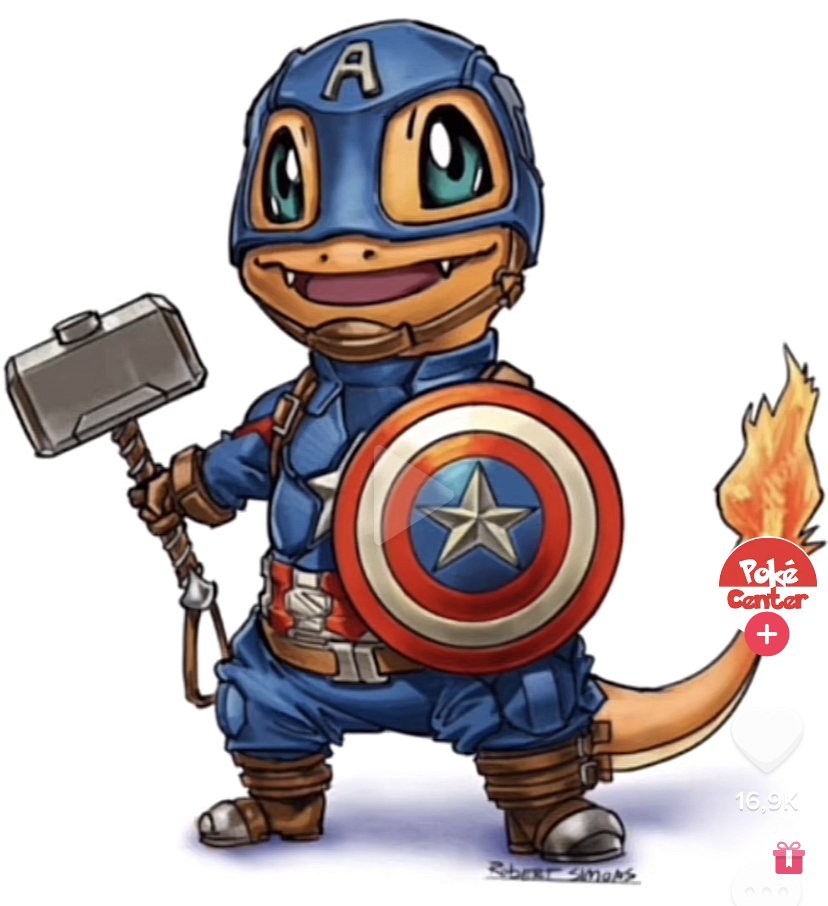
Hello guys, what do you think about a new event in the break between easter and summer event. Its nearly 4 months without forms. I got two ideas to fill up this break. 1. "Event Weeks" I got this idea during the valentine event, cause you activate the halloween forms. Maybe 2 or 3 three weeks event duration. No special spawns just a few outbreaks for forms they dont have a spawn. Every 2-4 days the forms rotate. Day 1 - 3 : Halloween Forms Day 4 - 6 : Summer Forms Day 7 - 9 : Xmas Forms Day 9 - 11: Easter Forms Day 12 - 14: Valentine Forms 2. "Comic / Marvel / Anime" Event The second idea is a new event, with new forms. Why not pokémons looking like super heroes or other cool things from Anime / Marvel / Comic World. Here a possible Charmander. Lets think about it. I hope to get a feedback 🙂
-
Auction is over
-
-
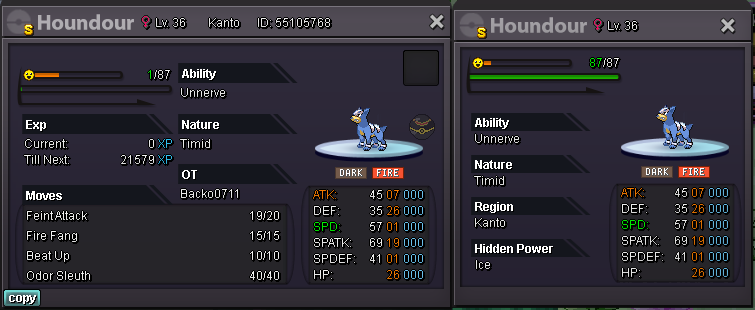
Start Time of the Auction is right now (01.03.2022 4:40pm GMT +1) s.o 4m min. raise: 200k No insta ! End Time: 03.03.2021 / 5 pm GMT +1 Have fun ! I accept following payment: CC = 400 k IV Reroll Ticket = 700k and of course CASH !!