New Trade Zone
Trade Zone is now live
Use the new Trade Zone for auctions and instant-price trades so Pokemon and item offers are easy to find.


Rag1ngjhell0
Registered User
-
Joined
-
Last visited
-
Rag1ngjhell0 changed their profile photo
-
S.O : 5m Min bid : 200k NO INSTA 💸 cash only 💸 C.O: Time Auction : 48 hours after first bid Note: we are using PST (Philippine Standard Time) or UTC+8 Ends: UTC+8 () *"If a bid is placed within the last 15 minutes of the auction, the end time will be extended by 15 minutes from the most recent valid bid, and will continue to extend by 15 minutes for each new bid thereafter until the highest offer has stood for a full 15 minutes."

-
S.O : 10m Min bid : 200k NO INSTA: 💸 cash only 💸 C.O: Time Auction : 24 hours after first bid Note: we are using PST (Philippine Standard Time) or UTC+8 Ends: UTC+8 () *"If a bid is placed within the last 15 minutes of the auction, the end time will be extended by 15 minutes from the most recent valid bid, and will continue to extend by 15 minutes for each new bid thereafter until the highest offer has stood for a full 15 minutes."

-
S.O : 1m Min bid : 100k NO INSTA 💸 cash only 💸 C.O: Time Auction : 48 hours Note: we are using PST (Philippine Standard Time) or UTC+8 Ends: 7:00pm UTC+8 (October 24, 2025) *"If a bid is placed within the last 15 minutes of the auction, the end time will be extended by 15 minutes from the most recent valid bid, and will continue to extend by 15 minutes for each new bid thereafter until the highest offer has stood for a full 15 minutes."

-
S.O : 100k Min bid : 100k NO INSTA 💸 cash only 💸 C.O: Time Auction : 24 hours after first bid Note: we are using PST (Philippine Standard Time) or UTC+8 Ends: UTC+8 (October) *"If a bid is placed within the last 15 minutes of the auction, the end time will be extended by 15 minutes from the most recent valid bid, and will continue to extend by 15 minutes for each new bid thereafter until the highest offer has stood for a full 15 minutes."

-
@Bajiruu congratulations you won the auction
-
S.O : 300k Min bid : 100k INSTA : N/A >Zennies only< C.O=900k Time Auction : 24 hours after first bid Note: we are using PST (Philippine Standard Time) or UTC+8 Ends: 1:00pm UTC+8 (October 19) *"If a bid is placed within the last 15 minutes of the auction, the end time will be extended by 15 minutes from the most recent valid bid, and will continue to extend by 15 minutes for each new bid thereafter until the highest offer has stood for a full 15 minutes."
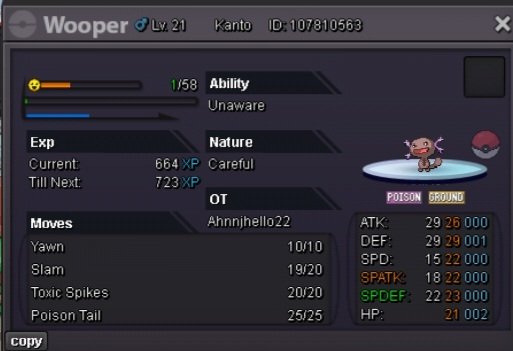 Perfect, so when are you available?I'm nor sure if someone brought this up already. Is it possible to eliminate the notification whenever the repel ended. Can we do continuous usage of repel. Like we go to our bag click the repel, the repel becomes highlighted, that means on or activated. What it does is to continuous use of repel no more notifications. Now to stop it click the repel icon again in bag, that means when the repel is used or ended the normal notification pop up asking to use another one or no.350k@Rhulk congratulations 🎊 👏 💐 You are the winnerEndUpdate 4 minutes leftCurrent time 7:39 utc+8 11 minutes left