




New Trade Zone
Trade Zone is now live
Use the new Trade Zone for auctions and instant-price trades so Pokemon and item offers are easy to find.

T1nkat0n
Registered User
-
Joined
-
Last visited
Everything posted by T1nkat0n
-
shiny dedenne trade done
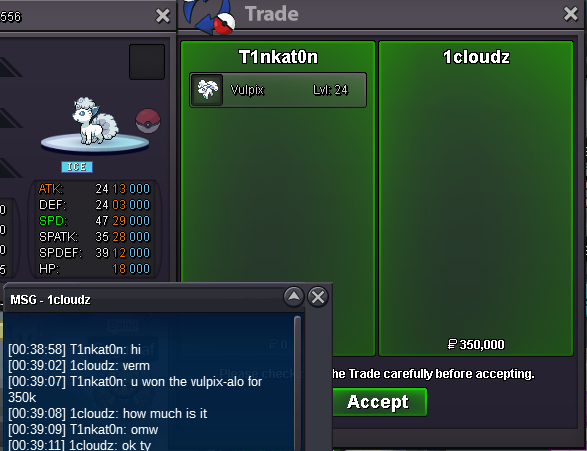
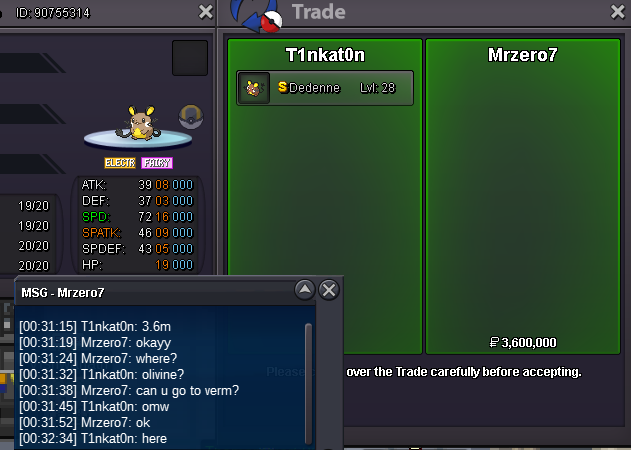 13mins leftbump 3hrs21mins left550kvulpix-alolan trade done
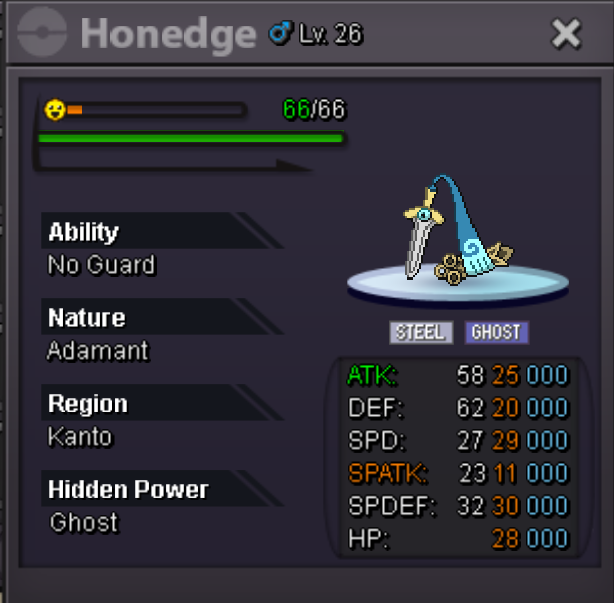
 bump 22hrs 20mins left900k infernapeNot a bundle Start price: 100k each Min bid: 100k Insta price: Dedenne 8m, Honedge 3.5m Accept payments: cc 450k ea, rr 550k each, nrr 275k each, rc 5k each Auction end time: Mar. 15th 16:30 p.m. GMT+0 End time check: https://www.tickcounter.com/countdown/6855169/shiny-dedenne-vday-honedge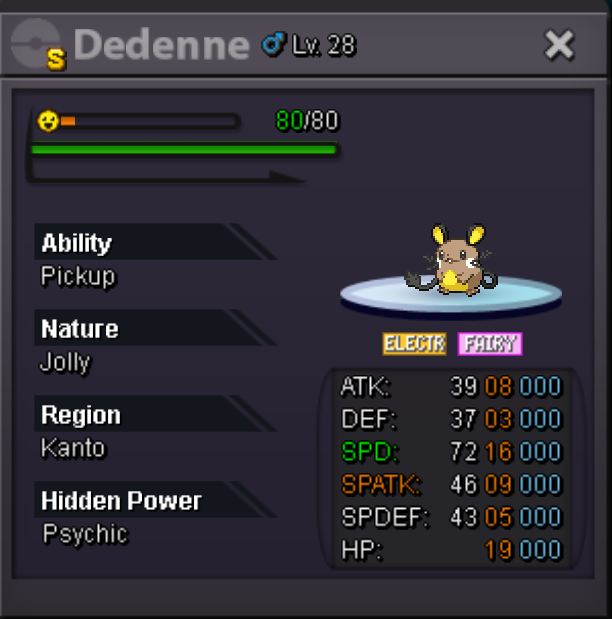
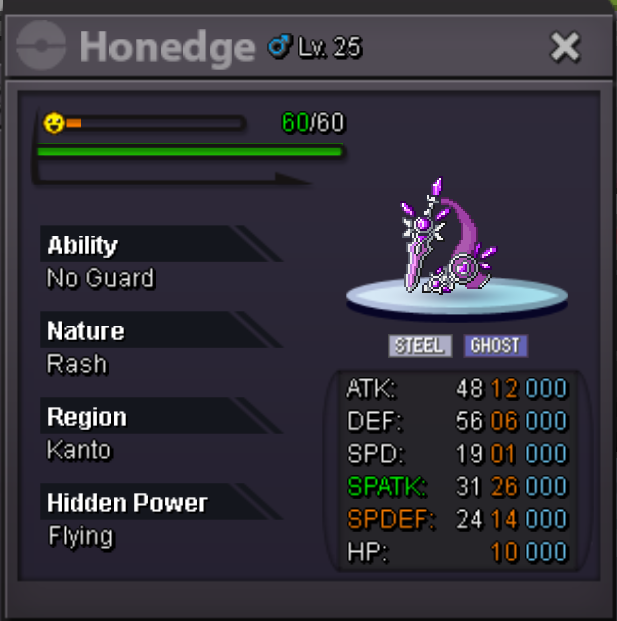 Not a bundle Start price: 50k each Min bid: 50k Insta price: Vulpix 1.9m, honedge 2.9m Accept payments: cc 450k ea, rr 550k each, nrr 275k each, rc 5k each Auction end time: Mar. 14th 16:30 p.m. GMT+0 End time check: https://www.tickcounter.com/countdown/6854945/hp-ground-vulpix-alolan-20-ada-honedge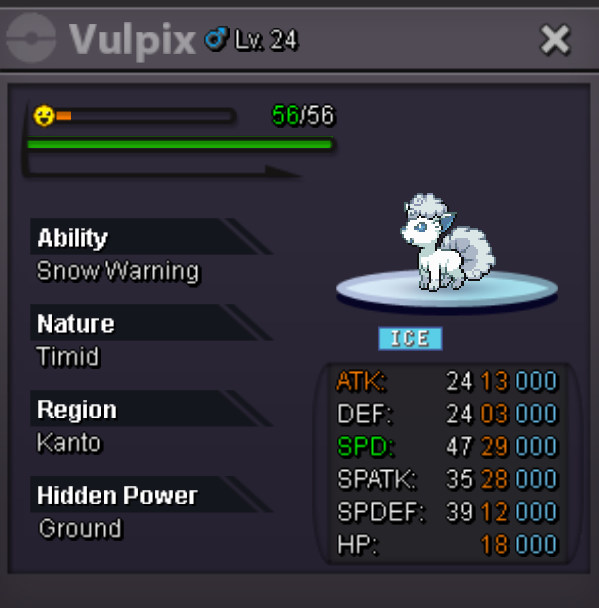
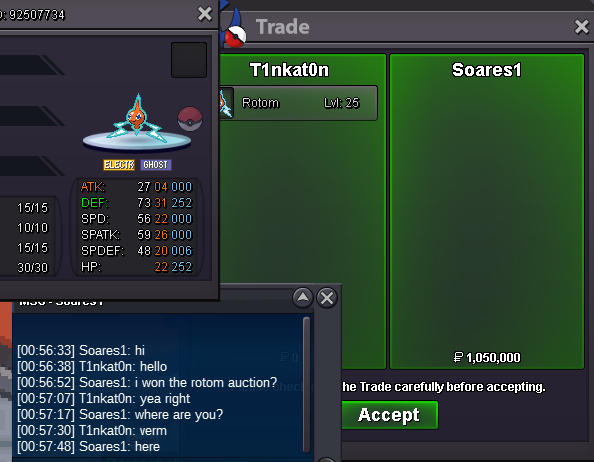
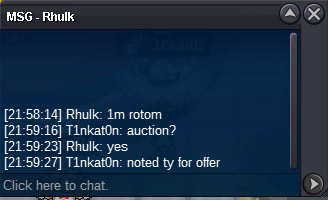
 1.5m tork1.15m tork1m torInsta shiny chanseyRotom trade done. can be closed.
 mandibuzz already ends, the winner is leo1019 for 900k, trade done
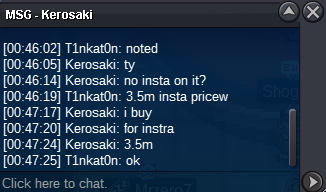
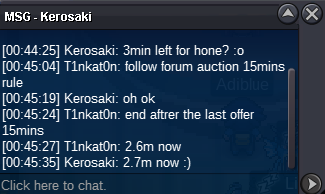
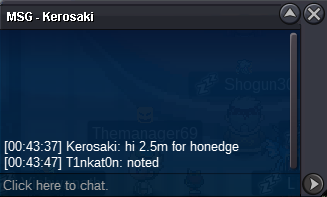
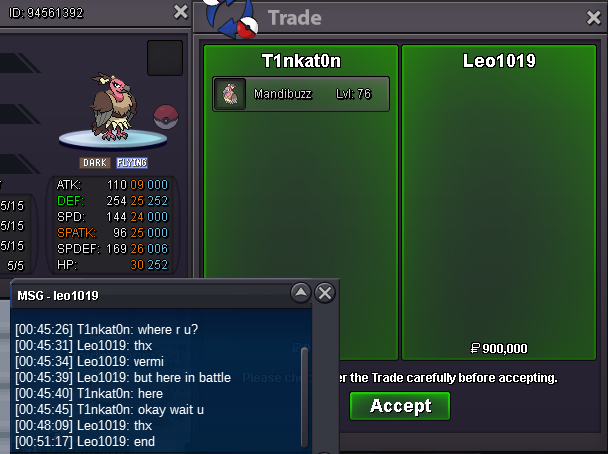 sry forget take ss,here
 50k shuppet


Account
Navigation
Search
Configure browser push notifications
Chrome (Android)
- Tap the lock icon next to the address bar.
- Tap Permissions → Notifications.
- Adjust your preference.
Chrome (Desktop)
- Click the padlock icon in the address bar.
- Select Site settings.
- Find Notifications and adjust your preference.
Safari (iOS 16.4+)
- Ensure the site is installed via Add to Home Screen.
- Open Settings App → Notifications.
- Find your app name and adjust your preference.
Safari (macOS)
- Go to Safari → Preferences.
- Click the Websites tab.
- Select Notifications in the sidebar.
- Find this website and adjust your preference.
Edge (Android)
- Tap the lock icon next to the address bar.
- Tap Permissions.
- Find Notifications and adjust your preference.
Edge (Desktop)
- Click the padlock icon in the address bar.
- Click Permissions for this site.
- Find Notifications and adjust your preference.
Firefox (Android)
- Go to Settings → Site permissions.
- Tap Notifications.
- Find this site in the list and adjust your preference.
Firefox (Desktop)
- Open Firefox Settings.
- Search for Notifications.
- Find this site in the list and adjust your preference.