




New Trade Zone
Trade Zone is now live
Use the new Trade Zone for auctions and instant-price trades so Pokemon and item offers are easy to find.


Eva21
Registered User
-
Joined
-
Last visited
Everything posted by Eva21
-
AUCTION RULES (EACH POKEMON HAS HIS AUCTION - NO BUNDLE) 15 MIN RULE: ON END AFTER 48H TO START START OFFER: 4M MIN RAISE: 100K PAYMENT ACCEPTED METHOD CASH BLACK MEDAILLON 250K COIN CAPSULE 450K RR-TICKET 450k CURRENT OFFER: SOLD FOR 4,2MLN TO @Kroti COUNTDOWN:




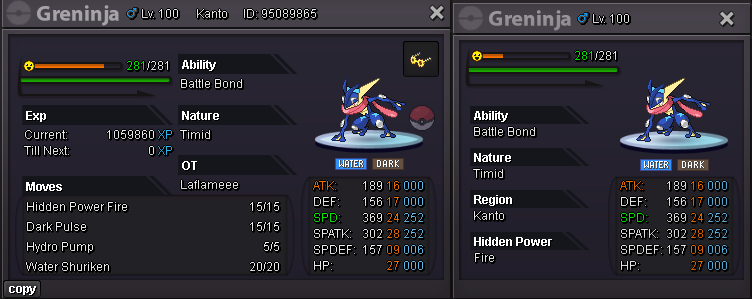
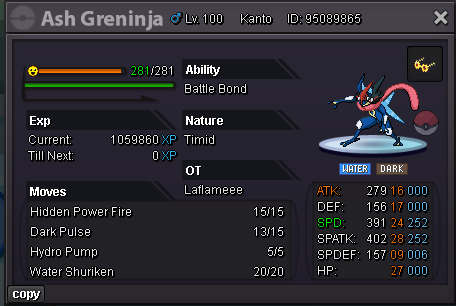 WELCOME TO MY LITTLE CORNER OF AUCTIONS FOR PVP MONS AUCTION RULES (EACH POKEMON HAS HIS AUCTION - NO BUNDLE) 15 MIN RULE: ON END AFTER 48H TO START START OFFER: 600k MIN RAISE: 100K PAYMENT ACCEPTED METHOD CASH BLACK MEDAILLON 250K COIN CAPSULE 450K RR-TICKET 450k
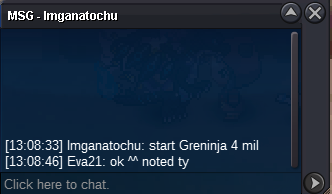
can i ask the attention of the trade moderators? i can t find this guy, @Legendkaran11. pm here in the forum, add in game, nothing. Just tell me how i can do.@Leonidascsneto i m online now, cant add u cause u re not online i think@Legendkaran11 u win the auction, please contact me in the game or here with pm!@Noluckyone please, contact me on the game....^start parasWELCOME TO MY LITTLE CORNER OF AUCTIONS FOR PVP MONS AUCTION RULES (EACH POKEMON HAS HIS AUCTION - NO BUNDLE) 15 MIN RULE: OFF END AFTER 48H TO START MIN RAISE: LOOK IN POKE SCREENS PAYMENT ACCEPTED METHOD CASH BLACK MEDAILLON 250K COIN CAPSULE 500K RR-TICKET 500k FINAL SALE: 300k TO Legendkaran11 COUNTDOWN: ENDS IN 48H FROM THE START OFFER!
WELCOME TO MY LITTLE CORNER OF AUCTIONS FOR PVP MONS AUCTION RULES (EACH POKEMON HAS HIS AUCTION - NO BUNDLE) 15 MIN RULE: ON END AFTER 48H TO START START OFFER: 600k MIN RAISE: 100K PAYMENT ACCEPTED METHOD CASH BLACK MEDAILLON 250K COIN CAPSULE 450K RR-TICKET 450k
can i ask the attention of the trade moderators? i can t find this guy, @Legendkaran11. pm here in the forum, add in game, nothing. Just tell me how i can do.@Leonidascsneto i m online now, cant add u cause u re not online i think@Legendkaran11 u win the auction, please contact me in the game or here with pm!@Noluckyone please, contact me on the game....^start parasWELCOME TO MY LITTLE CORNER OF AUCTIONS FOR PVP MONS AUCTION RULES (EACH POKEMON HAS HIS AUCTION - NO BUNDLE) 15 MIN RULE: OFF END AFTER 48H TO START MIN RAISE: LOOK IN POKE SCREENS PAYMENT ACCEPTED METHOD CASH BLACK MEDAILLON 250K COIN CAPSULE 500K RR-TICKET 500k FINAL SALE: 300k TO Legendkaran11 COUNTDOWN: ENDS IN 48H FROM THE START OFFER!
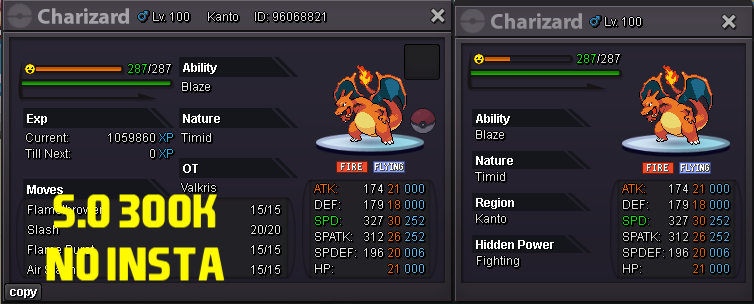
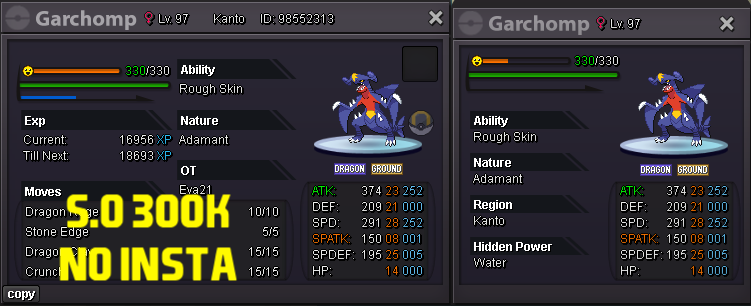
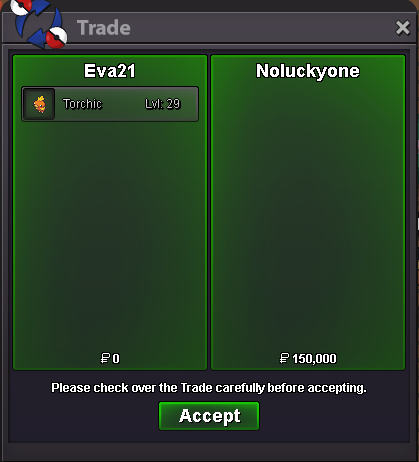
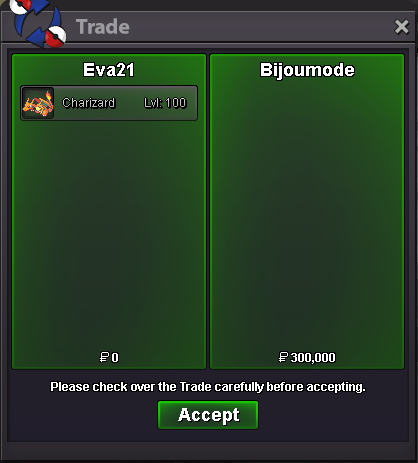
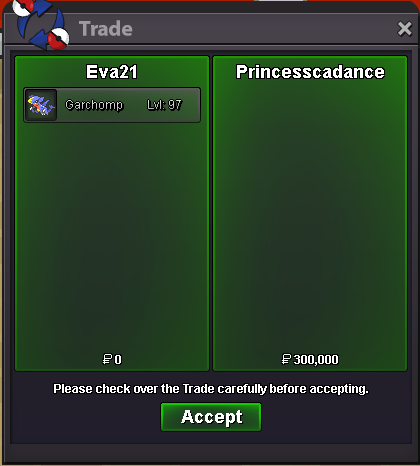
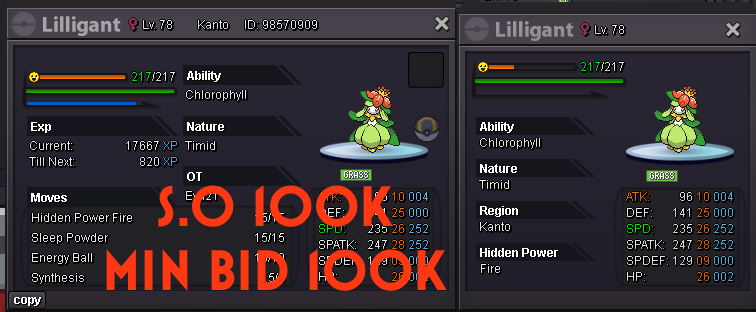 @Bijoumode and @Princesscadance u ve won charizard and garchomp, please contact me on the game 😃WELCOME TO MY LITTLE CORNER OF AUCTIONS FOR PVP MONS AUCTION RULES (EACH POKEMON HAS HIS AUCTION - NO BUNDLE) 15 MIN RULE: OFF END AFTER 24H TO START MIN RAISE: LOOK IN POKE SCREENS PAYMENT ACCEPTED METHOD CASH BLACK MEDAILLON 250K COIN CAPSULE 500K RR-TICKET 500k CURRENT OFFER: SOLD 150k TO NoLuckyOne COUNTDOWN: ENDS IN 24H FROM THE START OFFER!
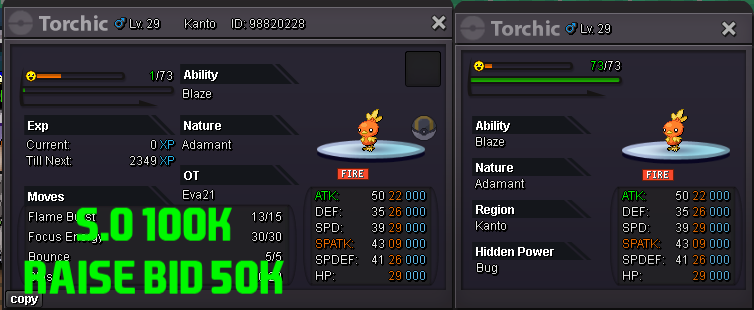
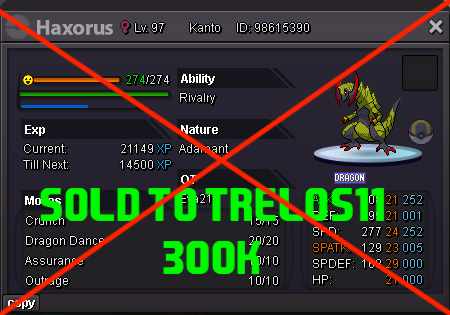
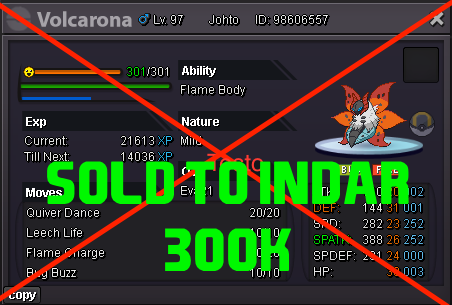
 @Indar U win Volcarona for 300k, please contact me on the game.HAXORUS SOLD FOR 300K TO TRELOS11 Thank you Trelos11!
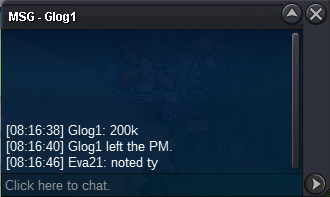
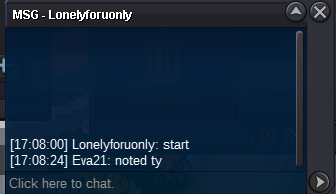
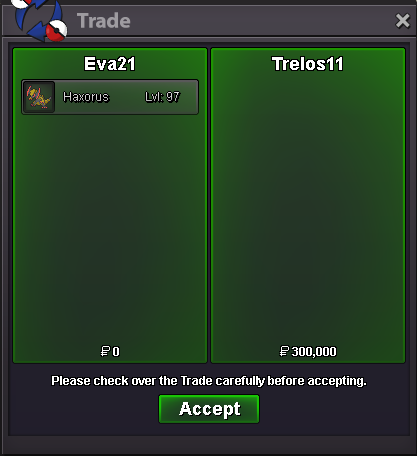 startWELCOME TO MY LITTLE CORNER OF AUCTIONS FOR PVP MONS AUCTION RULES (EACH POKEMON HAS HIS AUCTION - NO BUNDLE) 15 MIN RULE OFF END AFTER 48H TO START MIN RAISE: 50K PAYMENT: POKEDOLLARS CC (450K) FINAL SALE: 300k by Trelos11 COUNTDOWN: FINALE SALE: SOLD 300k TO Indar COUNTDOWN: FINAL SALE: SOLD 300k TO Bijoumode COUNTDOWN: FINAL SALE: SOLD 300k TO Pricesscadance COUNTDOWN:



Account
Navigation
Search
Configure browser push notifications
Chrome (Android)
- Tap the lock icon next to the address bar.
- Tap Permissions → Notifications.
- Adjust your preference.
Chrome (Desktop)
- Click the padlock icon in the address bar.
- Select Site settings.
- Find Notifications and adjust your preference.
Safari (iOS 16.4+)
- Ensure the site is installed via Add to Home Screen.
- Open Settings App → Notifications.
- Find your app name and adjust your preference.
Safari (macOS)
- Go to Safari → Preferences.
- Click the Websites tab.
- Select Notifications in the sidebar.
- Find this website and adjust your preference.
Edge (Android)
- Tap the lock icon next to the address bar.
- Tap Permissions.
- Find Notifications and adjust your preference.
Edge (Desktop)
- Click the padlock icon in the address bar.
- Click Permissions for this site.
- Find Notifications and adjust your preference.
Firefox (Android)
- Go to Settings → Site permissions.
- Tap Notifications.
- Find this site in the list and adjust your preference.
Firefox (Desktop)
- Open Firefox Settings.
- Search for Notifications.
- Find this site in the list and adjust your preference.