




New Trade Zone
Trade Zone is now live
Use the new Trade Zone for auctions and instant-price trades so Pokemon and item offers are easy to find.


Qwertyqwerty08
Registered User
-
Joined
-
Last visited
Everything posted by Qwertyqwerty08
-
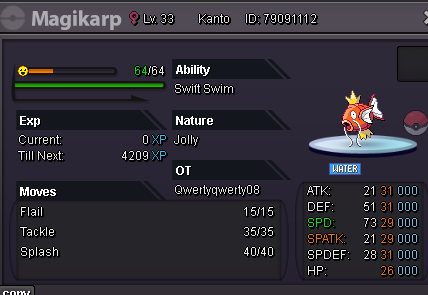
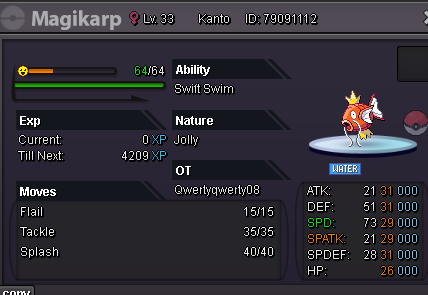
Auction Details: Starting Offer: 200k Min Bid: 50k No Insta: X Duration: https://www.tickcounter.com/countdown/6558365/my-countdown 5 minutes from last bid rule Accepted Currencies: - Poke Dollars -Rare Candy = 5k Each - Coin Capsule = 450k
 i want to buy this ign: qwertyqwerty08
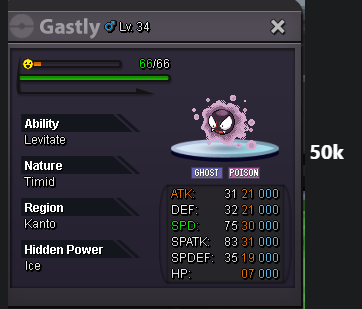 Hello, you won the auction 🙂 please contact me through Discord: qwertyqwerty08, thank you 🙂copy that boss 🙂noted 🙂copy that 🙂lel cheap civic. noted 🙂Auction Details: Starting Offer: 250k Min Bid: 50k No Insta: X Duration: https://www.tickcounter.com/countdown/6527574/my-countdown 15 minutes from last bid rule Accepted Currencies: - Poke Dollars -Rare Candy = 5k Each - Coin Capsule = 450k
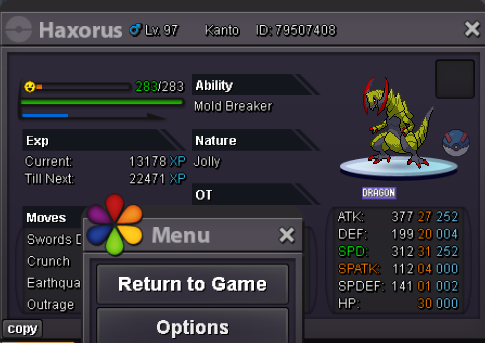 ill add u in game right now. my discord is qwertyqwerty08120k for both 🙂rock brotherI'M AT SILVER SERVER ATM!! TRAINED POKEMONS: Spoiler POKEMON with 31/31 on MAIN STATS: 🤙 Spoiler POKEMON FORMS: 🤌 Spoiler COSMETICS: 👨🌾 Spoiler MOUNTS: 🎠 Spoiler DEMON COLLECTION POKEMONS (25+): 👹 Spoiler I'M AT SILVER SERVER ATM!!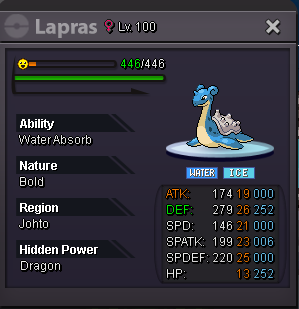
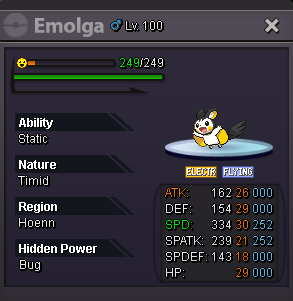
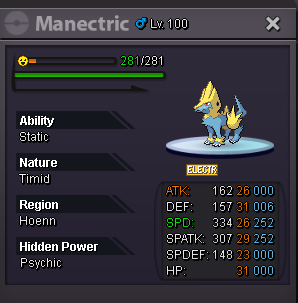
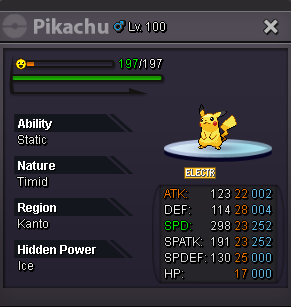
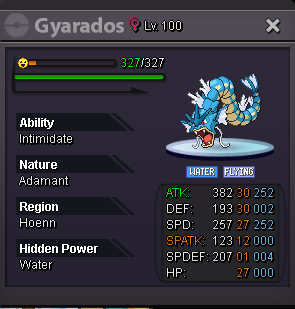
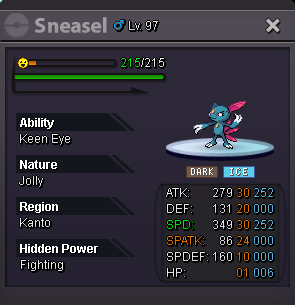
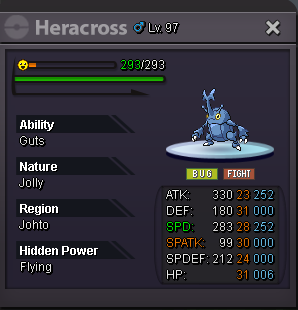
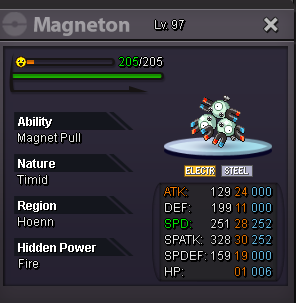
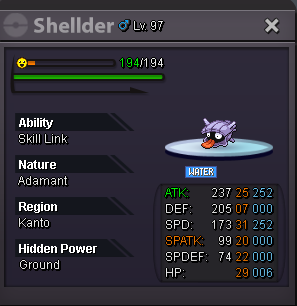
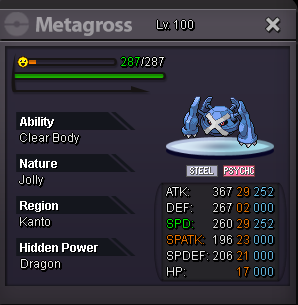
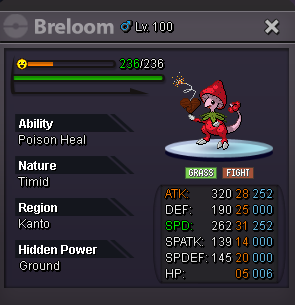
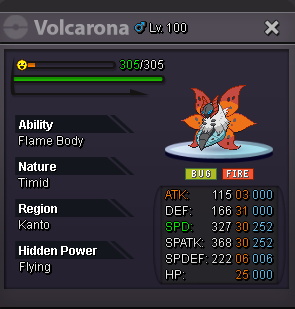
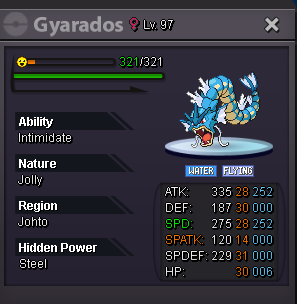
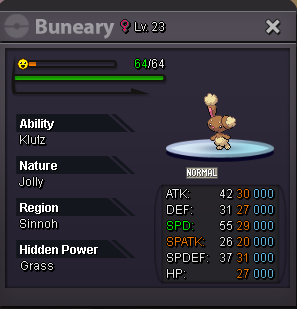
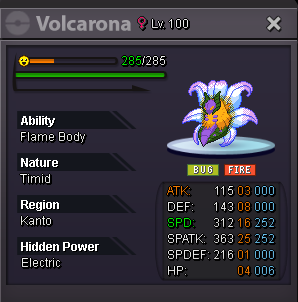
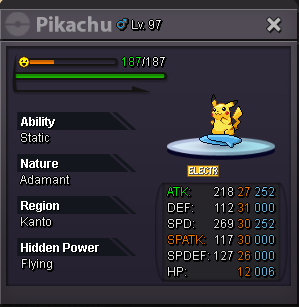
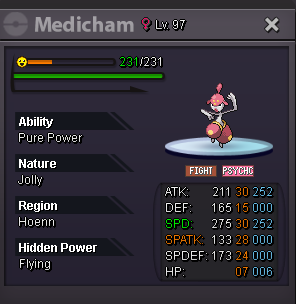
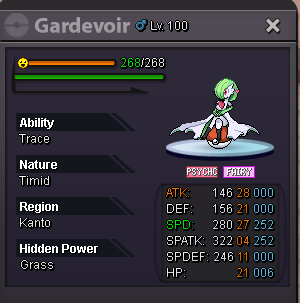
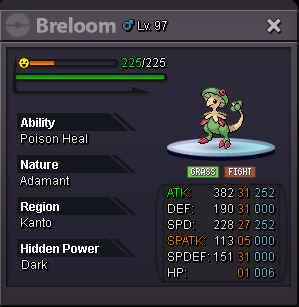
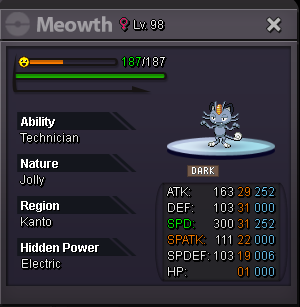


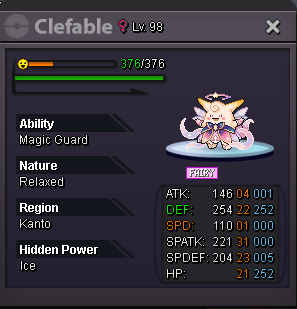
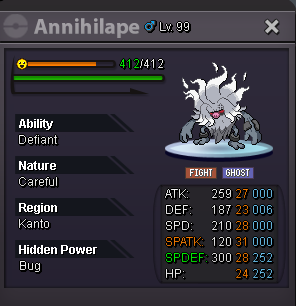

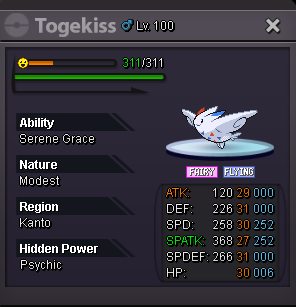
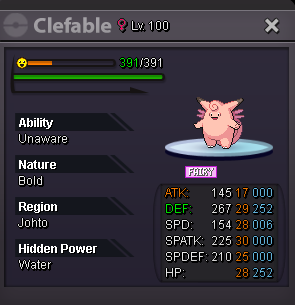
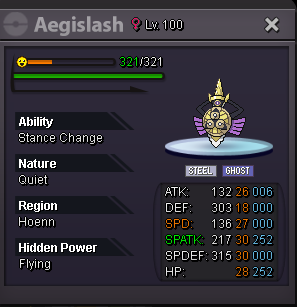



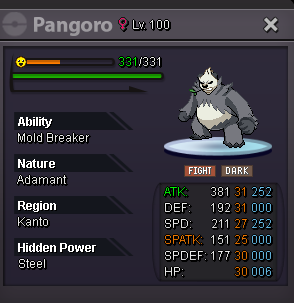
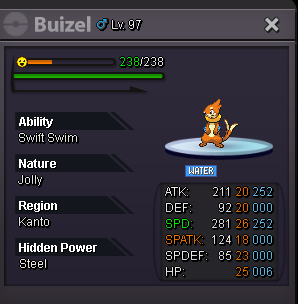
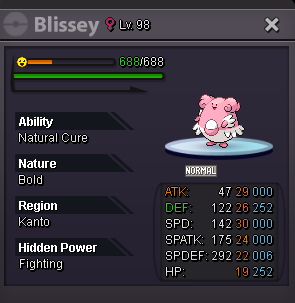
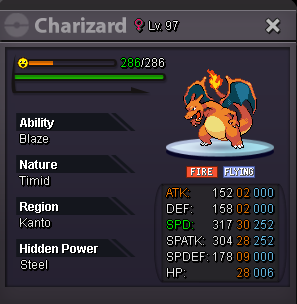
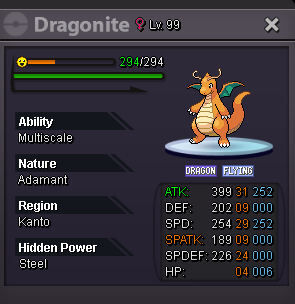
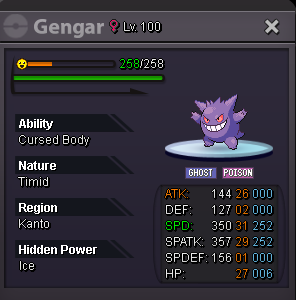
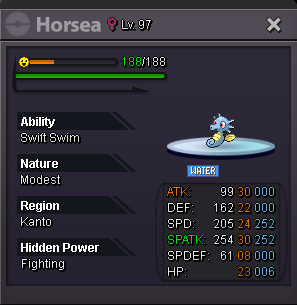
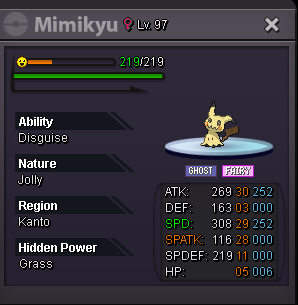
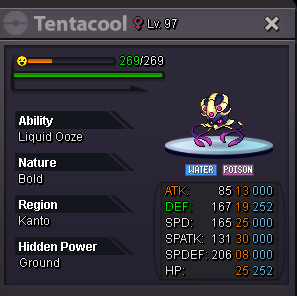
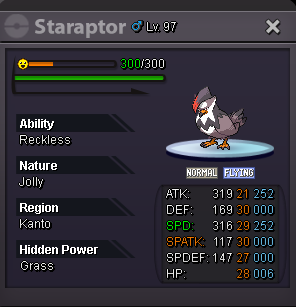
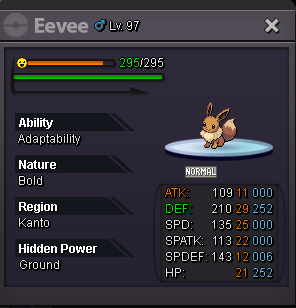
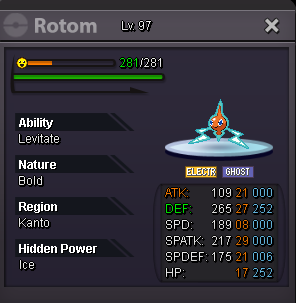
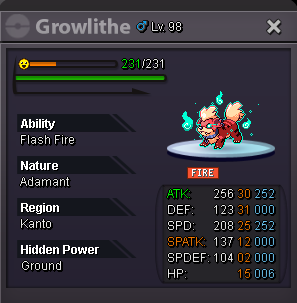
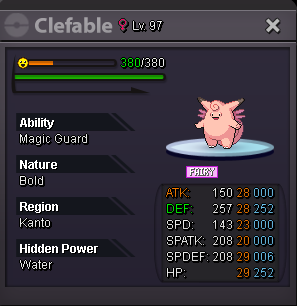
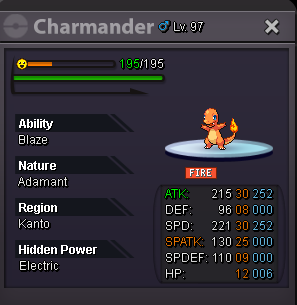
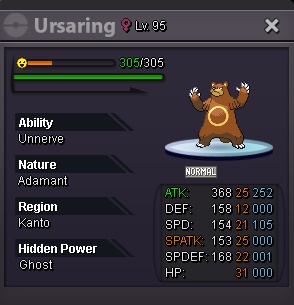
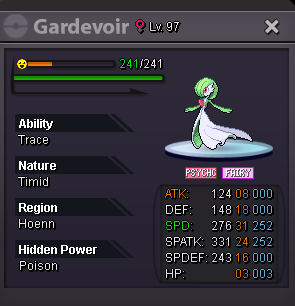
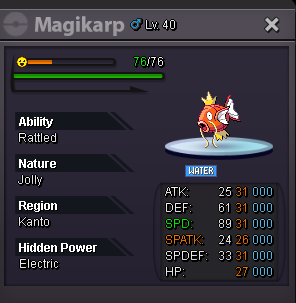
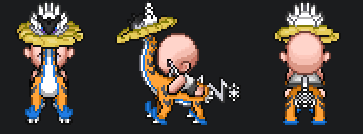
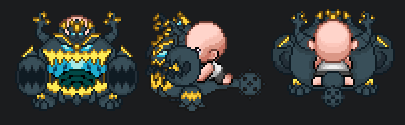
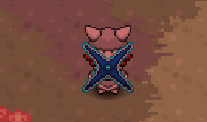
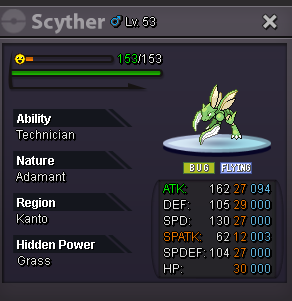

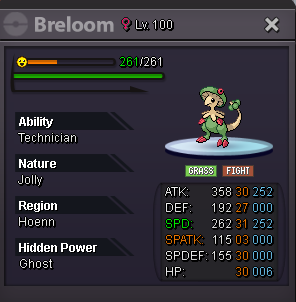
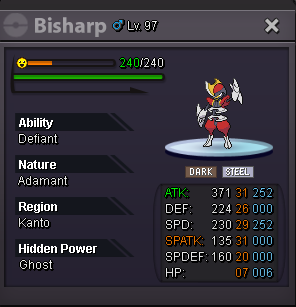
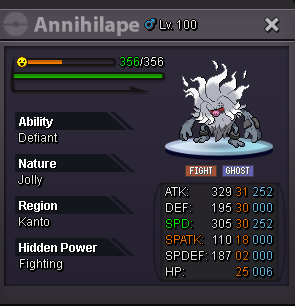
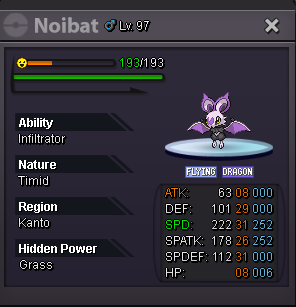
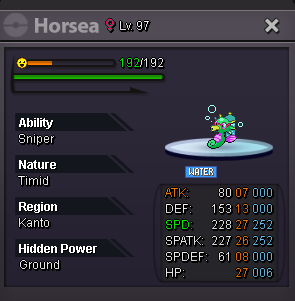
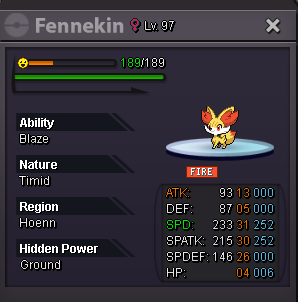
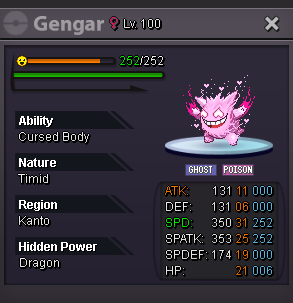
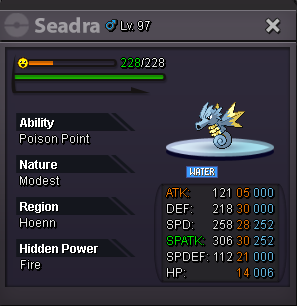
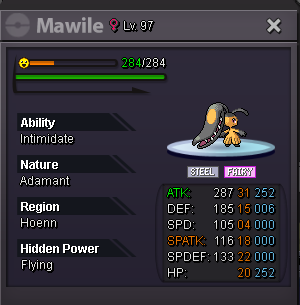
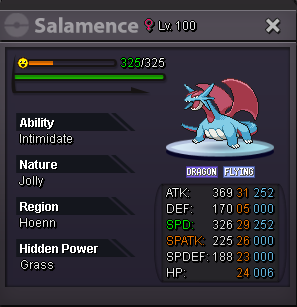
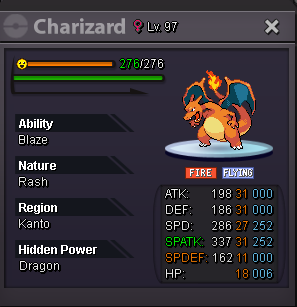
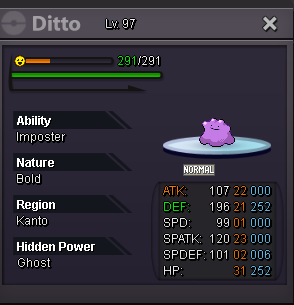
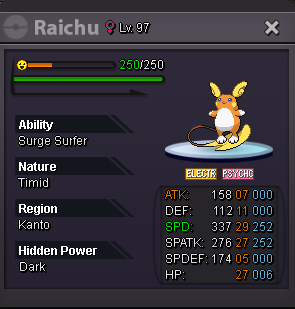
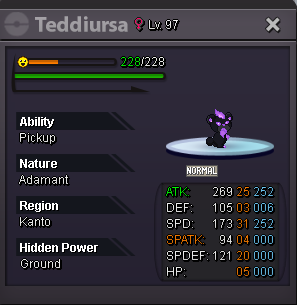
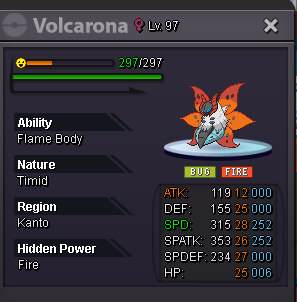
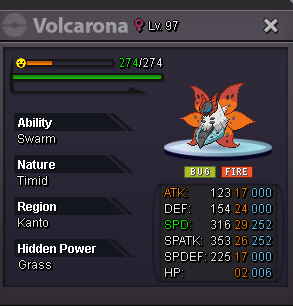
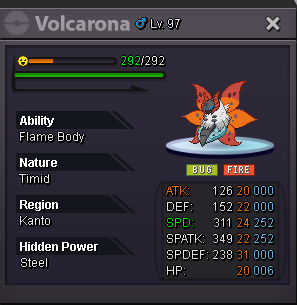
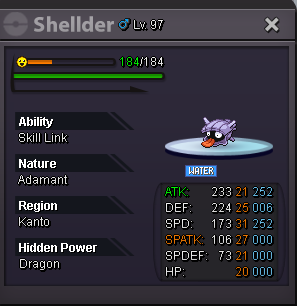
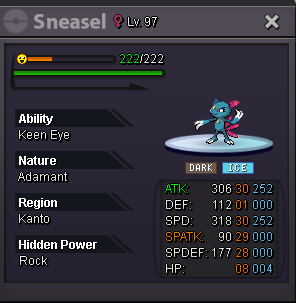
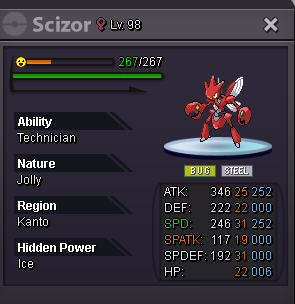
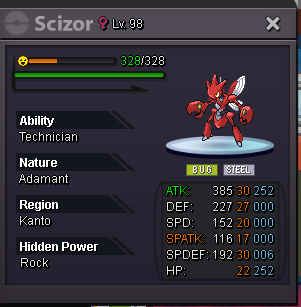
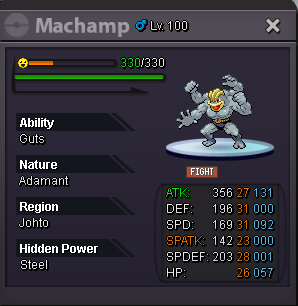
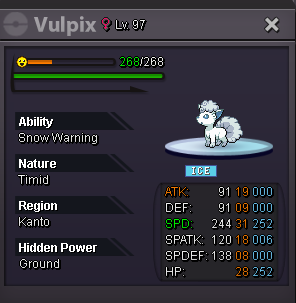
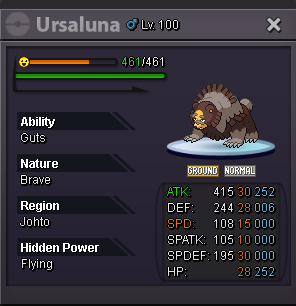
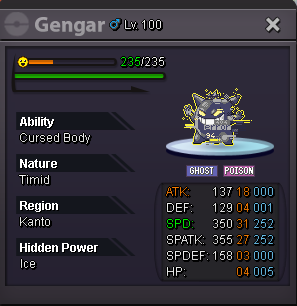
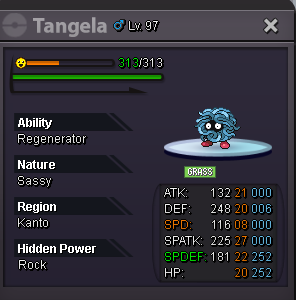
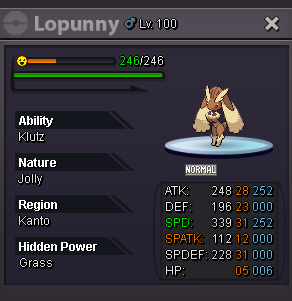
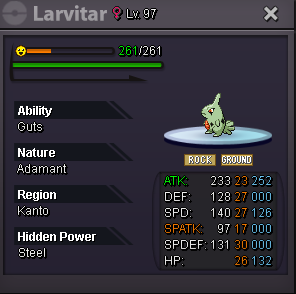

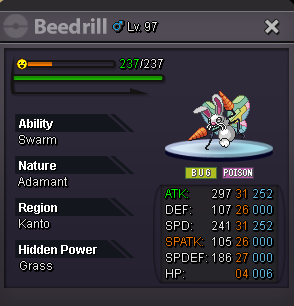
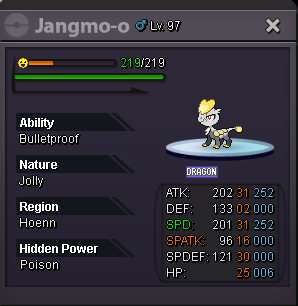

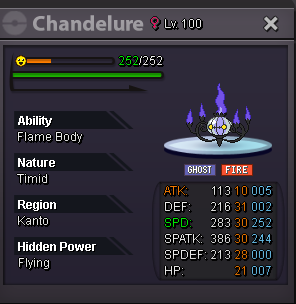
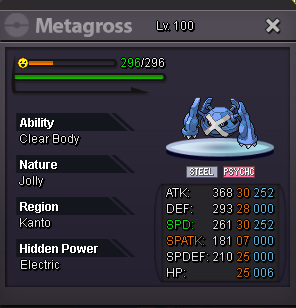
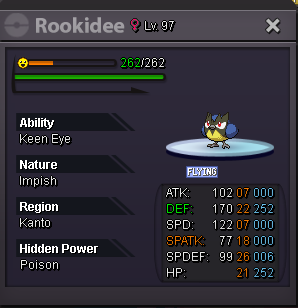
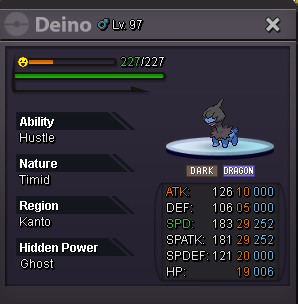
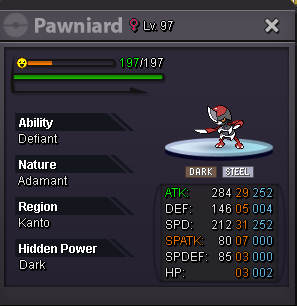



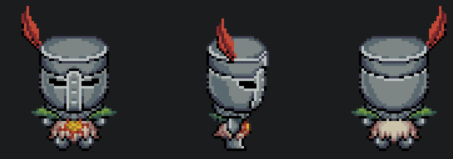
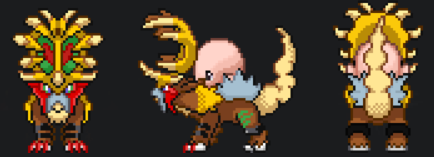
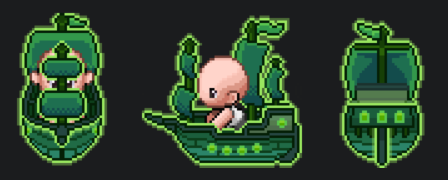

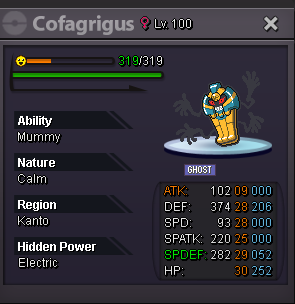

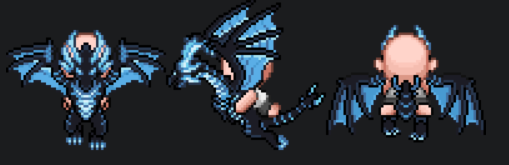

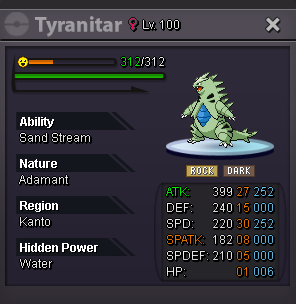
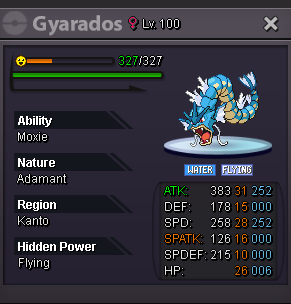
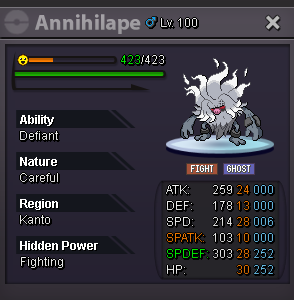 Auction Details: Start Offer 300k Min Bid: 50k No Insta: X Duration: 48 hours after first bid Accepted Currencies: - Pokedollars - IV Reroll = 520k - Nature Reroll = 260k - Coin Capsule = 450k Timer:
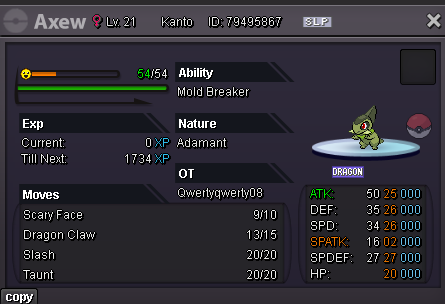 Accepted Mode of Payment: - Poke Dollars - Coin Capsule = 450k Pokemons:70k 🙃
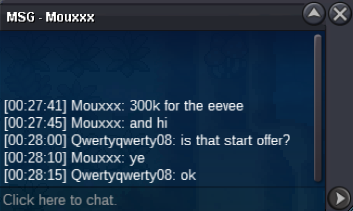

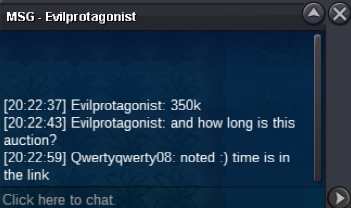
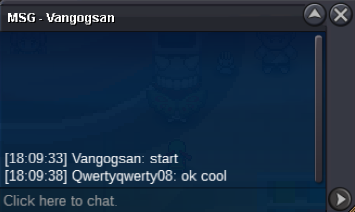

Account
Navigation
Search
Configure browser push notifications
Chrome (Android)
- Tap the lock icon next to the address bar.
- Tap Permissions → Notifications.
- Adjust your preference.
Chrome (Desktop)
- Click the padlock icon in the address bar.
- Select Site settings.
- Find Notifications and adjust your preference.
Safari (iOS 16.4+)
- Ensure the site is installed via Add to Home Screen.
- Open Settings App → Notifications.
- Find your app name and adjust your preference.
Safari (macOS)
- Go to Safari → Preferences.
- Click the Websites tab.
- Select Notifications in the sidebar.
- Find this website and adjust your preference.
Edge (Android)
- Tap the lock icon next to the address bar.
- Tap Permissions.
- Find Notifications and adjust your preference.
Edge (Desktop)
- Click the padlock icon in the address bar.
- Click Permissions for this site.
- Find Notifications and adjust your preference.
Firefox (Android)
- Go to Settings → Site permissions.
- Tap Notifications.
- Find this site in the list and adjust your preference.
Firefox (Desktop)
- Open Firefox Settings.
- Search for Notifications.
- Find this site in the list and adjust your preference.