




New Trade Zone
Trade Zone is now live
Use the new Trade Zone for auctions and instant-price trades so Pokemon and item offers are easy to find.

Asuna2222
Registered User
-
Joined
-
Last visited
Everything posted by Asuna2222
-
103k
-
cant see min raise so i bid 101k
-
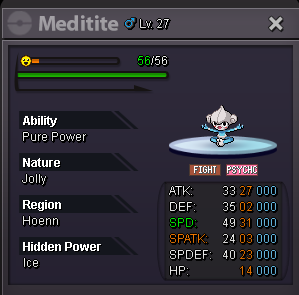
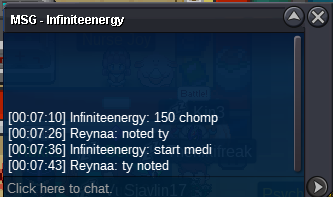
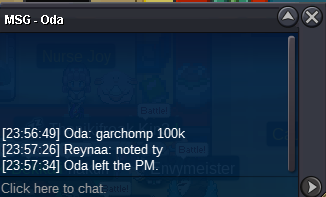
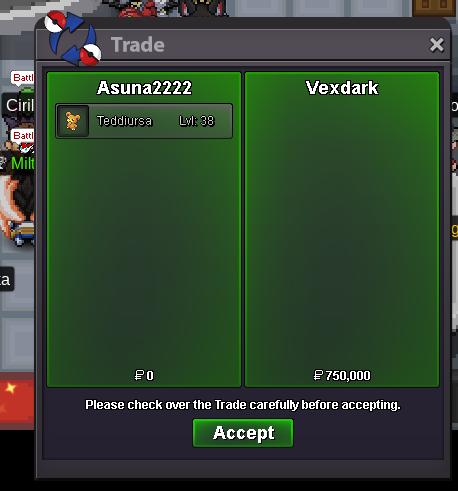
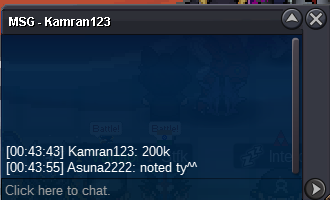
hello mods can i get force trade for the following mons pls: meditite won by infiniteenergy 50k and ferrothorn by ashketchum1111 (50k as well) both of the mons are in my alt acc "Reynaa"
-
medi pending but chomp traded
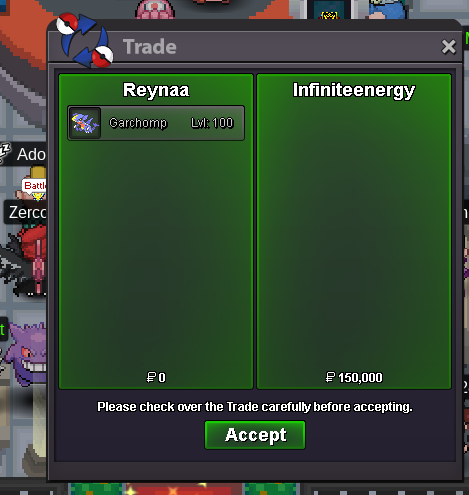
-
can you pm me in discord "verseey" seems like we arent online at same time
-
medicham has been traded as well i forgot to take that ss
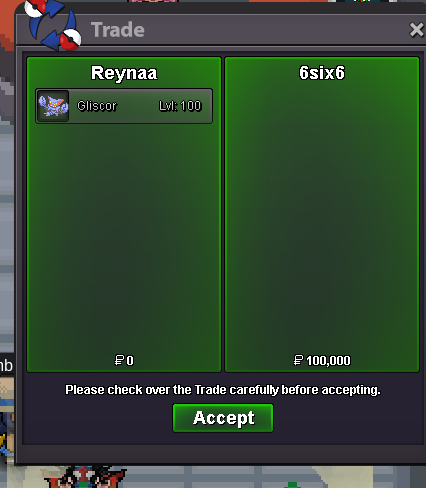
-
i am sry to say this but grachomp and medicham ended few hours ago since the timer is 24 hours after the start @Infiniteenergy and @Immalaugh won those mons respectively!
-
5 hours and 40 mins left on garchomp c.o 150k and medicham c.o 125k
-
125k chomp
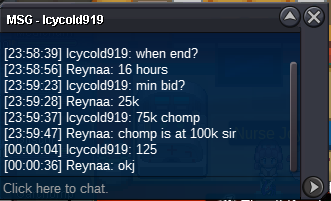 c.o 75k gliscor and ferro started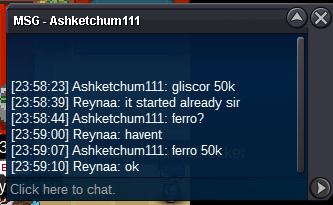
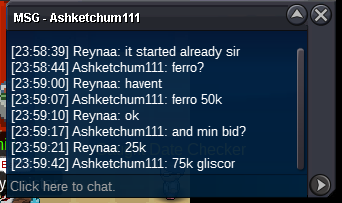 S.O of each mon : 50k each , min raise 25k duration: 24 hours after first bid (15 mins rule applied) winners pls trade with my alt "Reynaa"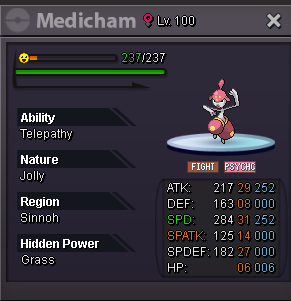
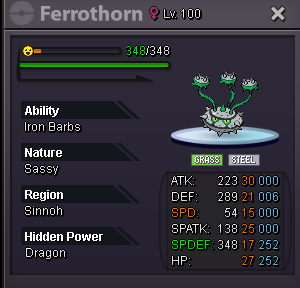
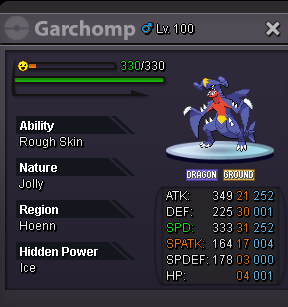
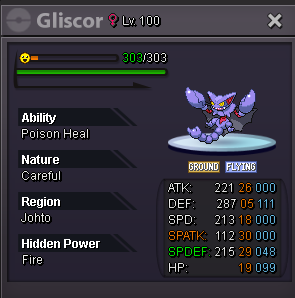 500k (i transfer if i win)hello and first of all this is not an auction. pls give me your offer for this decent bulk ferro with 02 spd . can pm in forum or reply to this thread. thank you!!
 i m online rn vermi pls1.7m1.5m1mbump 4 hours 35 mins leftbumpc.o 550k by @Manav861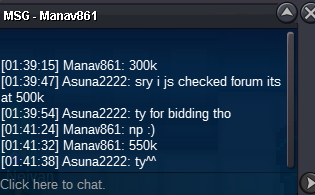


Account
Navigation
Search
Configure browser push notifications
Chrome (Android)
- Tap the lock icon next to the address bar.
- Tap Permissions → Notifications.
- Adjust your preference.
Chrome (Desktop)
- Click the padlock icon in the address bar.
- Select Site settings.
- Find Notifications and adjust your preference.
Safari (iOS 16.4+)
- Ensure the site is installed via Add to Home Screen.
- Open Settings App → Notifications.
- Find your app name and adjust your preference.
Safari (macOS)
- Go to Safari → Preferences.
- Click the Websites tab.
- Select Notifications in the sidebar.
- Find this website and adjust your preference.
Edge (Android)
- Tap the lock icon next to the address bar.
- Tap Permissions.
- Find Notifications and adjust your preference.
Edge (Desktop)
- Click the padlock icon in the address bar.
- Click Permissions for this site.
- Find Notifications and adjust your preference.
Firefox (Android)
- Go to Settings → Site permissions.
- Tap Notifications.
- Find this site in the list and adjust your preference.
Firefox (Desktop)
- Open Firefox Settings.
- Search for Notifications.
- Find this site in the list and adjust your preference.