




New Trade Zone
Trade Zone is now live
Use the new Trade Zone for auctions and instant-price trades so Pokemon and item offers are easy to find.

Jagotheking
Registered User
-
Joined
-
Last visited
Everything posted by Jagotheking
-
i added u yesterday on discord oh my god u werent online when i am online xD ridicoulus
-
3.7m
-
3.3m
-
congrats Faizu u won the S Mankey!
-
Duration: 48 hours after first valid bid Start Price: 100k (each Pokémon) Min Raise: 100k End: 48h after the first valid offer Payment: Pokédollars only Pokémon Included in Auction: Auction Rules (in line with PRO forum rules): No fake offers Once you bid, you cannot withdraw The auction ends exactly 48h after the first valid bid Payment in Pokédollars only Offers below the starting price are invalid Auction can be done either here in the forum or in in-game trade chat 15 minute forum auction rule: if a bid is received in the final 15 minutes of the auction, the end point will be delayed by 15 minutes from that bid, and will be delayed by 15 minutes for each new bid thereafter, until the current offer has been held for a full 15 minutes.
-
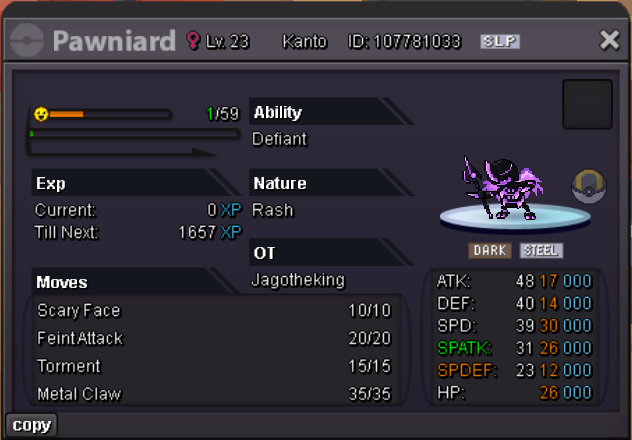
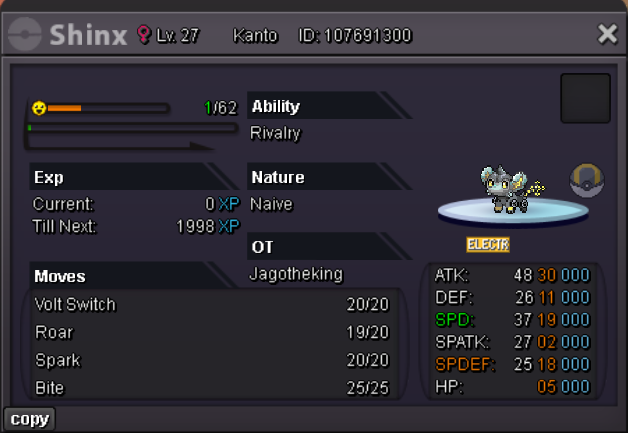
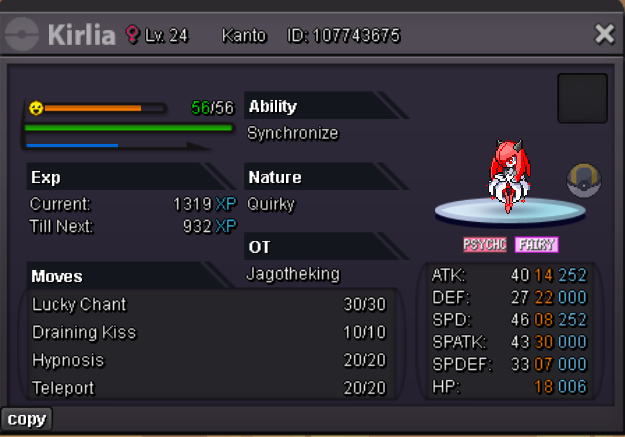
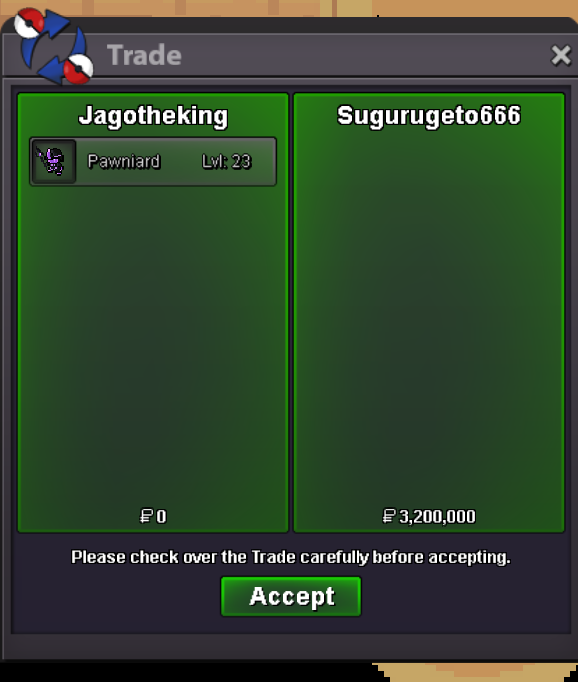
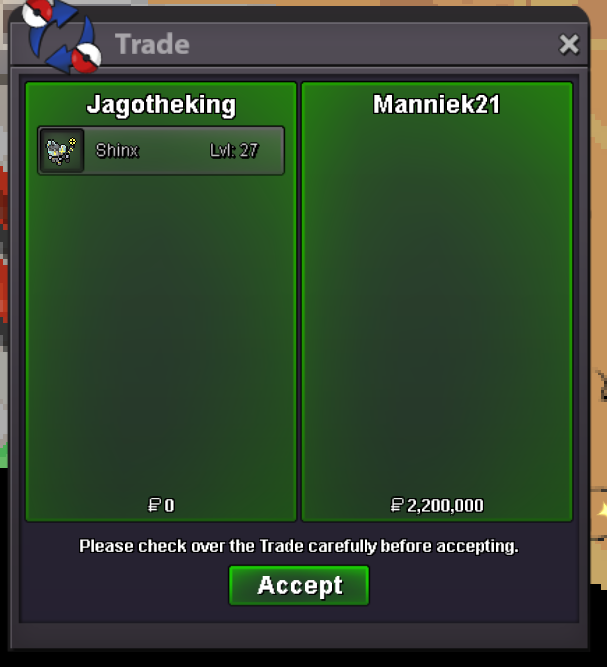
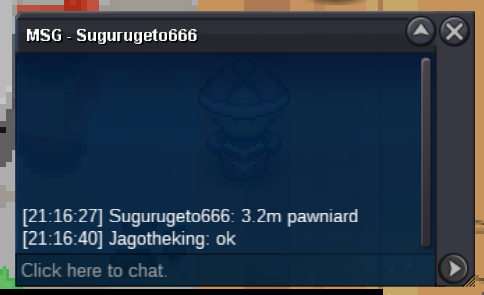
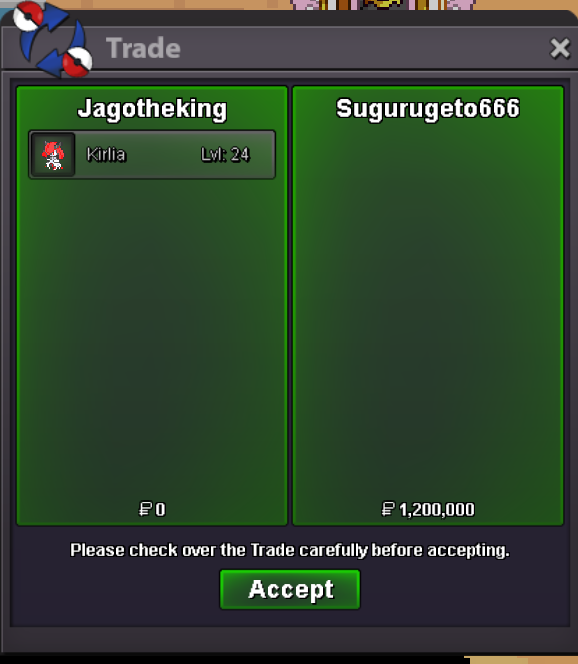
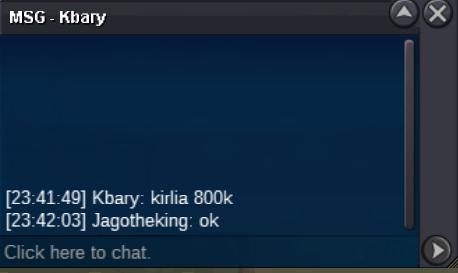
Sugurugeto congrats for pawniard for 3.2m!Sugurugeto congrats for kirlia for 1.2m!Congrats to Manniek21! 2.2m for shinx!pawn ends 21:191 hour left!Duration: 48 hours after first valid bid Start Price: 500k (each Pokémon) Min Raise: 100k End: 48h after the first valid offer Payment: Pokédollars only All three Pokémon auctions will end on Tuesday, October 14st at 21:09 (CET) — exactly 48 hours after the first valid bid. Don’t miss your chance to grab these rare Halloween Event Pokémon before the timer runs out! 🎃✨ Pokémon Included in Auction: Auction Rules (in line with PRO forum rules): No fake offers Once you bid, you cannot withdraw The auction ends exactly 48h after the first valid bid Payment in Pokédollars only Offers below the starting price are invalid Auction can be done either here in the forum or in in-game trade chat 15 minute forum auction rule: if a bid is received in the final 15 minutes of the auction, the end point will be delayed by 15 minutes from that bid, and will be delayed by 15 minutes for each new bid thereafter, until the current offer has been held for a full 15 minutes. Don’t miss this chance to grab rare halloween Pokémon!
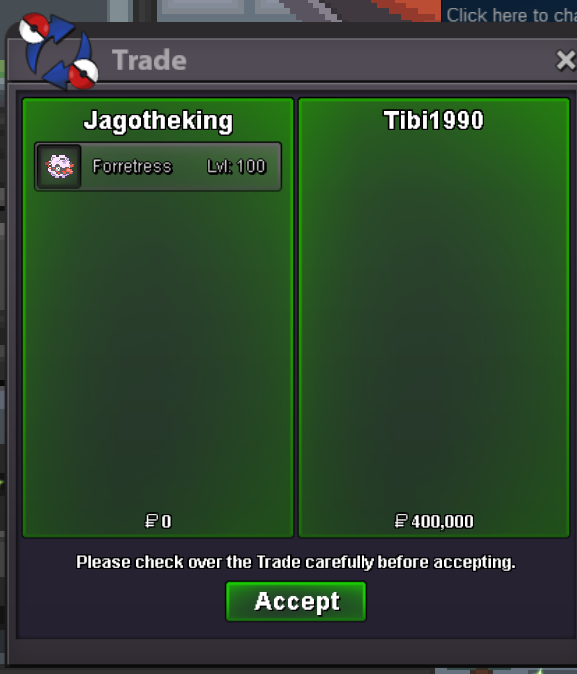
 Torterra goes for 150k to Avikash. congrats!Lucario goes for 100k to Citizenerased92 congrats!Zangoose and Mienshao are going to Gralak21 for 250k each. congratsForretress sold for 400k to Tibi1990 congrats!🕒 Duration: 48 hours after first valid bid 💰 Start Price: 100k (each Pokémon) 📈 Min Raise: 50k ⏳ End: 48h after the first valid offer 💵 Payment: Pokédollars only 🔥 Pokémon Included in Auction: 1️⃣ Lucario (Ends 5:14 PM on Wednesday) Sold! 2️⃣ Mienshao (Ends 9:57 PM on Tuesday) Sold! 3️⃣ Magnezone 4️⃣ Zangoose (Ends 9:57 PM on Tuesday) Sold! 5️⃣ Forretress (Ends 7:27 PM on Tuesday) Sold! 6️⃣ Torterra (Ends 9:44 PM on Wednesday) Sold! ⚠️ Auction Rules (in line with PRO forum rules): 🚫 No fake offers 🔒 Once you bid, you cannot withdraw ⏳ The auction ends exactly 48h after the first valid bid 💵 Payment in Pokédollars only 📉 Offers below the starting price are invalid ✅ Auction can be done either here in the forum or in in-game trade chat 15 minute forum auction rule: if a bid is received in the final 15 minutes of the auction, the end point will be delayed by 15 minutes from that bid, and will be delayed by 15 minutes for each new bid thereafter, until the current offer has been held for a full 15 minutes. ✨ Don’t miss this chance to grab strong & competitive Pokémon! ✨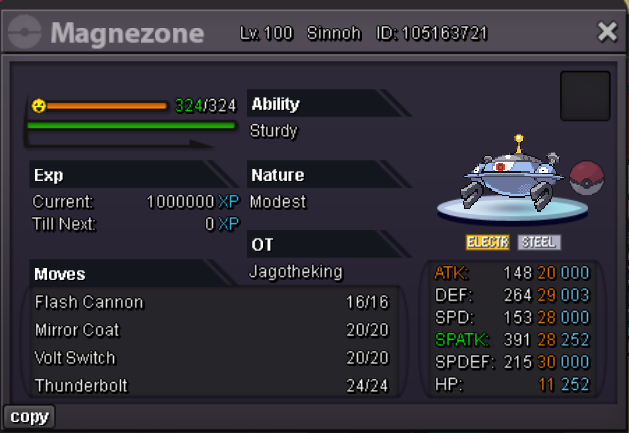
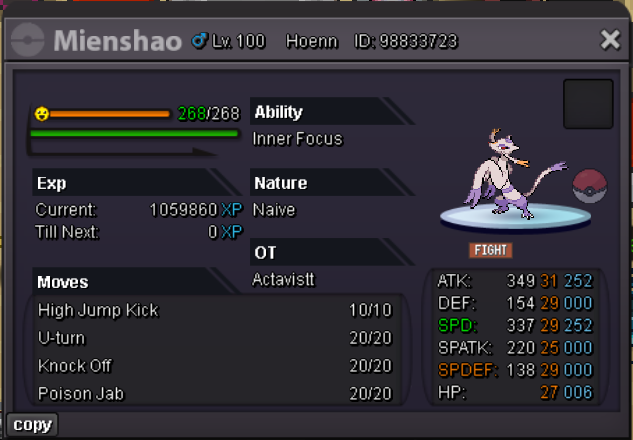
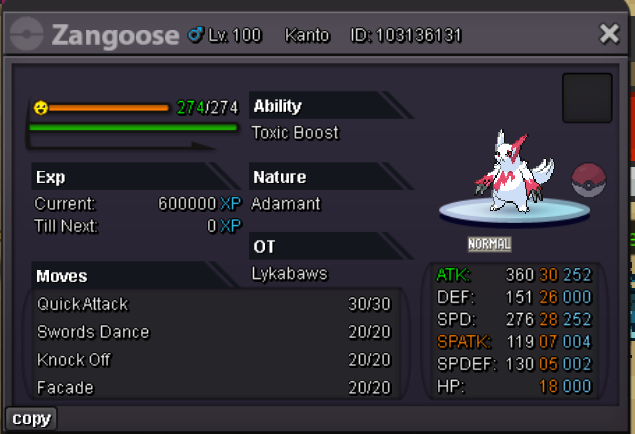
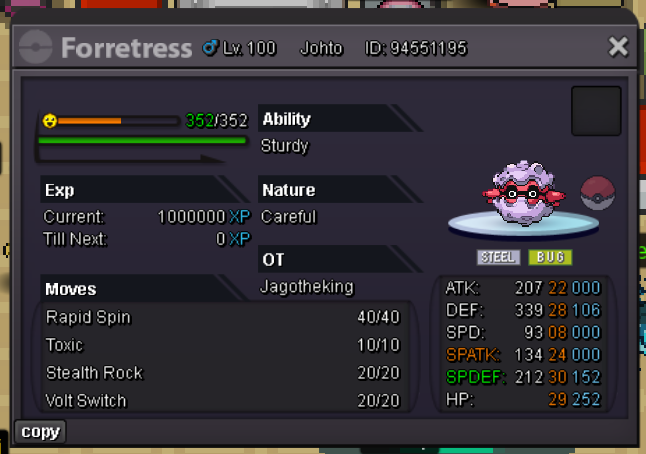
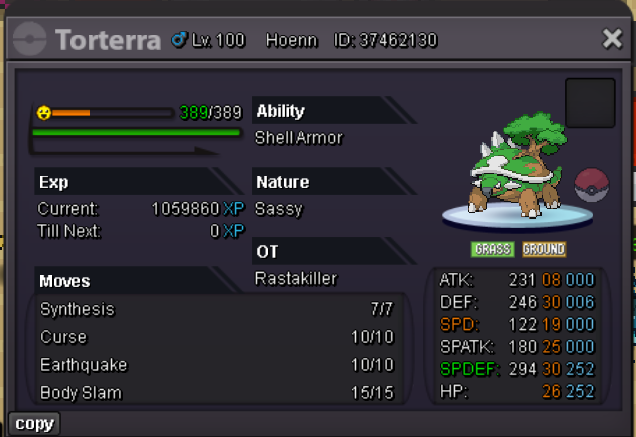
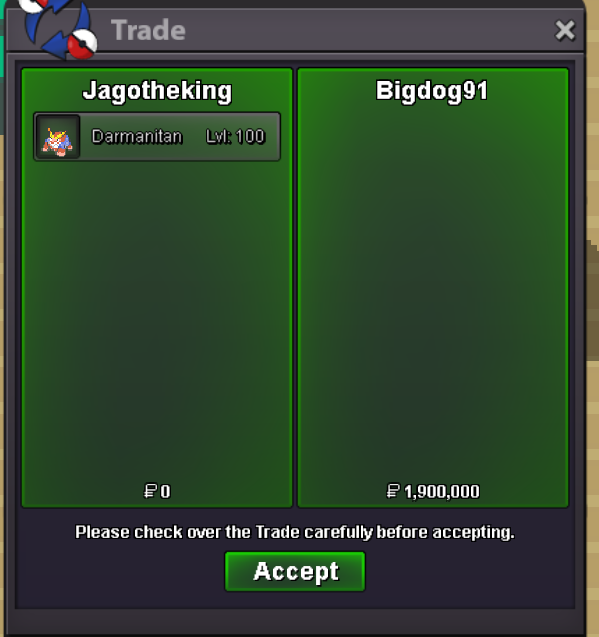
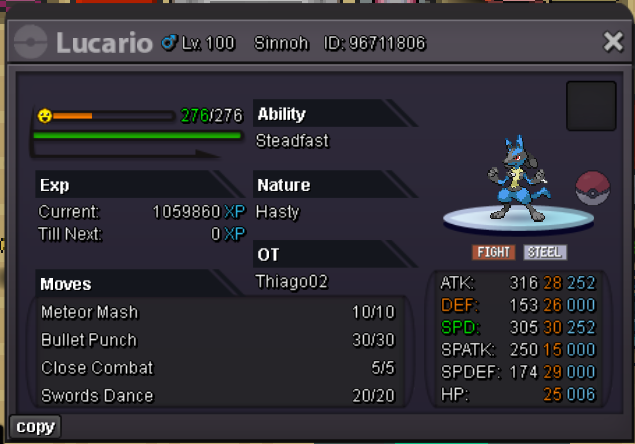 auction closed bigdog91 gets it for 1.9m congrats!15min rule reminder: last bid has to stay 15min


Account
Navigation
Search
Configure browser push notifications
Chrome (Android)
- Tap the lock icon next to the address bar.
- Tap Permissions → Notifications.
- Adjust your preference.
Chrome (Desktop)
- Click the padlock icon in the address bar.
- Select Site settings.
- Find Notifications and adjust your preference.
Safari (iOS 16.4+)
- Ensure the site is installed via Add to Home Screen.
- Open Settings App → Notifications.
- Find your app name and adjust your preference.
Safari (macOS)
- Go to Safari → Preferences.
- Click the Websites tab.
- Select Notifications in the sidebar.
- Find this website and adjust your preference.
Edge (Android)
- Tap the lock icon next to the address bar.
- Tap Permissions.
- Find Notifications and adjust your preference.
Edge (Desktop)
- Click the padlock icon in the address bar.
- Click Permissions for this site.
- Find Notifications and adjust your preference.
Firefox (Android)
- Go to Settings → Site permissions.
- Tap Notifications.
- Find this site in the list and adjust your preference.
Firefox (Desktop)
- Open Firefox Settings.
- Search for Notifications.
- Find this site in the list and adjust your preference.