New Trade Zone
Trade Zone is now live
Use the new Trade Zone for auctions and instant-price trades so Pokemon and item offers are easy to find.

Joksch96
Registered User
-
Joined
-
Last visited
Everything posted by Joksch96
-
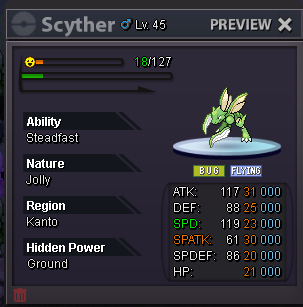
Will end at 21:16 PM GMT +2Nice and how about sasuke set ?Start offer: 200k min bid: 50k Length: 24hrs after s.o Accept CC=470k
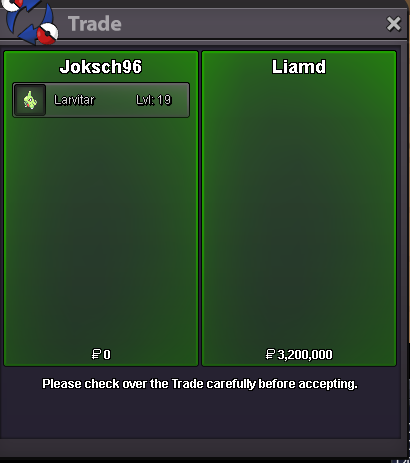
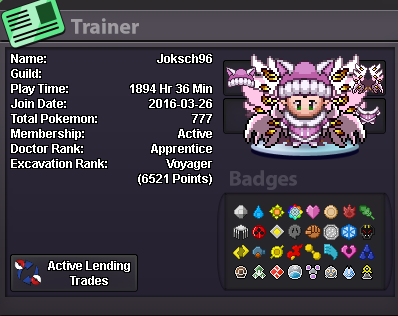
 Hey how much Sasuke/harley/sailor Moon set ?Congratulations @Liamd You won pm me Ingame 😃Ending Time 2:33 PM GMT +2 27.06.2025Hey my Name is Nicholas im 29 Years Old and from Germany. I Can do for the guild special priced lvl and ev service /day care services when i have free time My Ingame Name is Joksch96 i started in beta in 2016 had than a break until 2024 im online daily as far as my schedule is allowing it. My Discord is Jokschi and im online daily. I played alot of PVP back then on Nintendo DS in Pearl and Diamond but didnt do alot since then id be interested in learning PVP again and try to reach some heights in Pro aswell. Im becoming a teacher in University right now so if i have exam phase i might be irregularly online but still being in Discord. You can always DM me ingame or in Discord if you have any more questions. I would really like to join Dynasty and become a useful member of ur great Guild. With friendly Regards Nicholas
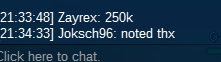
 Start offer: 250k min bid: 50k Length: 24hrs after s.o Accept CC=460k
Account
Navigation
Search
Configure browser push notifications
Chrome (Android)
- Tap the lock icon next to the address bar.
- Tap Permissions → Notifications.
- Adjust your preference.
Chrome (Desktop)
- Click the padlock icon in the address bar.
- Select Site settings.
- Find Notifications and adjust your preference.
Safari (iOS 16.4+)
- Ensure the site is installed via Add to Home Screen.
- Open Settings App → Notifications.
- Find your app name and adjust your preference.
Safari (macOS)
- Go to Safari → Preferences.
- Click the Websites tab.
- Select Notifications in the sidebar.
- Find this website and adjust your preference.
Edge (Android)
- Tap the lock icon next to the address bar.
- Tap Permissions.
- Find Notifications and adjust your preference.
Edge (Desktop)
- Click the padlock icon in the address bar.
- Click Permissions for this site.
- Find Notifications and adjust your preference.
Firefox (Android)
- Go to Settings → Site permissions.
- Tap Notifications.
- Find this site in the list and adjust your preference.
Firefox (Desktop)
- Open Firefox Settings.
- Search for Notifications.
- Find this site in the list and adjust your preference.