Skip to content
View in the app

A better way to browse. Learn more.

Pokemon Revolution Online

A full-screen app on your home screen with push notifications, badges and more.

To install this app on iOS and iPadOS
  1. Tap the Share icon in Safari
  2. Scroll the menu and tap Add to Home Screen.
  3. Tap Add in the top-right corner.
To install this app on Android
  1. Tap the 3-dot menu (⋮) in the top-right corner of the browser.
  2. Tap Add to Home screen or Install app.
  3. Confirm by tapping Install.
New Trade Zone
Trade Zone is now live
Use the new Trade Zone for auctions and instant-price trades so Pokemon and item offers are easy to find.
Open Trade Zone

Drkxrose

Suspended
  • Joined

  • Last visited

Everything posted by Drkxrose

  1. make offers on post pls
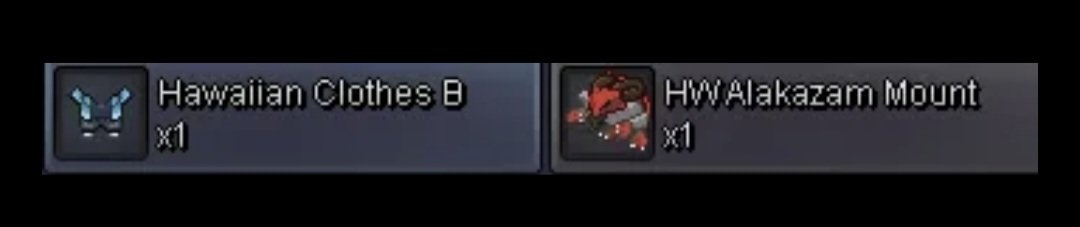
  2. Wtt/wts hw alakazam and Hawaiian cloths b for another form mount
  3. What do you want for the ursalunu
  4. I think maybe you should read and see 1.5 is min bid so take ur broke offer out of here already have had multiple people dm me you are a well know scammer so stop trying to take advantage of new players and maybe leave 🫩
  5. Not a great seller im new to the game to sorry again wish I woulda screen shot that offer
  6. Nope sorry closed my game alr. Do u have a offer in mind?
  7. reply with offers
  8. 110k Nvm 5 atk not worth
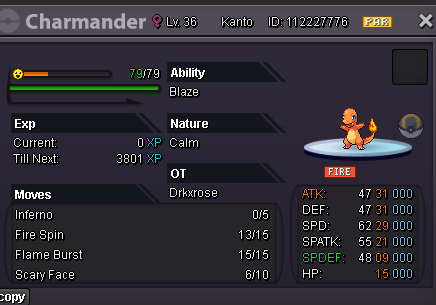
  9. not sure on prices anything above 250k id take
Account

Navigation

Search

Search

Configure browser push notifications

Chrome (Android)
  1. Tap the lock icon next to the address bar.
  2. Tap Permissions → Notifications.
  3. Adjust your preference.
Chrome (Desktop)
  1. Click the padlock icon in the address bar.
  2. Select Site settings.
  3. Find Notifications and adjust your preference.