




New Trade Zone
Trade Zone is now live
Use the new Trade Zone for auctions and instant-price trades so Pokemon and item offers are easy to find.

Rastakiller
Registered User
-
Joined
-
Last visited
Everything posted by Rastakiller
-
ohhhh sry, gl
-
start 100k
-
start 500k
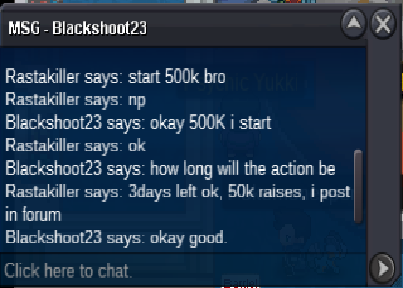 CLOSED .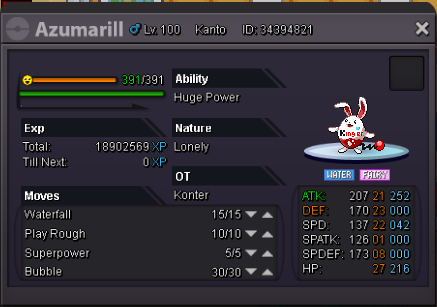
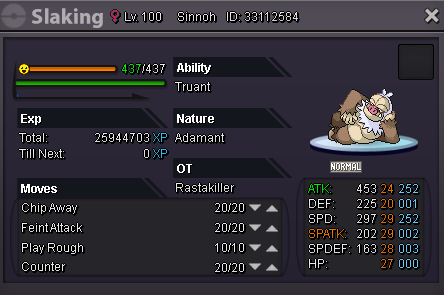
 i on now come to safron plsi m online now talk to meSry brow i sell this conke... But i have other guts.Start Bid 500k, Insta 2m minimun bid 100k 5 days later the first offer Slaking with moveset your choice!
 Welcome to my shop, great pokes in lvl 100 ready to pvp... Epic's, Semi-Epic'a and usables... soon low lvl poke's! Accept: Coin Capsules = 300k Rare Candy = 6k Great Milotic = 800k No Guard pvp ready = 300k Lvl 100 ready pvp 100k each Delphox Blaze 150k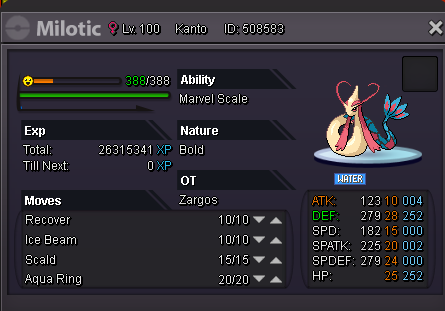

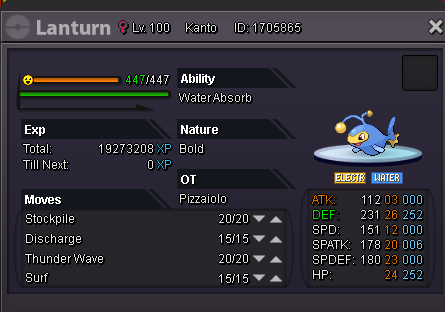
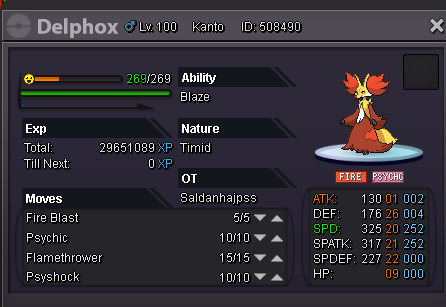

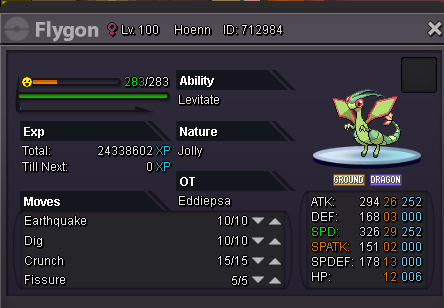
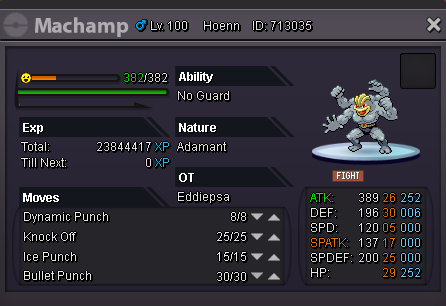
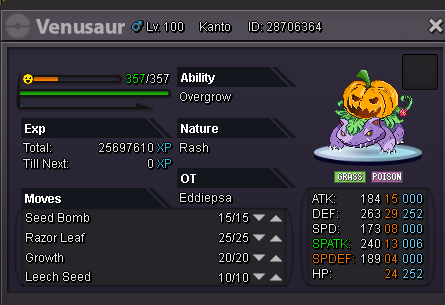 Eu tenho um, se quiser dar uma olhada, pm me Rastakilleryou on bro, i buy 2 ccWelcome to the shop Akatsuki Team I accept offers, see and buy both in the forum and online. Feel free to get in touch with me both in the forum and online. When there is a price without description, it is an instant price. All my prices are negotiable. If more than one player is interested in something, I will bid. Feel free to comment my prices properly. Irrelevant comments will simply be ignored. I accept CC as 250k and iv reroll as 500k. And Rare Candy at 5k PvP & Boss Pokes:. PvP - 200k PvP Semi Épic - 300k PvP Max Spatk - 150k PvP & Boss Killer - 200k Boss Tank - 100k PvP and Collection - 120k PvP physical power - 200k
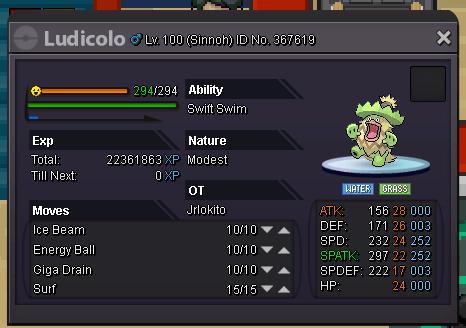
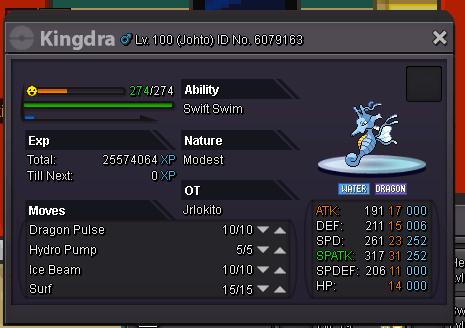

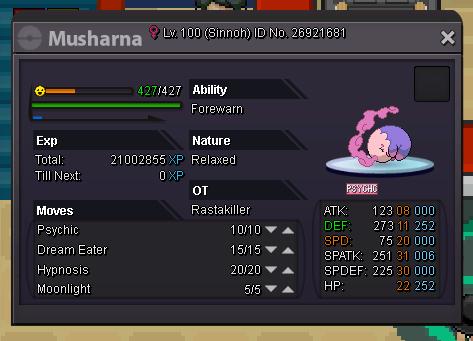

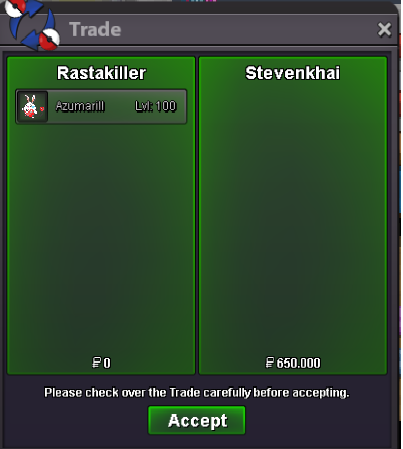
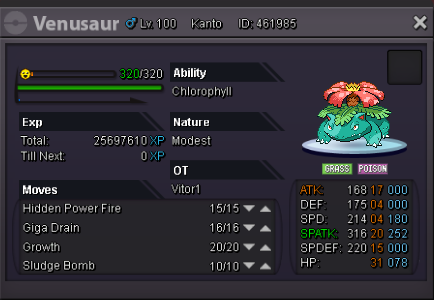
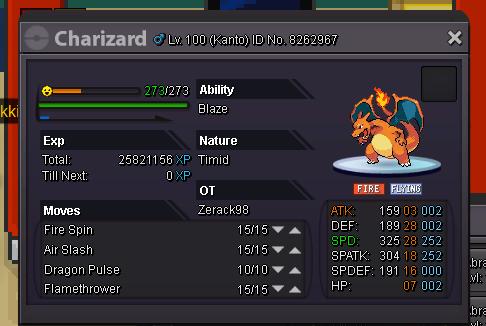 I have one Jolly, PvP ready2,4m Bro... By:. RastaKillerShinycelebi offer 650kNice - Ready pvp insta 800k
 Ampharos - HP ICE - Shine. Start bid 600k insta 2,5. 10 days Left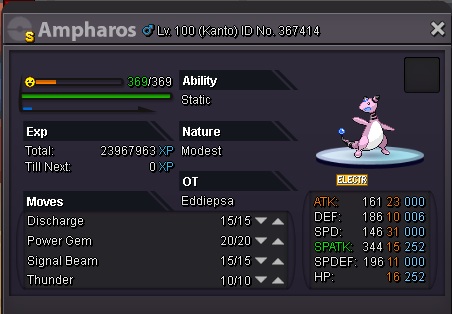


Account
Navigation
Search
Configure browser push notifications
Chrome (Android)
- Tap the lock icon next to the address bar.
- Tap Permissions → Notifications.
- Adjust your preference.
Chrome (Desktop)
- Click the padlock icon in the address bar.
- Select Site settings.
- Find Notifications and adjust your preference.
Safari (iOS 16.4+)
- Ensure the site is installed via Add to Home Screen.
- Open Settings App → Notifications.
- Find your app name and adjust your preference.
Safari (macOS)
- Go to Safari → Preferences.
- Click the Websites tab.
- Select Notifications in the sidebar.
- Find this website and adjust your preference.
Edge (Android)
- Tap the lock icon next to the address bar.
- Tap Permissions.
- Find Notifications and adjust your preference.
Edge (Desktop)
- Click the padlock icon in the address bar.
- Click Permissions for this site.
- Find Notifications and adjust your preference.
Firefox (Android)
- Go to Settings → Site permissions.
- Tap Notifications.
- Find this site in the list and adjust your preference.
Firefox (Desktop)
- Open Firefox Settings.
- Search for Notifications.
- Find this site in the list and adjust your preference.