




New Trade Zone
Trade Zone is now live
Use the new Trade Zone for auctions and instant-price trades so Pokemon and item offers are easy to find.

Kida
Registered User
-
Joined
-
Last visited
Everything posted by Kida
-
Hello! Thank you for applying I have sent you the discord invite via PM Looking forward to chatting with you
-
Bump
-
Hello! Thank you for applying! I have sent you the discord link via PM Looking forward to chatting with you.
-
Bump
-
Bump
-
Bump
-
Bump
-
Hello I have sent you the link to the discord in pm's Looking forward to chatting with you
-
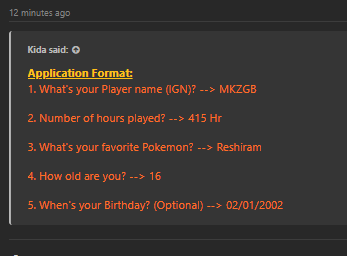
Hello Thank you for your applications I have sent you all a link in pms to our discord Looking forward to chatting with you
-
Hello Thank you for applying to the guild. I have sent you a pm with the discord link We look forward to chatting with you
-
The reason you were kicked was because you were very toxic and disruptive, especially when throwing fits in chats. I hope you find a guild that is a better fit for you.
-
Hello Thank you for your application I have sent you a pm with the discord link on it Looking forward to chatting with you
-
Bump
-
Hello and thank you for your application I have sent you a link to the discord via pm Looking forward to chatting with you
-
Hello there I have sent you a pm with the discord details Looking forward to chatting with you
-
Hello Thank you for applying to the guild I have sent you a discord link via pm Looking forward to chatting with you
-
Bump
-
Hello Thank you so much for your application I have sent you a link to the discord via pm Looking forward to chatting with you
-
Hi there Thank you for your applications tot he guild I have sent you a discord link Looking forward to chatting with you
-
Hello Thank you for applying to the Guild I have sent you each a pm with the discord invite Looking forward to chatting with you
-
Hello all Thank you for applying to the guild I have sent you a PM with an invite to the discord I look forward to chatting with you all.
-
Hello Thank you for applying tot he guild I have sent you the discord link in PM Looking forward to chatting with you
-
Hello Thank you for applying to the guild I have sent you a pm with the discord link Looking forward to chatting with you
-
Hello Thank you for your application I have sent you a pm with the discord link. Looking forward to chatting with you
-
Bump