New Trade Zone
Trade Zone is now live
Use the new Trade Zone for auctions and instant-price trades so Pokemon and item offers are easy to find.


Flamme1230
Registered User
-
Joined
-
Last visited
Everything posted by Flamme1230
-
https://www.youtube.com/watch?v=2LGpLmBemHo This is the one that i found
-
On what page do i dowload it? cuz i only saw an android-windows download on a belzebel video
-
Can you install the test client on mac, and if yes, could you give me the link? Thanks, Flamme
-
Thanks. I realized that by 20:00 the light poles will light up and you basically need to follow the light. Flamme
-
-
Ok thanks so much flamme
-
Precision : in terminal, I pasted sudo " xattr -rd com.apple.quarantine /Applications/PROClient.app " at first and then they ask a password. Whenever i type when it asks a password, it doesnt show up. Flamme
-
Thanks a lot. The only problem is that when I try to put the password as copy-paste or just typing, it doesn't show up. Would you know why ?
-
Every time I try to download the game, it always shows me this : (in english, it means that PROClient is damaged and cannot be open. You should place this in the trash.) After, you can place it in the trash or cancel, in with case the game won't open. Do you know what to do or do you think is it my computer that made the problem ? Sincerely, Flamme
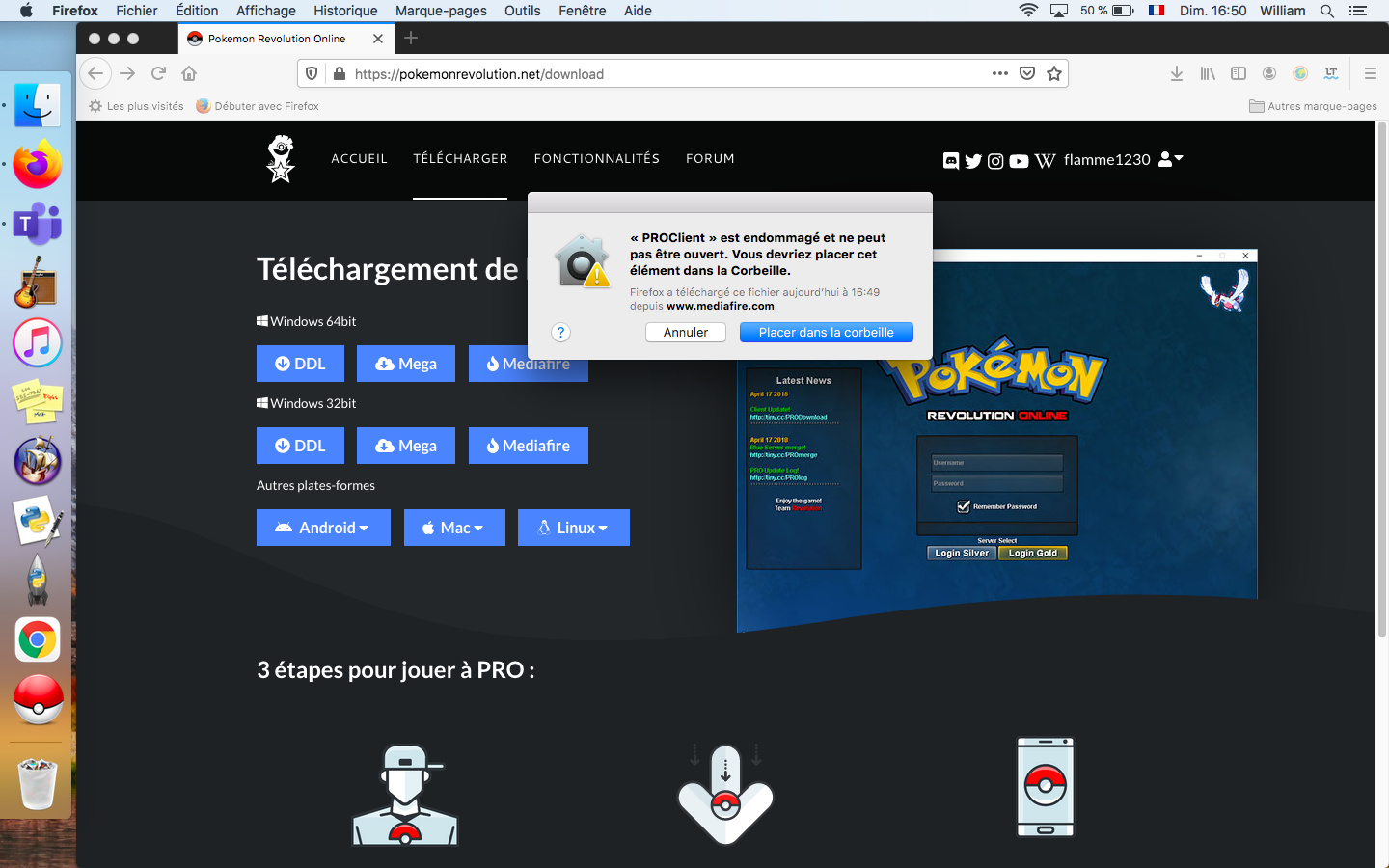
-
how can u download this game? I took 30 minutes and i still didn't do it...