Skip to content
View in the app

A better way to browse. Learn more.

Pokemon Revolution Online

A full-screen app on your home screen with push notifications, badges and more.

To install this app on iOS and iPadOS
  1. Tap the Share icon in Safari
  2. Scroll the menu and tap Add to Home Screen.
  3. Tap Add in the top-right corner.
To install this app on Android
  1. Tap the 3-dot menu (⋮) in the top-right corner of the browser.
  2. Tap Add to Home screen or Install app.
  3. Confirm by tapping Install.
New Trade Zone
Trade Zone is now live
Use the new Trade Zone for auctions and instant-price trades so Pokemon and item offers are easy to find.
Open Trade Zone

The Sobble form I wanted to hunt for is in the wrong location, even though I checked the link provided on the game's Discord server.

Featured Replies

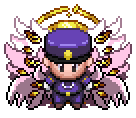
Hello, I was the first person to unlock the "HLW" (Halloween) form for Sobble at the Haunted Cave. According to the information provided, the form I intended to hunt was located at the Haunted Cave; however, the Sobble I caught was not the specific form I was aiming for. I brought this up in the global chat across two servers, and a staff member reached out to me to look into the situation and provide assistance. I am posting this now to ask if it might be possible for you to help me switch this Sobble to the correct form. I am a huge fan of the "Blue" Sobble form—I have been hunting for it ever since the event began. I look forward to your response!

Sobble.png

Create an account or sign in to comment

Account

Navigation

Search

Search

Configure browser push notifications

Chrome (Android)
  1. Tap the lock icon next to the address bar.
  2. Tap Permissions → Notifications.
  3. Adjust your preference.
Chrome (Desktop)
  1. Click the padlock icon in the address bar.
  2. Select Site settings.
  3. Find Notifications and adjust your preference.