Skip to content
View in the app

A better way to browse. Learn more.

Pokemon Revolution Online

A full-screen app on your home screen with push notifications, badges and more.

To install this app on iOS and iPadOS
  1. Tap the Share icon in Safari
  2. Scroll the menu and tap Add to Home Screen.
  3. Tap Add in the top-right corner.
To install this app on Android
  1. Tap the 3-dot menu (⋮) in the top-right corner of the browser.
  2. Tap Add to Home screen or Install app.
  3. Confirm by tapping Install.

New Halloween Mystery Box 2017 Mask and Accessories i have found

Featured Replies

Hey guys are are just a few things i have obtained from some of the 2017 Halloween mystery box hope you guys enjoy im from the RED server by the way.

HAPPY HALLOWEEN!!!! :Grin:


Frankenstein Mask

Frankinstein_Mask.png


Ghost Outfit 11

Ghost_Outfit_11.png


Ghost Outfit 10

Ghost_Outfit_10.png


Ghost Outfit 12

Ghost_Outfit_12.png


Ghost Outfit 14

Ghost_Outfit_14.png


Ghost Outfit 16

Ghost_Outfit_16.png


Ghost Outfit 2

Ghost_Outfit_2.png


Ghost Outfit 3

Ghost_Outfit_3.png


Ghost Outfit 4

Ghost_Outfit_4.png


Ghost Outfit 6

Ghost_Outfit_6.png


Ghost Outfit 9

Ghost_Outfit_9.png


Ghost Rider Mask

Ghost_Rider_Mask.png


Orchid

Orchid.png


Pansy Flower


Pansy_Flower.png


Pirate Eye Patch

Pirate_Eye_Patch.png


Psyduck Hat

Psyduck_Hat.png


Pumpkin Hat

Pumpkin_Hat.png


Pumpkin O

Pumpkin_Hat_O.png


Pumpkin Hat S

Pumpkin_Hat_S.png


Skull Hat

Skull_Hat.png


Anemone Flower

Anemone_Flower.png


Blue Pacifier

Blue_Pacifier.png


Bought Zombie Charizard!!!! :Smile:

Zombie_Charizard.png

  • Author

JYPcrWb.png

I just got this by opening halloween box :)


I really wanted the wings

  • Author

How to get this Box??


purchase in store

amazing most those are new except the psyduck hat , pirate eye patch and blue pacifier otherwise amazing work!!!

  • Author

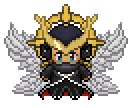
This is the outfit #13


ooooo.png


Thanks for sharing!!! :y: :Angel:

Create an account or sign in to comment

Account

Navigation

Search

Search

Configure browser push notifications

Chrome (Android)
  1. Tap the lock icon next to the address bar.
  2. Tap Permissions → Notifications.
  3. Adjust your preference.
Chrome (Desktop)
  1. Click the padlock icon in the address bar.
  2. Select Site settings.
  3. Find Notifications and adjust your preference.