Skip to content
View in the app

A better way to browse. Learn more.

Pokemon Revolution Online

A full-screen app on your home screen with push notifications, badges and more.

To install this app on iOS and iPadOS
  1. Tap the Share icon in Safari
  2. Scroll the menu and tap Add to Home Screen.
  3. Tap Add in the top-right corner.
To install this app on Android
  1. Tap the 3-dot menu (⋮) in the top-right corner of the browser.
  2. Tap Add to Home screen or Install app.
  3. Confirm by tapping Install.

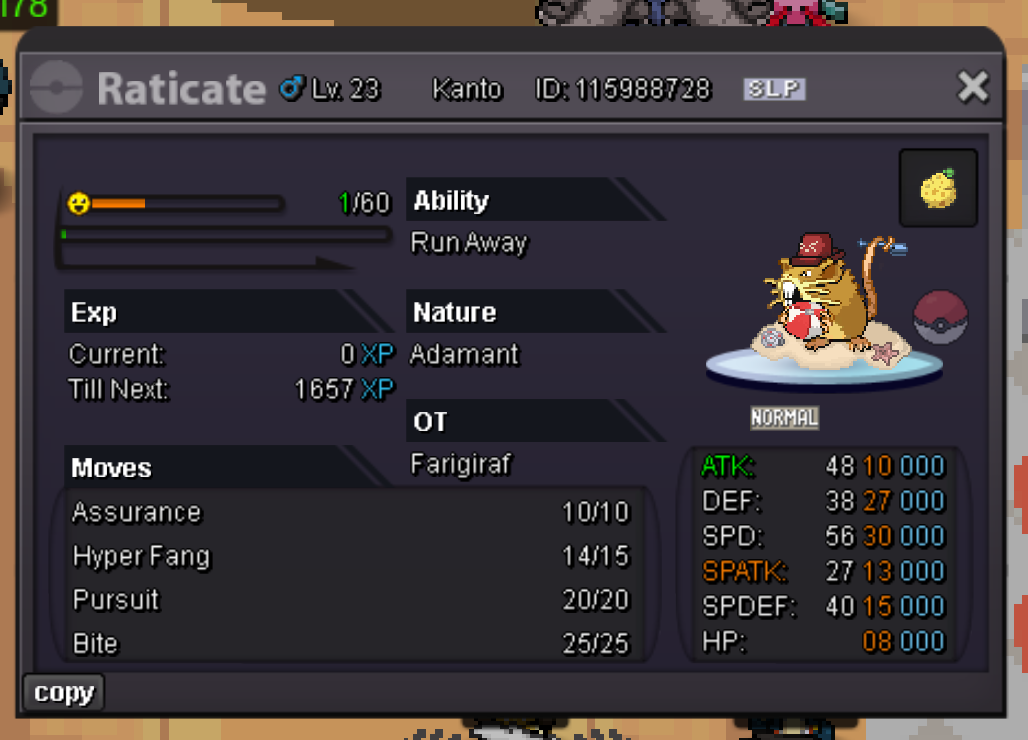
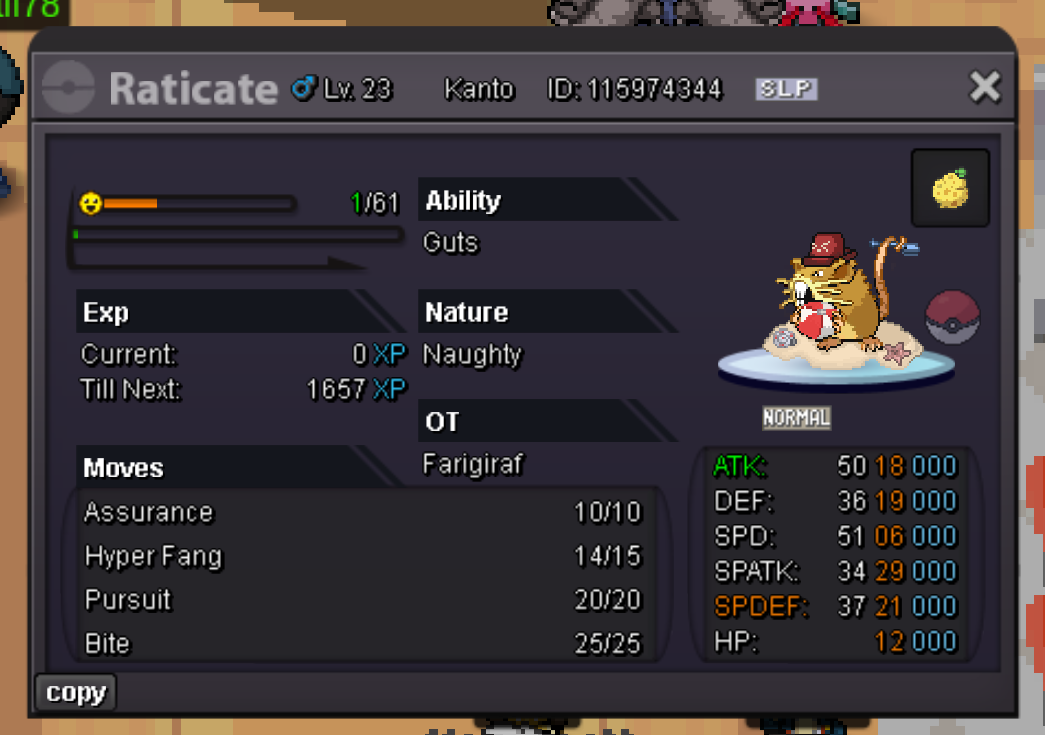
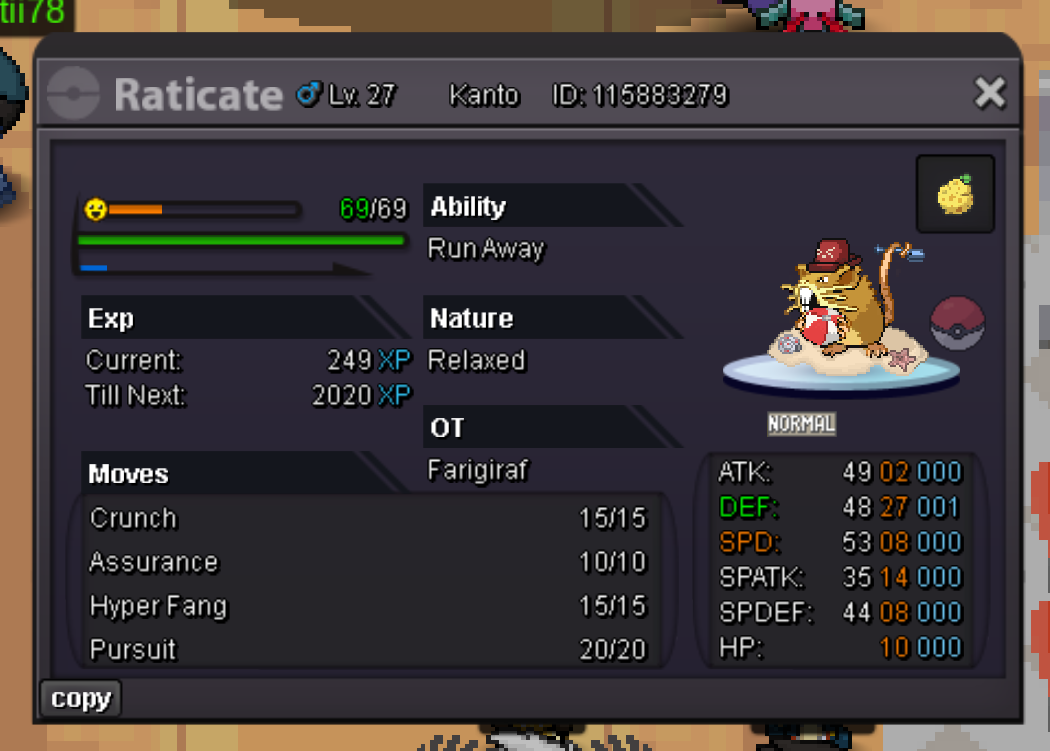
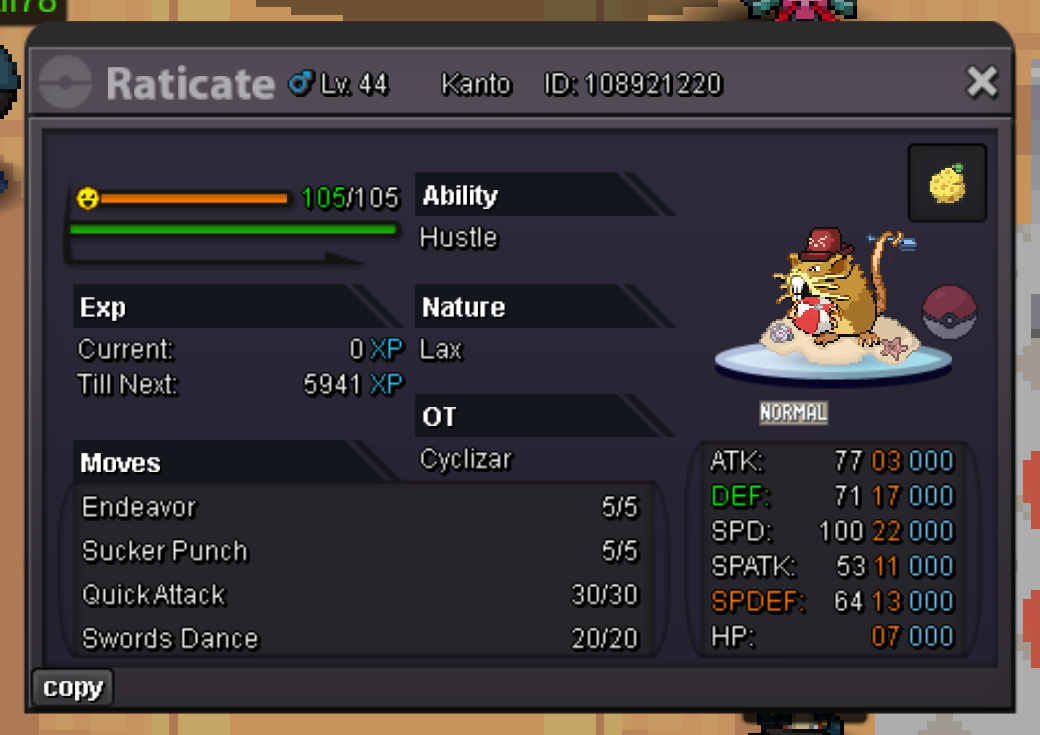
5 Summer Raticates

ActiveCross-ServerPokemonAuctionForm
Farigiraf Time left: Highest Bidder: Freespirit87
Start price
10.000
Instant price
-
Minimum bid
10.000
Current offer
70.000

Image of the Pokemon for sale
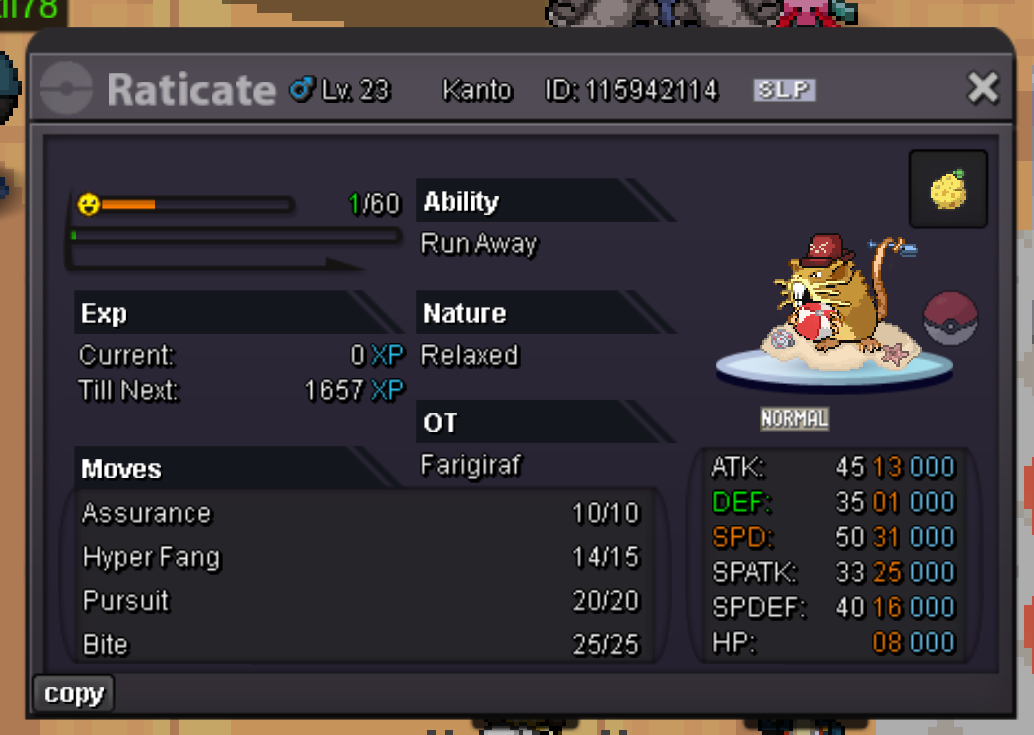
rat5.pngrat4.pngrat3.pngrat2.pngRat1.pngSummer_Raticate (1).png

Starting Bid: 10,000
Minimum Bid Increment: 10,000
Accepted Payments: Pokedollars
Insta Price: None
Auction Duration: 24 Hours (after starting bid is met)

Item Note: Five Summer Rats, no more, no less.


Rules:

  • This is a Silver Server auction. If you are on Gold, you must transfer to Silver upon winning.

  • Please include the account name you will be using for the transaction if you are not purchasing with your main account.

  • 15 Minute Rule: If a bid is received in the final 15 minutes of the auction, the end point will be delayed by 15 minutes from that bid. This delay will repeat with each new bid until the current offer has stood for a full 15 minutes.


Auction Ends: 24 hours after the starting bid is met.

Bid history

70.000
2026-08-14 01:03:54
60.000
2026-08-13 19:50:36
Ufcfan709
50.000
2026-08-13 19:39:02
Jafila
40.000
2026-08-13 18:27:55
Nodimbo
30.000
2026-08-13 18:08:39
Maestrovin
20.000
2026-08-13 17:50:34
Afnan2997
10.000
2026-08-13 17:36:43

Account

Navigation

Search

Search

Configure browser push notifications

Chrome (Android)
  1. Tap the lock icon next to the address bar.
  2. Tap Permissions → Notifications.
  3. Adjust your preference.
Chrome (Desktop)
  1. Click the padlock icon in the address bar.
  2. Select Site settings.
  3. Find Notifications and adjust your preference.