




New Trade Zone
Trade Zone is now live
Use the new Trade Zone for auctions and instant-price trades so Pokemon and item offers are easy to find.


Rudycoder
Registered User
-
Joined
-
Last visited
-
u won
-
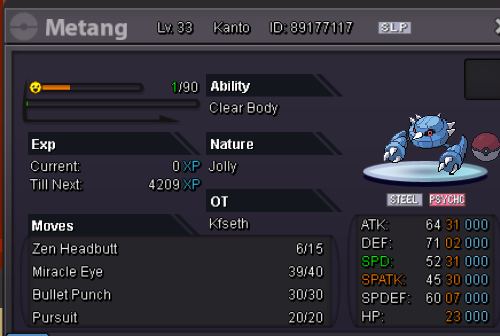
Start : 400k min bid : 50k no insta. A bid wins if it didnt get outbidded within 24 hours.
-
can be closed , i give up
-
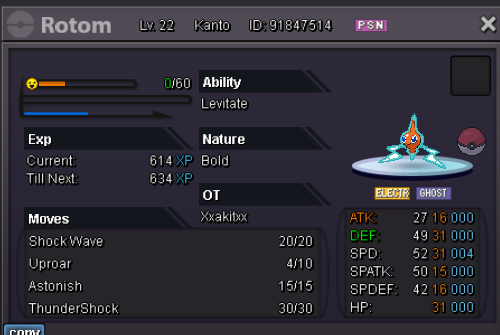
Start : 1.2m min bid: 100k insta : 5m Bid ends after 24hrs of bid unless it gets outbidded.
-
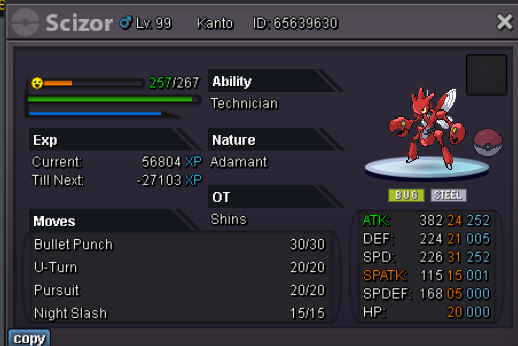
Start 600k min bid : 50k insta 2m Auction ends after 12hrs of bid unless it gets outbidded.
-
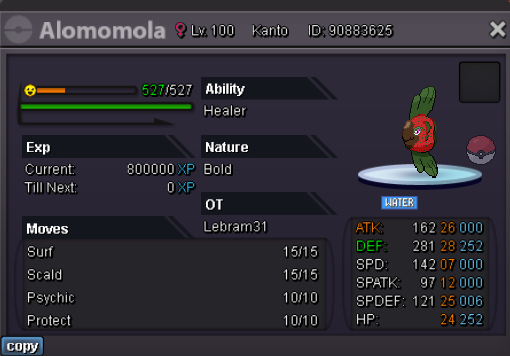
Starting price : 1.5m bid : 100k insta 4m. bid ends a day after the start or if it gets outbidded.
-
pardon me i wasnt aware of the fact that the auction was over.
-
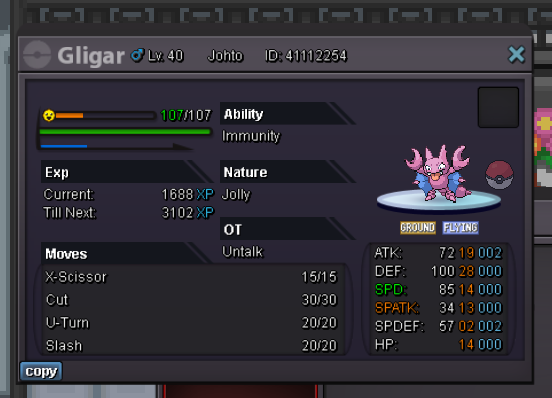
this good enough ?
-
300k
-
400k corphish Will be paying with my main acc karsh123
-
Maybe that's why it's 2 episode have 10/10 IMDB rating and most of it's episode are 9+ rated Also currently in tie with FMAB as no :1 anime everything have haters nowadays even babies, can't argue with that
-
Lol I read the last paragraph you said the story is inferior to BB and death not but I don't think so death note never had a deep story also u can't say BBs story is deeper or better than AOT . you have to realise there no such thing as semi fantasy it is either fantasy or it isn't, also u can't say that there is nothing to study from its story there is something in any story to learn from if u don't find any it it only means u havnt really understood it.story, plot, Character Development and the soundtrack is far superior to other shows
-
How can u write this lol
-
Bump
-
FMA is really good but naah they are not close to AOT level dude
