




New Trade Zone
Trade Zone is now live
Use the new Trade Zone for auctions and instant-price trades so Pokemon and item offers are easy to find.


Russodx
Registered User
-
Joined
-
Last visited
Everything posted by Russodx
-
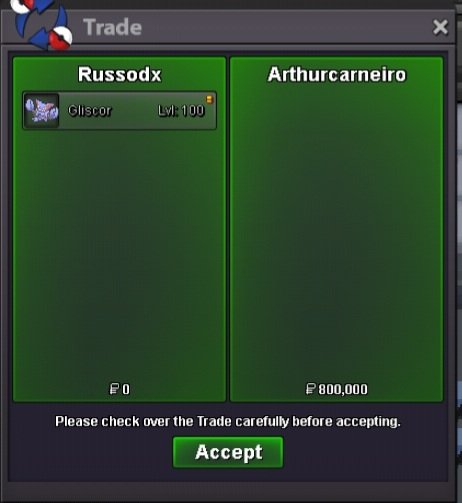
Ok! I'm in vermilionAll the ones you chose are already at their minimum value; some would be worth much more in other hands, especially the absol.Roton-Wash sold Altaria+absol+mawille+heracross+hatterenee for 4mmagnezone sold, politoed and clefayre available. i'm in vermilioni'm in vermilionYes, from some. Send your offer on Discord.~ Russodx Pokeshop ~ 1 - Fake offers will be reported. 2 - Prices non-negotiable, there has already been a major price reduction. 3 - You cannot withdraw your offer. 4 - Send me a private message on Discord with a picture of the Pokémon you want from this shop. Payment methods: Only pokedolar Contact: pm in game russodx Discord: Rime#4854 SHINY AND FORM: PVP - Mega Evolution PVP
.png.5fe858406bfd63f065465ad9e33e459c.png)
Account
Navigation
Search
Configure browser push notifications
Chrome (Android)
- Tap the lock icon next to the address bar.
- Tap Permissions → Notifications.
- Adjust your preference.
Chrome (Desktop)
- Click the padlock icon in the address bar.
- Select Site settings.
- Find Notifications and adjust your preference.
Safari (iOS 16.4+)
- Ensure the site is installed via Add to Home Screen.
- Open Settings App → Notifications.
- Find your app name and adjust your preference.
Safari (macOS)
- Go to Safari → Preferences.
- Click the Websites tab.
- Select Notifications in the sidebar.
- Find this website and adjust your preference.
Edge (Android)
- Tap the lock icon next to the address bar.
- Tap Permissions.
- Find Notifications and adjust your preference.
Edge (Desktop)
- Click the padlock icon in the address bar.
- Click Permissions for this site.
- Find Notifications and adjust your preference.
Firefox (Android)
- Go to Settings → Site permissions.
- Tap Notifications.
- Find this site in the list and adjust your preference.
Firefox (Desktop)
- Open Firefox Settings.
- Search for Notifications.
- Find this site in the list and adjust your preference.
.png.0ff70cb1dee0f2e4000a37f62ad493a9.png)
.png.6ff6594da081a1d9aafe8b20adf11bb1.png)
.png.7a18f658f34c003873339ae027f9eaa9.png)
.png.483f3e2da88d154f7eea995b657bb42b.png)
.png.24bd7eef13cc25d87068bb56d800e73e.png)
.png.d01dfa850116ff3c807b0ce4b9cdf696.png)
.png.3030c12b2906fcf18249b441a532683d.png)

.png.07928dd2ac3aea4e86de53acd5a95cb4.png)
.png.9ec4ceeee0722255c8dcb3189a045d4b.png)
.png.b4526fc77248cec5052e03ce830cb4aa.png)
.png.1c95b13185e34eca0dacd1c59c1efdc8.png)
.png.6ff11f4bc627d5b208fb0a6c611b2500.png)
.png.435a06272065704437404645efa21ceb.png)
.png.b1f6db1bda43be87f505abf7064419a7.png)
.png.6066facb50d8cc2ccaca635d5ebde7bd.png)