New Trade Zone
Trade Zone is now live
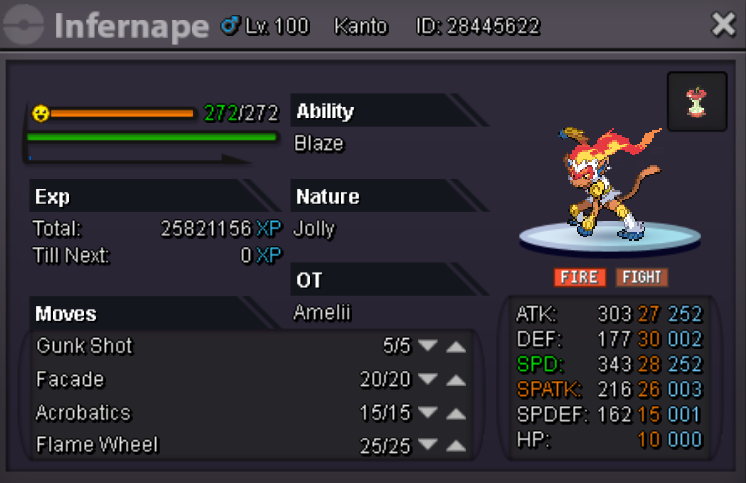
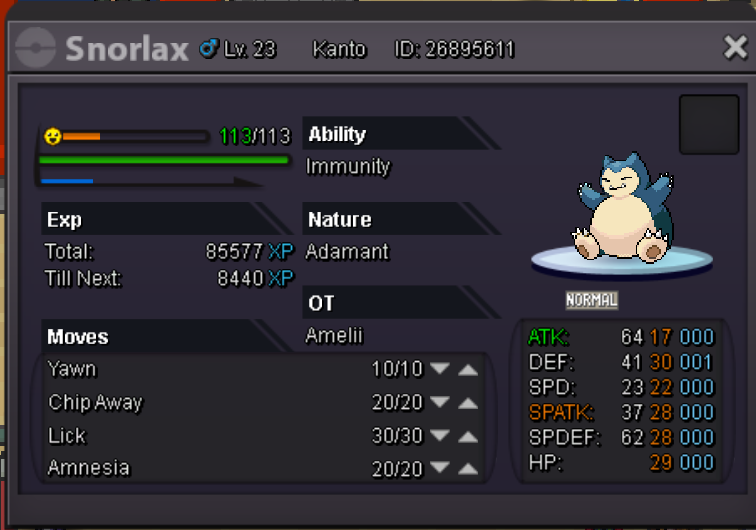
Use the new Trade Zone for auctions and instant-price trades so Pokemon and item offers are easy to find.

Amelii
Registered User
-
Joined
-
Last visited
-
Best offer 150k by llanf
 you are the first better, auction will be finished on the 3rd of July at 2:00pm GMT-6you are the b.o:) awesome when does bid end?i would like to offer 400k for your politoed.awesome! any idea on when it will be up?i know i even made a new accound and i dont use my old one with over 350 hr because i couldn't stand to look at my character anymore :Frown:30k insta each!is your avatar named after an anime character, if so from what anime and why that character? mine for example in mi first account was kiki in honor of kikis delivery service, i named my character that because i really like that movie and kiki is a witch and so am i since i was born on Halloween in the real life so i just found it a nice fit! what's the story behind your name?i think their should be a way to change your character in game after initial creation so you could change hair style, hair color, skin tone and eye color make it like a salon where you would have to pay like 50k or what price seemed appropriate to get a "extreme make over" and get a chance to re make your avatar, i cant be the only one that really wants this! am i?