




New Trade Zone
Trade Zone is now live
Use the new Trade Zone for auctions and instant-price trades so Pokemon and item offers are easy to find.

Nickrus1000
Registered User
-
Joined
-
Last visited
-
I have attempted to reach wattson and as I cleared the path to him the path is blocked for some reason. The bolt isn't there on screen yet an invisible wall?
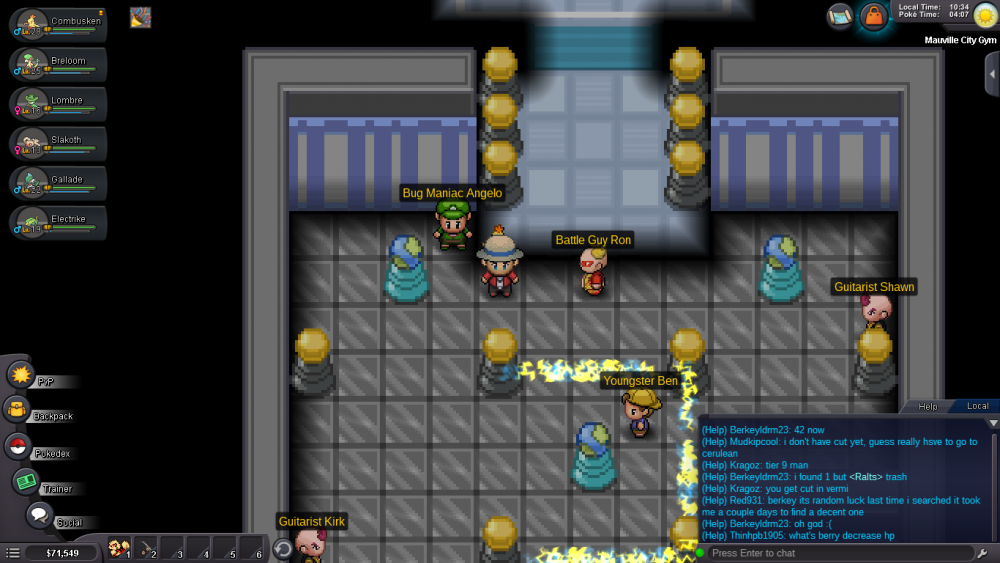
-
Everything appears to be working now
-
I've been having problems with swapping my lead pokemon and changing pokemon in my party with ones in the boxes that are available. I don't know if it's some sort of specific error or just something with the Roots update.
-
There seems to be an issue when I try to switch pokemon in the box and in my party. This recently started happening after getting the Roots update. I have tried logging in and out, refreshing in-game, and relaunching the game with no results. I don't know why this started happening as I had no problem before the recent update. This issue has happened all day since I downloaded the update.

