New Trade Zone
Trade Zone is now live
Use the new Trade Zone for auctions and instant-price trades so Pokemon and item offers are easy to find.

Prometheus12
Registered User
-
Joined
-
Last visited
-
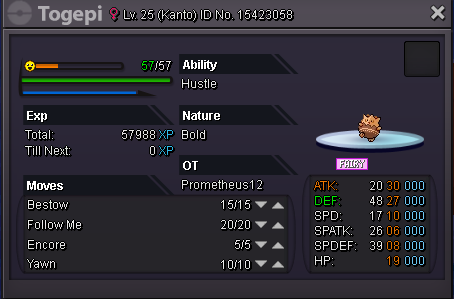
Sold to gensokyo
-
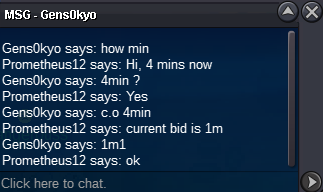
Current bid 1.1m, 1 min left
-
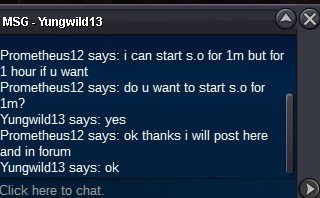
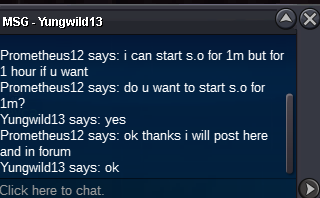
Current bid by yungwild13 at 1m. 15 minutes remaining.
-
Bump post. New price update
-
Hello Radenhunter, thanks again for your offer. However, at the moment I am looking to sell just for pokedollars. Cheers.
-
Hello Animation, thanks for your offer. If you agree I can start bid at 2 mil for 6 hours only? If nobody else counter offers, it's yours. I will start bid once you confirm. Cheers.
-
Hello Radenhunter, sorry the s.o. starts at 2m. Would you like to start at 2m?
-
Hello, I don't have discord. But you can pm me in the game or post here.
-
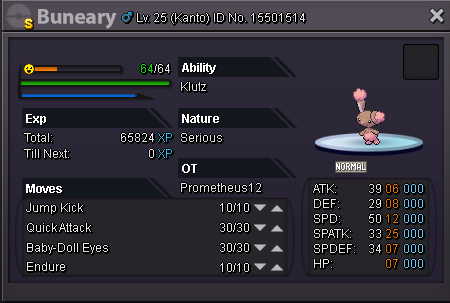
Bid at 1m. Insta at 3m. C.O. here or pm in game
-
Sold to tommybigman
-
Auction Starts at 1m