




New Trade Zone
Trade Zone is now live
Use the new Trade Zone for auctions and instant-price trades so Pokemon and item offers are easy to find.

Lazabob800
Registered User
-
Joined
-
Last visited
-
Btw i just found out i posted this in the wrong topic section soooo.... im sorry ;(
-
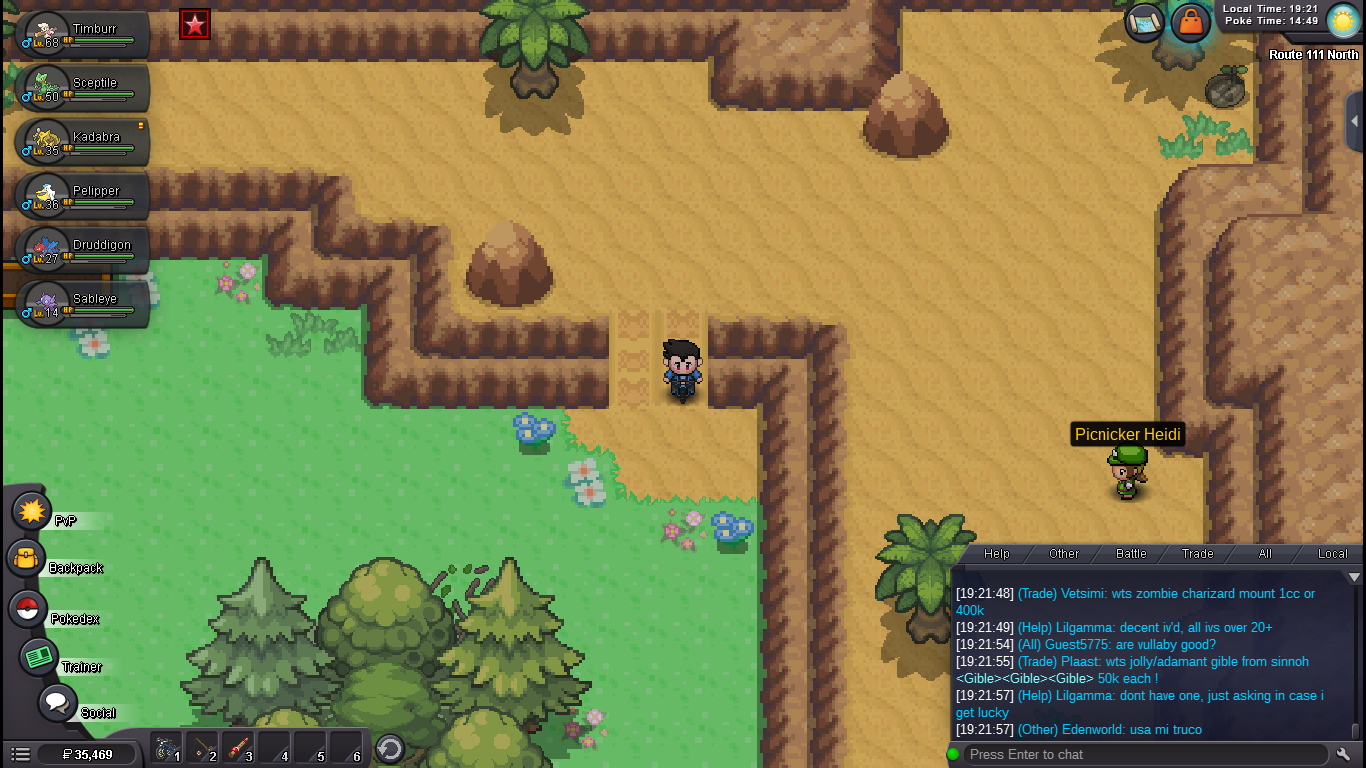
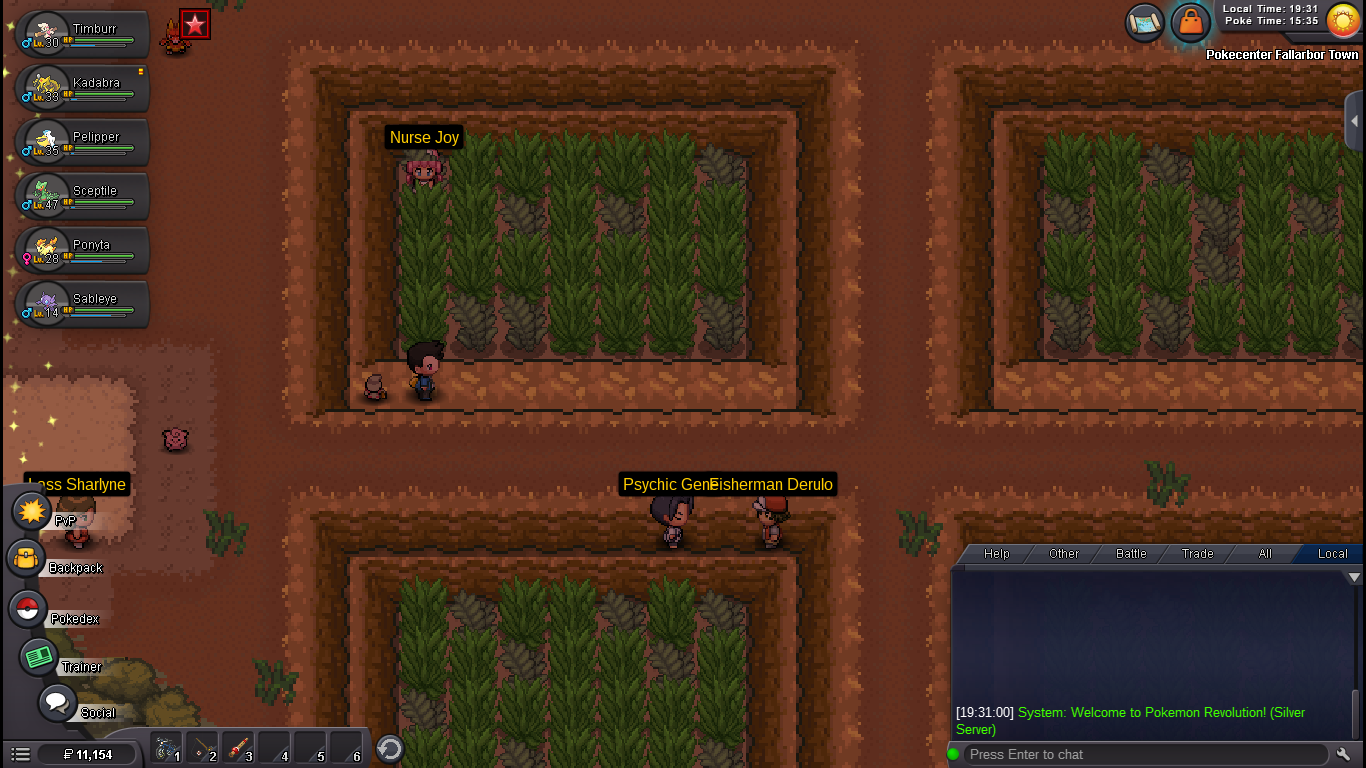
Slope glitch: This bug is used to just walk over slopes that normally would do a animation and push you down the slope. If you hit pause at just the right time you can pause the animation and walk over the slope. The timing for the animation cancel is very precise so I just spammed and walked even over a row of slopes. The place where I found this very useful was in the flying type gym in Hoenn. I posted a screenshot of how it looks when its pulled of. Login Visual Bug: I think this is a very common bug that happens when I go into an encounter and logout to go to the Pokecentar. But if you log back in very quickly there is a chanse that a visual bug will happen where you are not in the Pokecentar but all the npcs are there and you cant move till you logout and log back in (Im still not sure why this happens and my method of re-loging back very quickly dosent work 100% of the time and it might have to do something with my bad internet connection). I also posted a screenshot of this glitch when it dose happen. Hope this helps 😄
-
I wanna make a game and i would like to know what softwere did you use
-
thanks
-
Am i band i can login to my gold
-
Please help me i have a problem with loging in to my past red acc . I went to silver and it said that i the password was incorect even after changing it please help