New Trade Zone
Trade Zone is now live
Use the new Trade Zone for auctions and instant-price trades so Pokemon and item offers are easy to find.

Eddvanced
Registered User
-
Joined
-
Last visited
Everything posted by Eddvanced
-
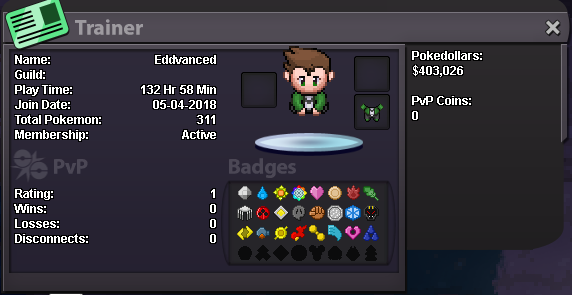
Your Discord Tag: EddVanced#2893 Your Trainer Card: Are you an active player?: yes Are you of the age 16 years or up?: yes Do you meet the requirements to join this guild?: yes Why do you feel you will be a good addition for this guild?: im a very active, helpful and friendly player and i know a lot about the original pokemon games. in addition to that id really like to help others find solutions for their problems cus it can be boring to play for yourself the whole time What server did you make your first account on? (Blue, Red, Yellow, Gold, or Silver): dont let me lie, but i think it was blue (cant remember really cus i didnt play there for too long due to server merge)