New Trade Zone
Trade Zone is now live
Use the new Trade Zone for auctions and instant-price trades so Pokemon and item offers are easy to find.

Michaelnoteric
Registered User
-
Joined
-
Last visited
Everything posted by Michaelnoteric
-
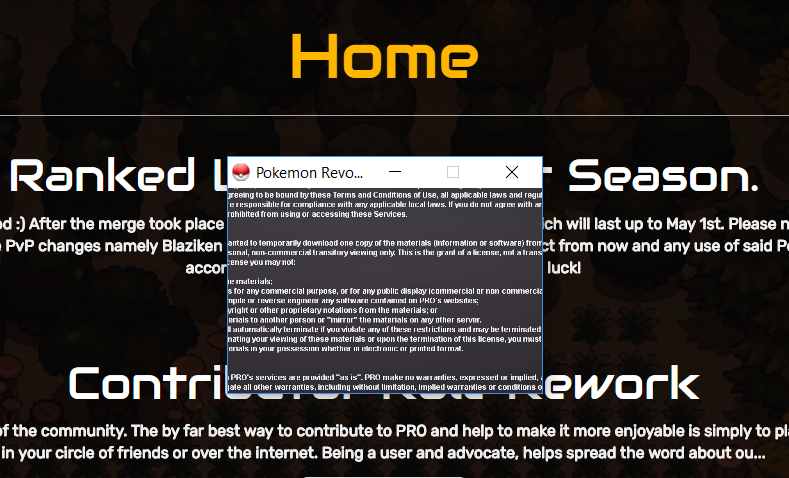
I have downloaded the game and on my first try to open the game, it took me to the terms and conditions page. However, it was super tiny, and when I scrolled to the bottom, I couldn't reach the accept button. The text extended to the sides of the window, and I couldn't scroll sideways. I found a suggestion to press Alt+Enter online, and tried that, but it just made the window fullscreen, and had the same behavior. I have tried re-installing multiple times, but have had no success. Searching the web has also yielded no results. I have attached a screenshot of my problem. I am on Windows 10, and installed the Winx64 version of the game. Thank you, -Michael