New Trade Zone
Trade Zone is now live
Use the new Trade Zone for auctions and instant-price trades so Pokemon and item offers are easy to find.


Sayainji
Registered User
-
Joined
-
Last visited
Everything posted by Sayainji
-
for Ampharos
-
3,5m
-
3,3m Ampharos
-
3,1m Ampharos
-
2,6 Ampharos
-
2.4m ampharos
-
for ampharos
-
The Auction extends by 15 minutes for every new bid and I continue with 2.3 m
-
wait what about the rule of 15 minutes?
-
1.7m Ampharos
-
for ampharos
-
1,5 m
-
I meant 1,225m for Ampharos
-
1,225m
-
Start Gible and Shellder
-
Can be closed, made a purchase
-
WTB 75 Fire gems 🙂 please leave your price here, or contact me in game : Sayainji. thank you
-
Trade is complete, please close, thank you
-
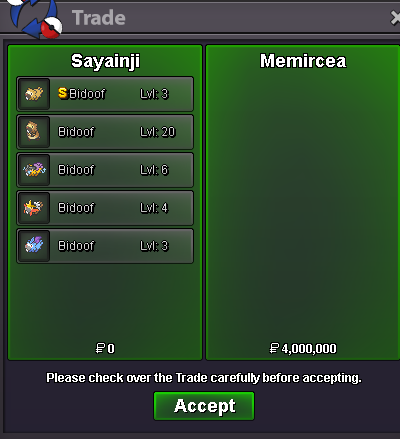
Auction has ended, the winner is @Memircea with 4M
-
C.O 4 M

-
C.O 3,3 M extended another 15 minutes according to rules

-
- Forum: If a bid is received in the final 15 minutes of the auction, the end point will be delayed by 15 minutes from that bid, and will be delayed by 15 minutes for each new bid thereafter, until the current offer has been held for a full 15 minutes. Must be accurate to the minute that the auction is set to end. › e.g. If the auction ends at 15:00, it will end at 15:00:00. If a late bid is received in the final 15 minutes, at 14:46, the auction will end at 15:01. If another user bids at 15:00, the auction will be extended again, and will end at 15:15, this will be repeated until the current offer has been held for a full 15 minutes.
-
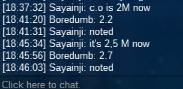
C.O 2,7 M
-
C.O 2.2M

-
C.O is now 1,9 m