




Skip to content
View in the app

A better way to browse. Learn more.

Pokemon Revolution Online

A full-screen app on your home screen with push notifications, badges and more.

To install this app on iOS and iPadOS
  1. Tap the Share icon in Safari
  2. Scroll the menu and tap Add to Home Screen.
  3. Tap Add in the top-right corner.
To install this app on Android
  1. Tap the 3-dot menu (⋮) in the top-right corner of the browser.
  2. Tap Add to Home screen or Install app.
  3. Confirm by tapping Install.
New Trade Zone
Trade Zone is now live
Use the new Trade Zone for auctions and instant-price trades so Pokemon and item offers are easy to find.
Open Trade Zone

(Ended can be closed )Ultimate Gods Bidoof Bundle
Featured Replies

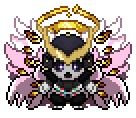
 Our lord and Savior Bidoof has ascended. He died for our sins in all his shapes and forms.
We celebrate Bidoof's church opening by giving our respect to Lord Bidoof.

After 72 hours (duration of auction after first bid) only one lucky person will be the chosen one and receive the Blessing of Lord Bidoof. :CharYay:

Shiny Bidoof , ValentineBidoof , Suidoof, Raidoof, Endoof

Bundle S.O 100K
Min bid 100K, no insta ends after 72 hours of first bid


Screenshot_209.png.389a7ea890091931e5bc0e2ab750f75f.pngScreenshot_210.png.1fa1e5d6664999e4af4c1987499474a2.png

Screenshot_212.png.250c4d6c13cb155cd0663dd8d0fb8756.pngScreenshot_211.png.cbf372acef71d388b3ecae1a516d3ea8.pngScreenshot_213.png.77b337b6d32b8da2766dddc38b33b01d.png


Screenshot_208.png.b4f49bb0d720d4697a56dbaa9825a7de.png


Do you have what it takes to pay respect to Lord Bidoof?

Will you be the chosen one?

Enjoy your time at Bidoof Church, have fun and good luck to all participants. :ChristmasBulba:


Edit : Added the link for countdown timer for all participant to know when it ends : https://countingdownto.com/?c=5246567

Edited by Sayainji
trade is done

  • Replies 25
  • Views 5k
  • Created
  • Last Reply

Top Posters In This Topic

Most Popular Posts

Posted Images

Guest
This topic is now closed to further replies.

Account

Navigation

Search

Search

Configure browser push notifications

Chrome (Android)
  1. Tap the lock icon next to the address bar.
  2. Tap Permissions → Notifications.
  3. Adjust your preference.
Chrome (Desktop)
  1. Click the padlock icon in the address bar.
  2. Select Site settings.
  3. Find Notifications and adjust your preference.