




New Trade Zone
Trade Zone is now live
Use the new Trade Zone for auctions and instant-price trades so Pokemon and item offers are easy to find.

Sghir
Registered User
-
Joined
-
Last visited
Everything posted by Sghir
-
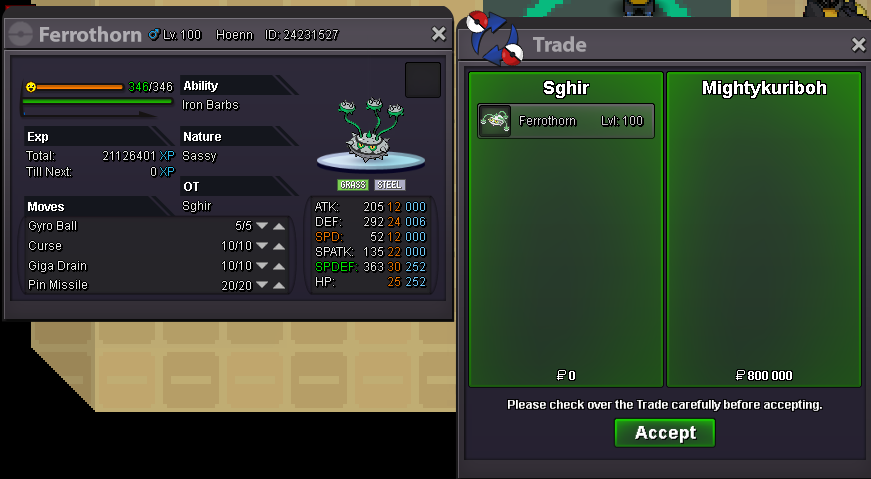
Sold Insta to speedy
 C.O = 700k
 Noticed. Auction started at 12:28 GMT, and ends in 24 hoursI said s.o is 600k, which means the auction doesn't start if the offer is lower than 600kS.O = 600k, Insta = 1m2 Minimum bid = 100k Ends 24 hours after S.O was reached Fake / Cancelled offers will be reported, think twice before biding Useless comments will be reported, if you have something to talk about, Pm me Discord = Sghir#0496
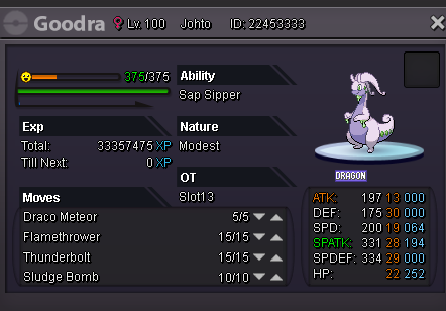 auction started at 16:09 GMT +1 ends in 24 hours, at 16:09 GMT +1 (15:09 GMT)
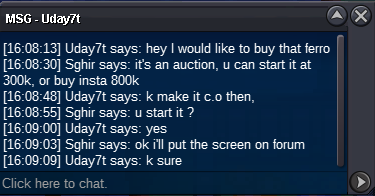 Auction lasts 24 hours after s.o was reached S.O = 300k, insta 800k minimum bid = 50k Accept cc = 220k Fake / Cancelled offers will be reported No useless comments, ignore if u're not interested in buying Discord : Sghir#0496
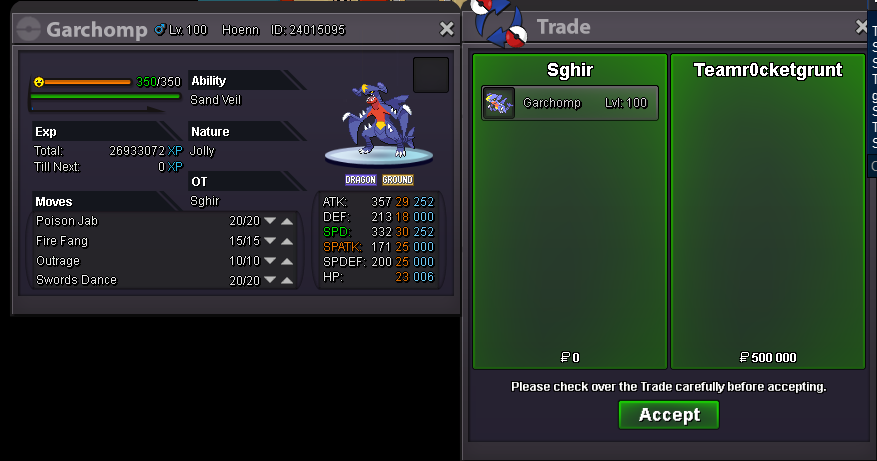
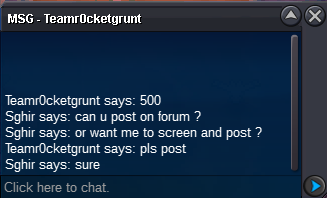
 It's 21:44 GMT; auction finished, Teamr0cketgrunt winsNot yet, ends today at 21:44 gmt24 hours left, auction ends Monday at 21:44 GMTAuction startedWts this very nice garchomp S.O 400k Insta 1m Minimum bid = 50k Accept Nature reroll 250k / Reroll ticket 500k Auction lasts 24 hours after S.O was reached Fake offers will be reported No offer can be cancelled, think twice before bidding IGn = Sghir // Discord : Sghir#0496
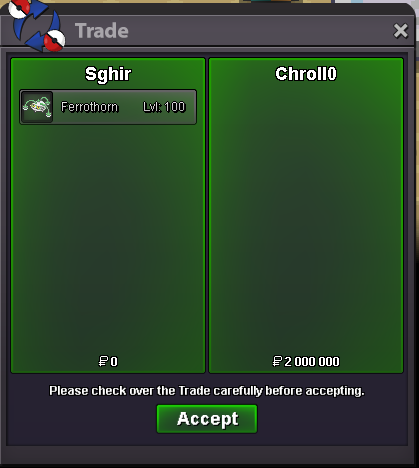
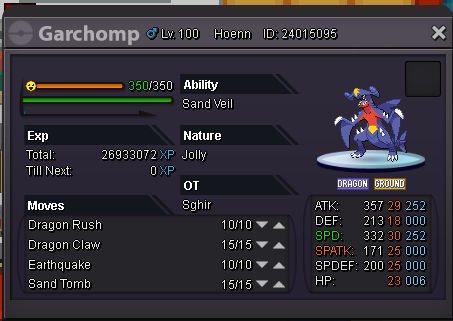 Chroll0 win the auction Tell me when u come online, or DM me2m by Chroll0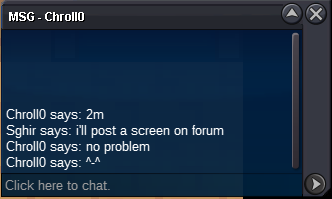





Account
Navigation
Search
Configure browser push notifications
Chrome (Android)
- Tap the lock icon next to the address bar.
- Tap Permissions → Notifications.
- Adjust your preference.
Chrome (Desktop)
- Click the padlock icon in the address bar.
- Select Site settings.
- Find Notifications and adjust your preference.
Safari (iOS 16.4+)
- Ensure the site is installed via Add to Home Screen.
- Open Settings App → Notifications.
- Find your app name and adjust your preference.
Safari (macOS)
- Go to Safari → Preferences.
- Click the Websites tab.
- Select Notifications in the sidebar.
- Find this website and adjust your preference.
Edge (Android)
- Tap the lock icon next to the address bar.
- Tap Permissions.
- Find Notifications and adjust your preference.
Edge (Desktop)
- Click the padlock icon in the address bar.
- Click Permissions for this site.
- Find Notifications and adjust your preference.
Firefox (Android)
- Go to Settings → Site permissions.
- Tap Notifications.
- Find this site in the list and adjust your preference.
Firefox (Desktop)
- Open Firefox Settings.
- Search for Notifications.
- Find this site in the list and adjust your preference.