




New Trade Zone
Trade Zone is now live
Use the new Trade Zone for auctions and instant-price trades so Pokemon and item offers are easy to find.

Lcslucaspc
Registered User
-
Joined
-
Last visited
Everything posted by Lcslucaspc
-
up
-
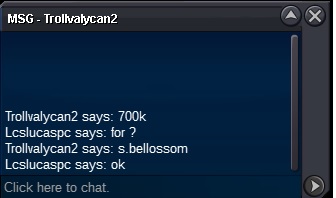
New offer for Shiny Bellossom 700k
-
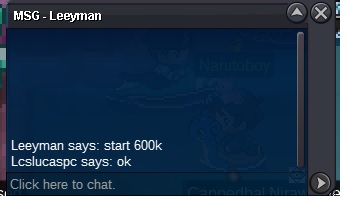
Start Bellossom
-
unfortunately I can not, is the minimum that I intend to receive for him, I even refused to offer 1.2m for him, I'm only selling this because now I got another one. Sorry and thanks for your interest.
-
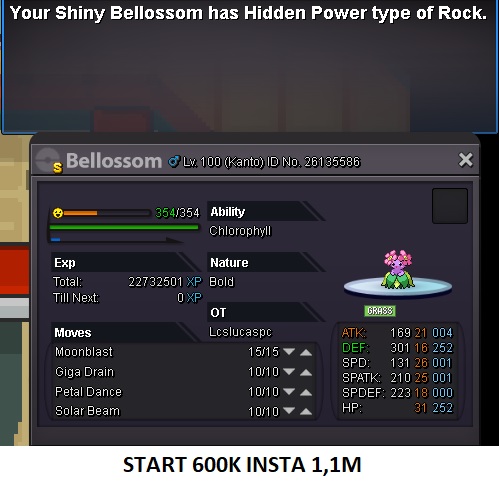
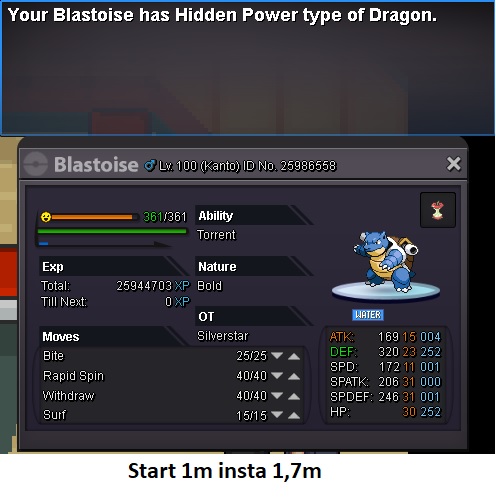
Auction started 21/09 at 11am. Offers in the game and in the forum! Great Pokemon, enjoy! Bellossom shiny start 600k insta 1,1m (increased 100k) Blastoise start 1m insta 1,7m (increased 100k) Snorlax start 800k insta 2m (increased 100k) Volcarona start 400k insta 1m (increased 50k) ACEPT CC 270K EACH I CAN CHANGE FOR OTHER PK I CAN CHANGE FOR OTHER PK + MONEY
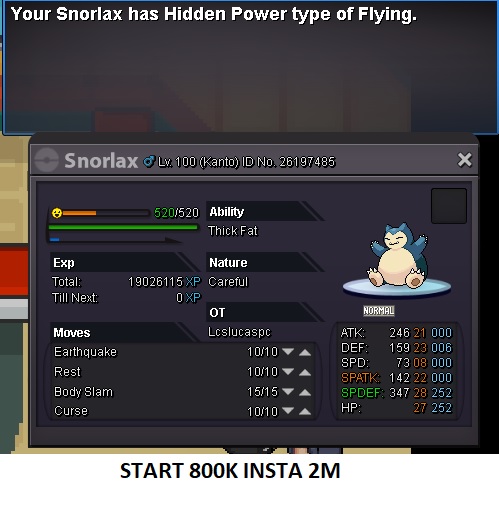
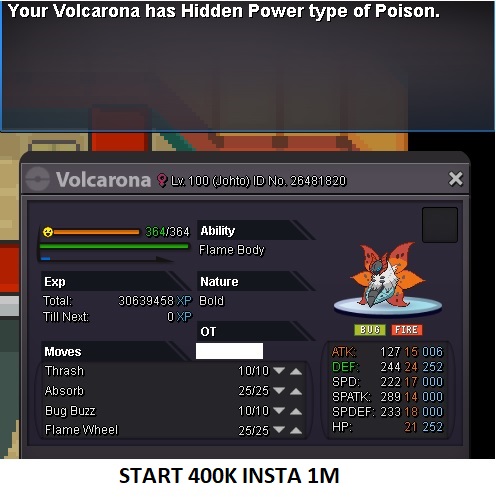
-
up
-
Up
-
Up
-
EPIC BLASTOISE! START BID 650K INSTA 1,2M 2 DAYS
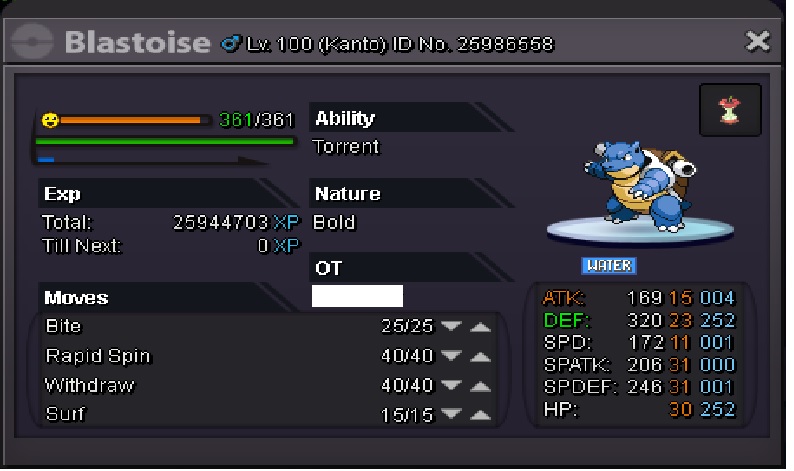
-
Sold insta 15cc 270k each
-
hp fire evs treineds b.o 2m Magikrapreload insta 4m 24hrs
-
Up
-
Up
-
Start bid 3 days 2m insta 4m
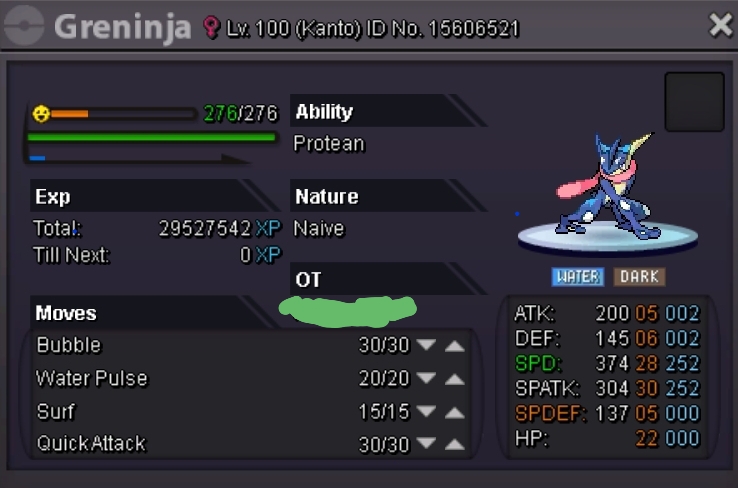
-
Boa tarde, contratei um serviço de lvl e o jogador evoluiu meu pokemon. houve um erro de entendimento e comunicação, sou brasileiro, ele me pediu para fazer alguns pokemons e eu entendi que ele queria evoluir os babys (ele estava com 5 pokemons meus 2 eram babys, togepi e munchalx) mas ele queria evoluir tudo. é possível retornar a evolução do pokemon que evoluiu errado? Blissey de volta ao chansey
-
I hired a lvl service and the player has evolved my pokemon without me wanting, can some staff return to evolution?