New Trade Zone
Trade Zone is now live
Use the new Trade Zone for auctions and instant-price trades so Pokemon and item offers are easy to find.

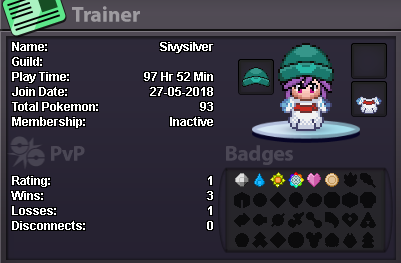
Sivysilver
Registered User
-
Joined
-
Last visited
-
1. What's your Player name? SivySilver 2. Number of hours played? 105 (but I have 298 on my older account before the merge wanted a fresh start ) 3. What's your favorite Pokemon? Weavile and Gallade 4. How old are you? 17 5. When's your Birthday? 6/4/01 Discord: Yes
-
IGN: SivySilver - Why would you like to join us?: Meet new people and maybe even hunt with everyone - What do you like doing most in PRO?: Hunt, train, just have a good time, help my friends if needed - What do you think I should add to benefits for becoming a Sharks Guild Member?: Not really sure but when i think of something i will tell you - Screenshot of your trainer card in game: - Have any ideas for the Guild that I can implement / change?: Not sure but when i think of something i will tell you