




New Trade Zone
Trade Zone is now live
Use the new Trade Zone for auctions and instant-price trades so Pokemon and item offers are easy to find.

Nickw15
Registered User
-
Joined
-
Last visited
-
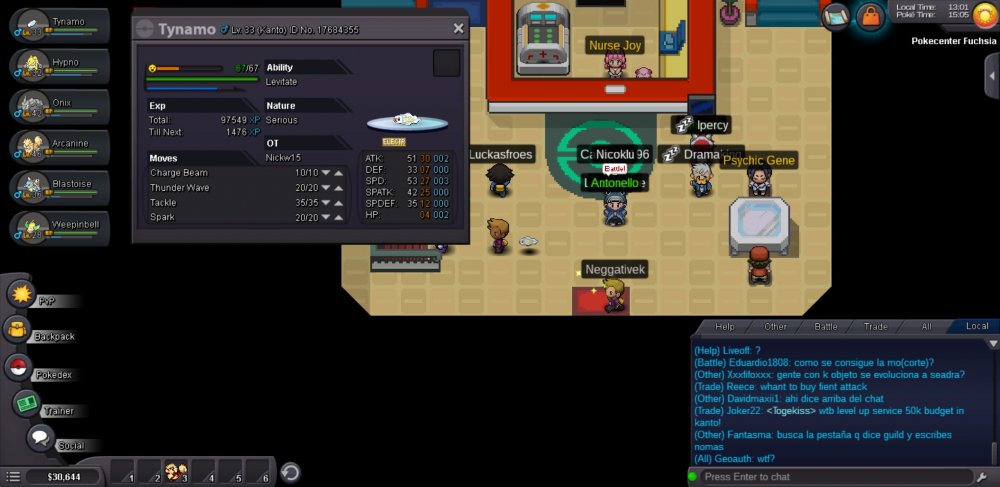
I'm new to the game and looking to trade or sell this pokemon. I'm pretty sure it's rare lol. I'm still in Kanto and looking for a strong pokemon to complement my Arcanine/Blastoise/Steelix team. Any inquiry on price or any trades please let me know.
-
Hey everyone, as the title says I’m new to the game and I’m very excited to get started. A few general questions which have probably been answered a million times but, 1. Are there any good start up guides to learn about what makes this game different than your normal Pokémon game. 2. I’m actually about to get a new phone and was wondering what phone does this game run best on. 3. How important are IVs When it comes to NPC battling. 4. Any tips or advice that you have is welcome and I can’t wait to be apart of this community.
