




New Trade Zone
Trade Zone is now live
Use the new Trade Zone for auctions and instant-price trades so Pokemon and item offers are easy to find.


Xenox56
Registered User
-
Joined
-
Last visited
Everything posted by Xenox56
-
-
-
Up !
-
-
Up'
-
-
Up !
-
-
Up !
-
-
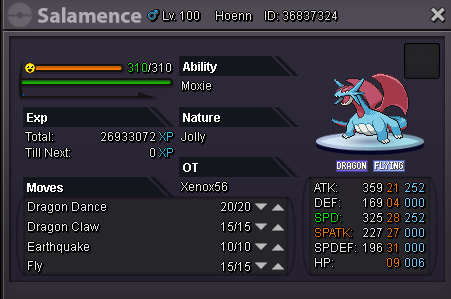
Hi, i sell my Jolly ha Salamence Starting Price : 300k Insta : Added Later Auction end 48h after the start - Make sure to have enough money to make an offer - An offer can't be canceled Contact me here, in game at Xenox56 or with discord at Nareik#2242
-
Up !
-
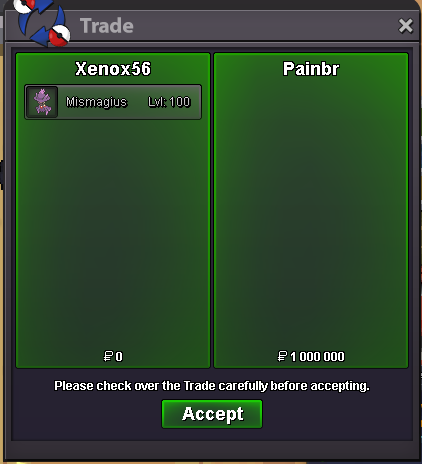
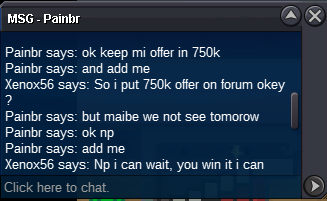
The person that bid 750k insta it right after his bid (cause i didn't had FB to keep him up about the situation) Since Jorogumo bid during the transaction (i guess), can any moderator tell me if i did something wrong ? (He did the insta bid in game around 9:30, before i F5 the forum, so i don't know if the pokemon is supposed to go for Jorogumo or not, hope a moderator will passing by to clarify the situation o7) @Artorias ? So i no longer have it cause i sold it

-
BO is now 750k By Painbr Auction end in 16h
-
A bit cheap, what about 1M @galalocuoi001
-
Less than 24h left ! Insta price lowered a bit !
-
@galalocuoi001
-
Alright, auction started with 700k, endin 48h from now on !
-
Up !
-
Up !
-
Up, Starting price reduced, insta price added
-
Up
-
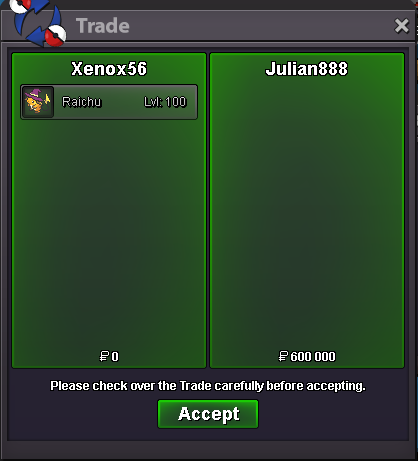
Hllw Pikachu sold 600k Thanks Julian888 for the purchase !
-
Up
-
@Julian888 what's your ign ?