




New Trade Zone
Trade Zone is now live
Use the new Trade Zone for auctions and instant-price trades so Pokemon and item offers are easy to find.


StevenJohnson
Registered User
-
Joined
-
Last visited
Everything posted by StevenJohnson
-
start from me
-
Start it
-
Wtb charmander 31 speed epic jolly/timid good price
-
close please it is sold 6m in game
-
Change only 6m instant
-
Bump
-
Bump
-
Everything is ok just next time check better thanks and have fun
-
Action start 5m and you tell 200k are you serious?
-
Bump
-
Bump
-
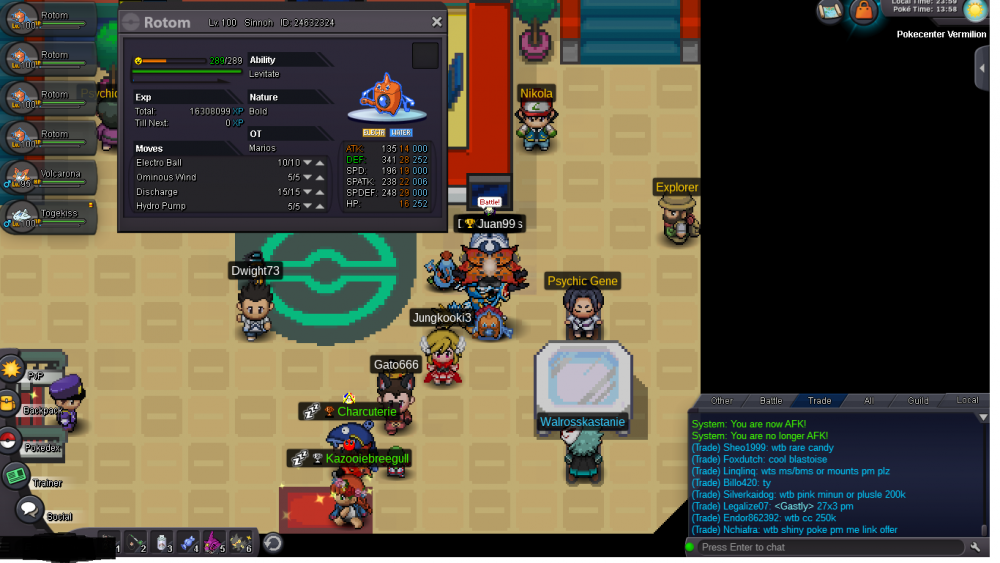
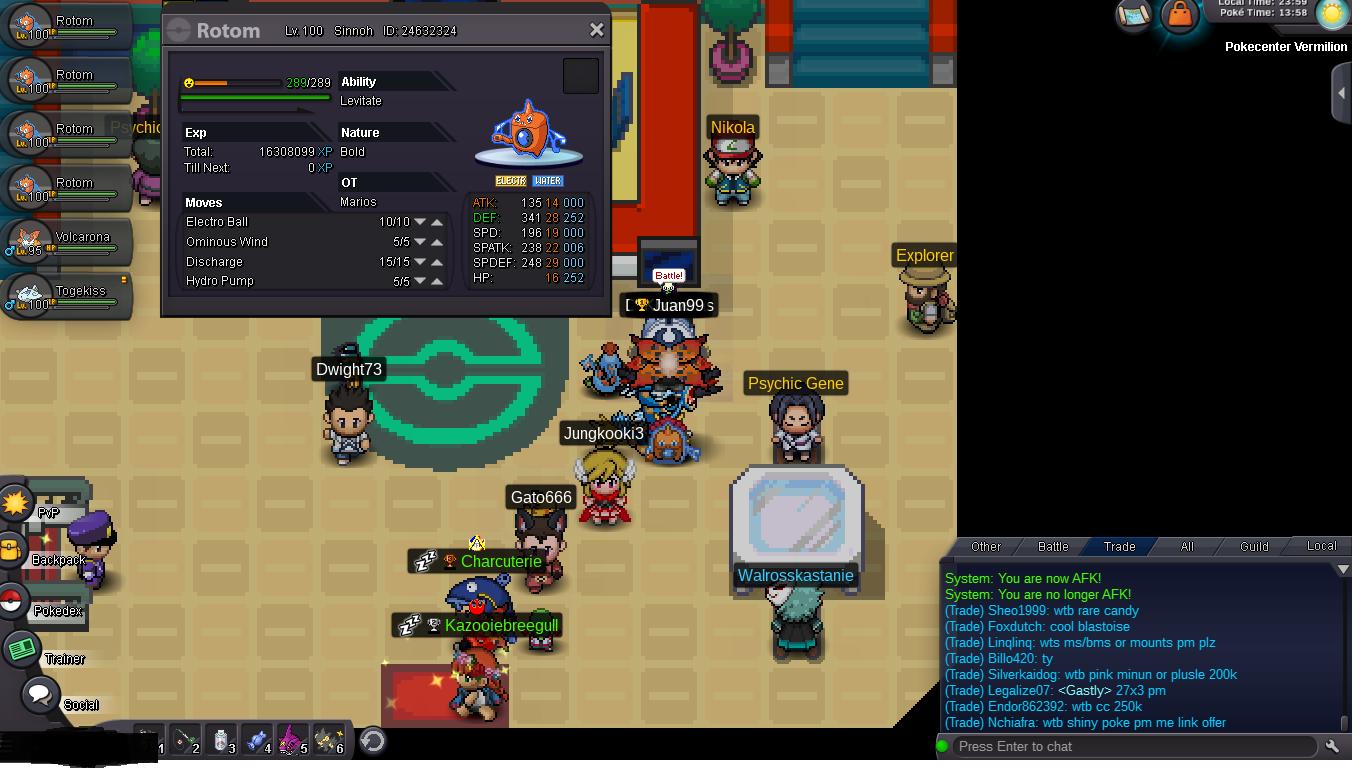
2 days for all rotom wash action start 500k instant 1m min bid 50k
-
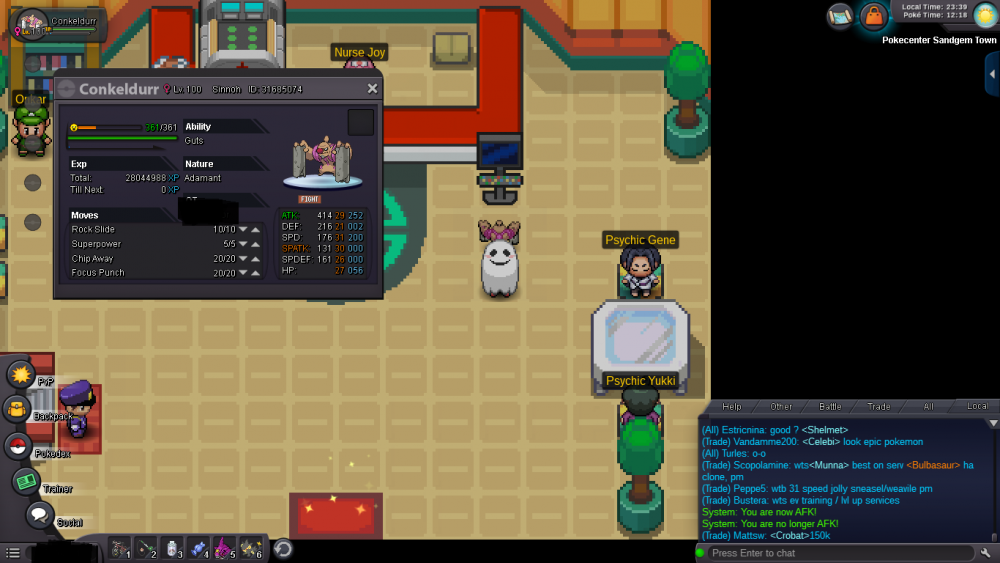
6m conkeldurr instant
-
instant 4m
-
now it fixed. i make recall now and evolve it again. but yesterday when again i had made it was the same thanks again this can be close
-
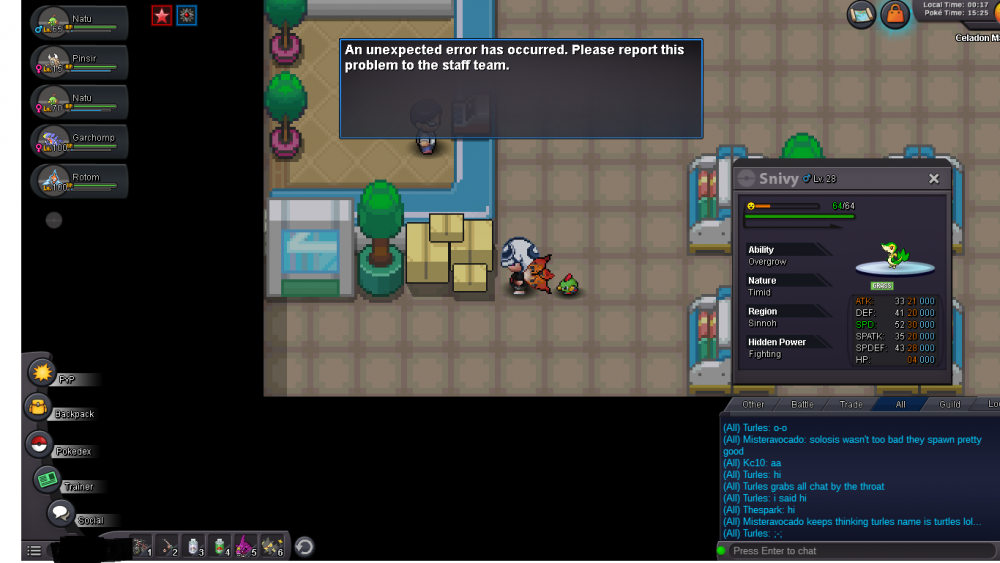
i have check it.. again my rotom wash is bugged and cant learn hydro pump and the moves from rotom wash
-
-
I START
-
3.2m rotom wash
-
-
2.2m rotom wash
-
1.8m rotom wash
-
Start rotom wash
-
bump.. someone help?...
-
hey i try to evolve my rotom 100 lvl. it had 24 def 30 speed 31 sp atk 24 def and 21 hp bold leviate when i press the box to become rotom wash i didnt became rotom wash it was dielete it from my 6th pokemon that i had on my team and it show me icon on charizard with hydro pump?... lol can you help me? i lose it for no reason. and it wasnt my fault even.. and after i couldnt evolve it after when it be evolve it it name says only rotom and it show to learn hydro pump when i press to learn it. it didnt change the move and cant be learn. because it saw it is name rotom but on icon it is rotom wash when i try to recall it says again to contact with staff because error found
.thumb.png.d4ccb76d6ce1d201c3305712fae6bc54.png)


.png.2082667733d79067bd1dcbad77cce4f0.png)
