New Trade Zone
Trade Zone is now live
Use the new Trade Zone for auctions and instant-price trades so Pokemon and item offers are easy to find.

Gopure
Suspended
-
Joined
-
Last visited
-
I've been doing this Doctor quest for awhile, and all I ever receive is to heal an Abra or Shellder. It's been very close to 10 days, where did the other pokemons go? Where are the Tier 1, Tier 4, Tier 5?
-
Sometimes my character just stops moving, I can still chat and click on many other options, but it just cannot move like the WASD and the UpDownLeftRight Arrows malfunctioned or something. Clicking the Resync button do not fix the issue, and I am forced to relog for me to be able to move again.
-
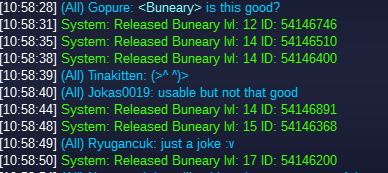
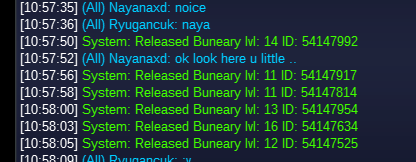
I am genuinely sorry, in the future I will make sure to screenshot good pokemons so I do not delete them by accident. Thank you very much for your work and sorry for the inconvenience.
-
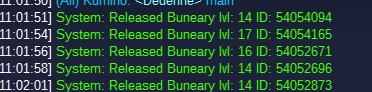
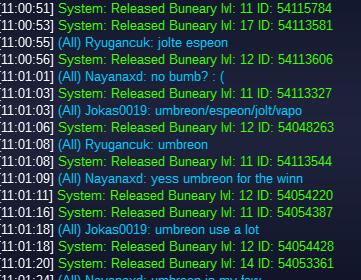
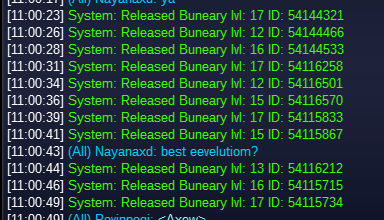
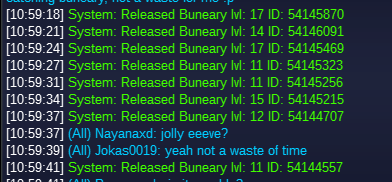
Server: Silver Description: Impish Christmas Buneary IDs: 54054094 54054165 54052671 54053696 54052873 54115784 54113581 54113606 54113327 54048263 54113544 54054220 54054387 54054428 54053361 54144321 54144466 54144533 54116258 54116501 54116570 54115833 54115867 54116212 54115715 54115734 54145870 54146091 54145469 54145323 54145256 54145215 54144707 54144557 54146746 54146510 54146400 54146891 54146368 54146200 54147992 54147917 54147814 54147954 54147634 54147525 Screenshots: Thanks