New Trade Zone
Trade Zone is now live
Use the new Trade Zone for auctions and instant-price trades so Pokemon and item offers are easy to find.

Frostavenger
Registered User
-
Joined
-
Last visited
-
I have found a guild. Ty all for taking interest
-
Updated
-
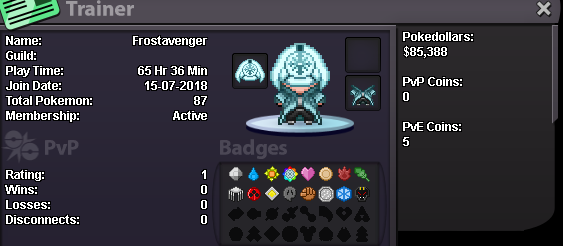
Hello I am a very long time Pokemon player. Iv played since the launch of Pokemon red/blue. I own every game and have over 600+ hours in each game. I know how competitive works and always do a decent amount of it per Pokemon season. All my spare time outside of IRL things is spent on playing Pokemon go and Pokemon Rev along with watching a shit ton of anime (I dont watch any thing other then anime =P ). In the Winter months I spend more time playing console and pc games. Things I am looking for is a active guild that is mature and is fine with mature content and with people cussing and the likes. I am progressing though the story nice and may some times need help with some Pro based questions and maybe a egg move or 2 for the E4 and what not. My only language is English I enjoy talking to others . I tend to stay away from forums and place's where there is lots of reading. I always have discord opened 24hrs a day. But I keep every thing on discord muted so I dont get bothered when I am busy at work or sleeping. Ill try to check the forums every once and a while but I doubt ill check them often. Best way to get a hold of me is VIA discord. Frostavenger#8954 (Discord logo is the same as this one and I am always set to offline)