New Trade Zone
Trade Zone is now live
Use the new Trade Zone for auctions and instant-price trades so Pokemon and item offers are easy to find.

Asukalangley
Registered User
-
Joined
-
Last visited
-
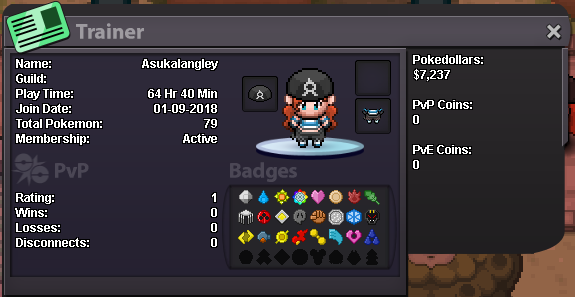
Hello together ^^, Your Discord Tag: EypoRage #4491 Your Trainer Card: please see below Are you an active player?: due to my job im ingame in the evening usually What is your goal in PRO?: PVE Endgame Content, Collecting cool Pokemon <3 Are you of the age 16 years or up?: Im 22 Do you meet the requirements to join this guild?: yes Why do you feel you will be a good addition for this guild?: I'm usually the dude that helps others with trades or evolutions, I'm also quite uncomplaining :D Have you thoroughly read the first post of this thread?: Of course and i am willing to respect the guilds rules What server did you make your first account on? (Blue, Red, Yellow, Gold, or Silver): Silver
-
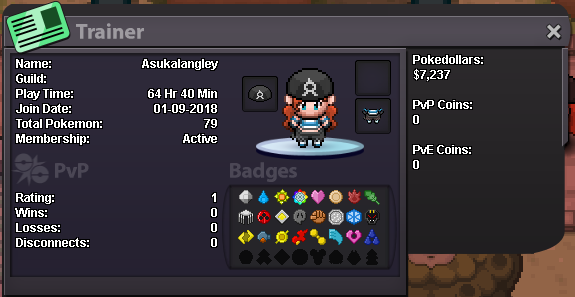
Hi, btw i reeeeaaaly like your logo :D What is your in game name? --- AsukaLangley How old are you? --- 22 What aspect of the game do you like? (PvP, bosses, hunting etc.) --- the challenge, bosses, pvp, collecting, mmo-features What do you want to achieve in PRO? --- Want to do Bosses,create a Team of the coolest Pokemon imo, and learn PVP Also please provide a screenshot of your trainerscard and leave your discord tag in the reply so we can contact u easier! DiscordTag: EypoRage#4491 Im ingame usually in the evenings, so you can catch me up there ;)