




New Trade Zone
Trade Zone is now live
Use the new Trade Zone for auctions and instant-price trades so Pokemon and item offers are easy to find.

Gralak21
Registered User
-
Joined
-
Last visited
Everything posted by Gralak21
-
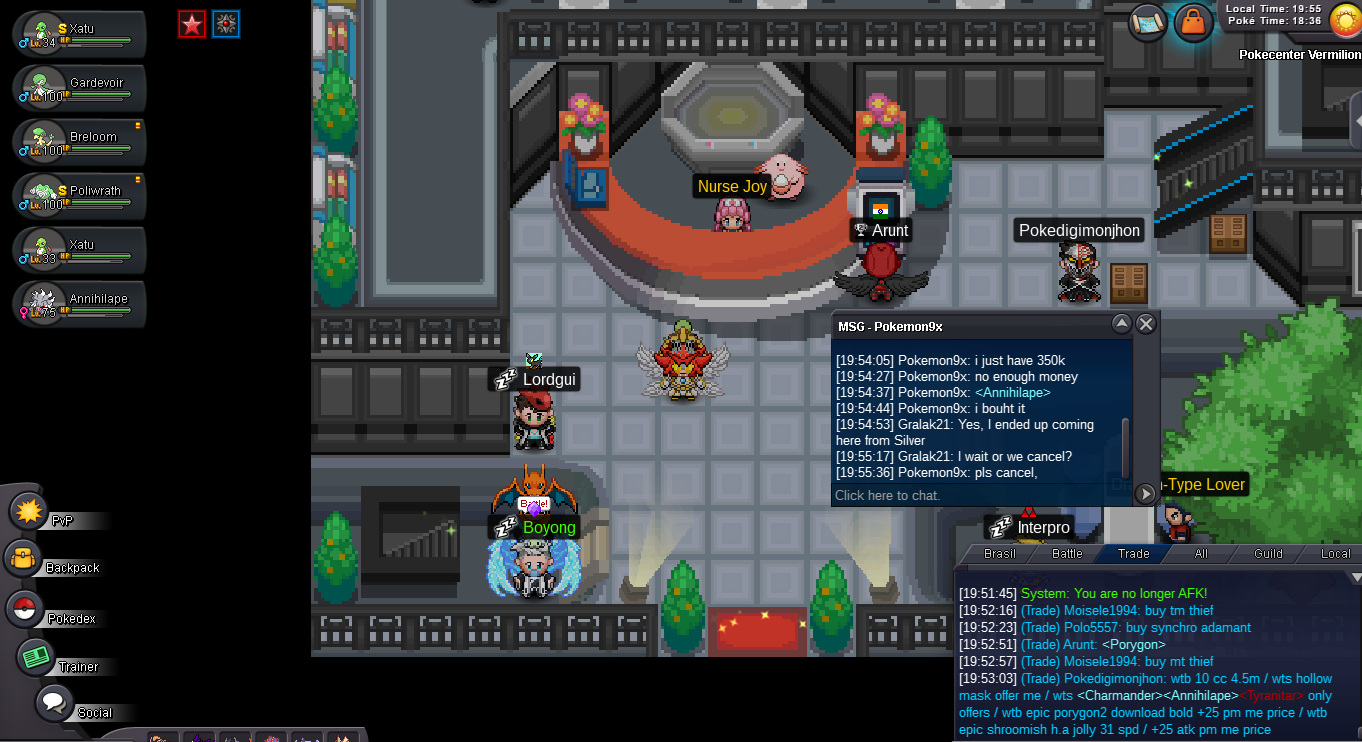
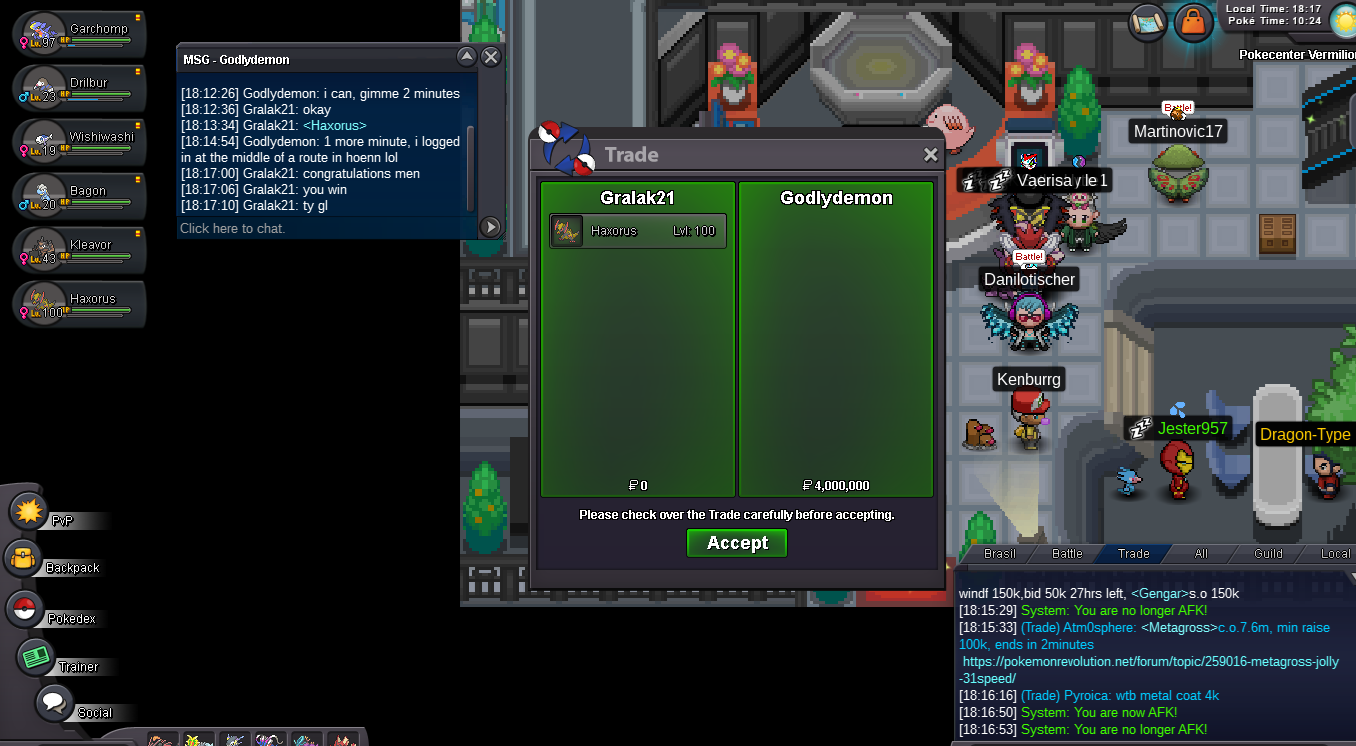
Anihilape canceled, the guy ran out of money and said he didn't want it anymore because he had already bought another one and didn't let me know in any of the 3 days that the auction lasted, I posted the prices and the link on both servers
-
Pokemon9x annihilape finish you winstart annihi, start swampert salamence 500knoted arshuuustart gardevoirstart ferroPokemon9x start annihilape
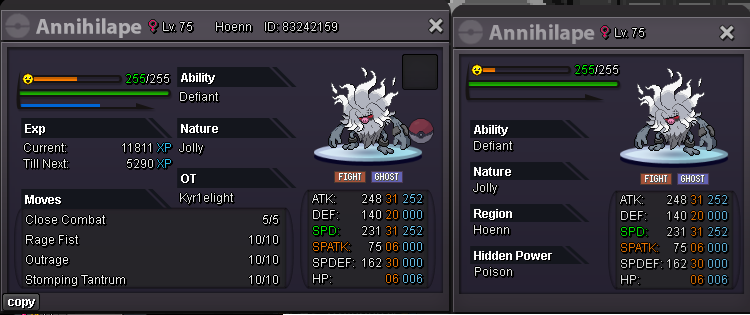
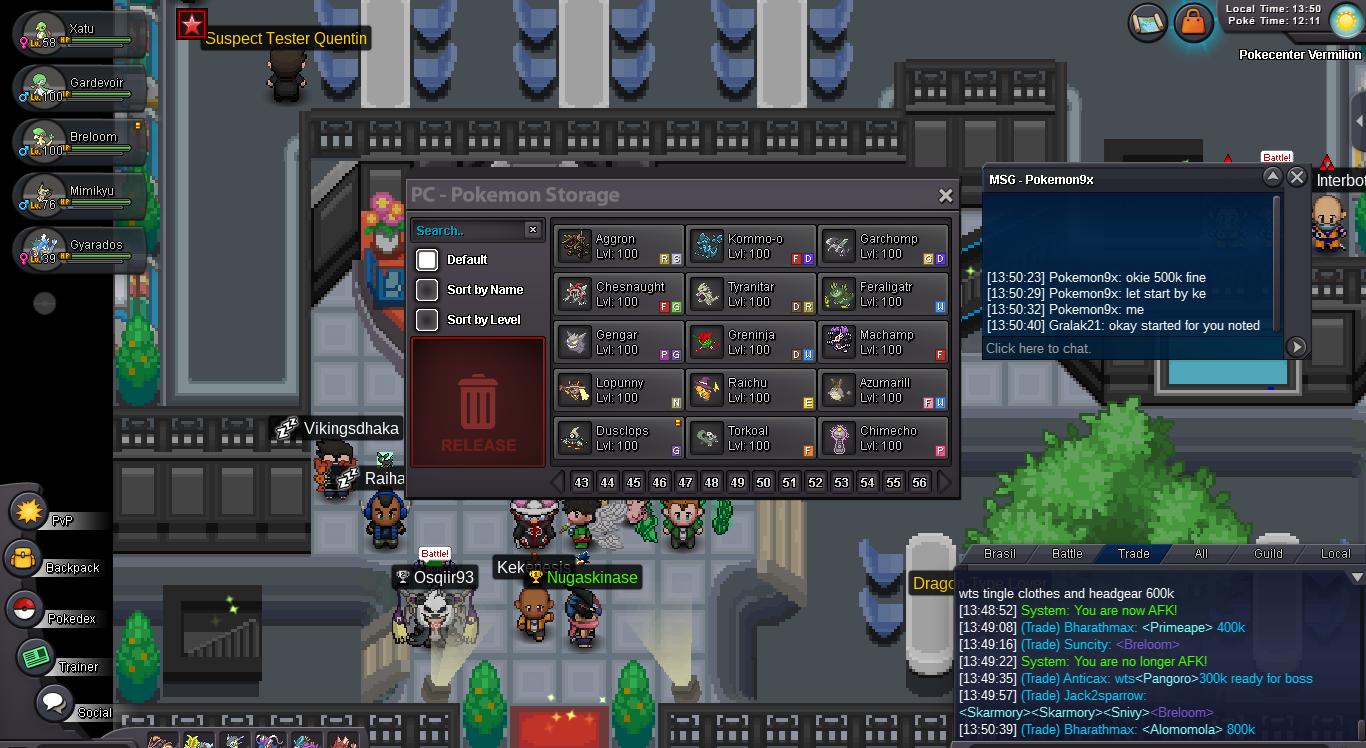 Annihilape Jolly 31/31 S.O:500K MIN BID:150K INSTA: 10M TIME: 72H AFTER THE FIRST BID -------------------------------------------------------------------------------------------------------------------------------------------------------------------- Emboar S.O: 2m MIN BID: 200k INSTA: 20m TIME: 72H AFTER THE FIRST BID ----------------------------------------------------------------------------------------------------------------------------------------------------------------------- Excadril S.O: 300K MIN BID:100K INSTA: 2m TIME: 72H AFTER THE FIRST BID --------------------------------------------------------------------------------------------------------------------------------------------------------------------- Garchomp S.O: 500K MIN BID:150k INSTA: 10M TIME: 72H AFTER THE FIRST BID ---------------------------------------------------------------------------------------------------------------------------------------------------------------------- Metagross jolly 31 spd S.O: 500K MIN BID: 150K INSTA: 10m TIME: 72H AFTER THE FIRST BID -------------------------------------------------------------------------------------------------------------------------------------------------------------------------- Muk Alolan adamant S.O: 300K MIN BID: 70K INSTA: 3M TIME: 72H AFTER THE FIRST BID ACCEPT PAYMENT CC - 450k, Iv reroll - 650k, Nat reroll - 300k, Poke


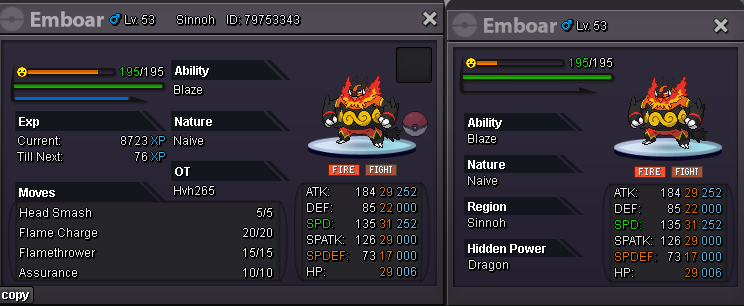
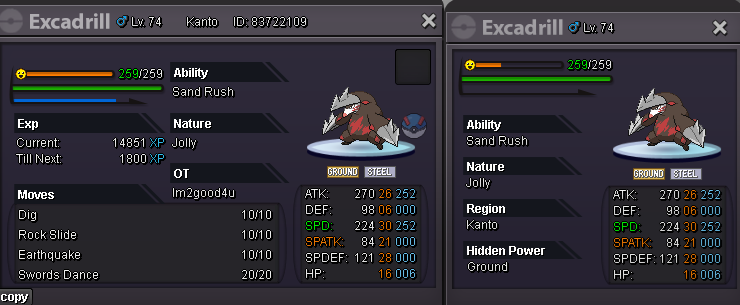
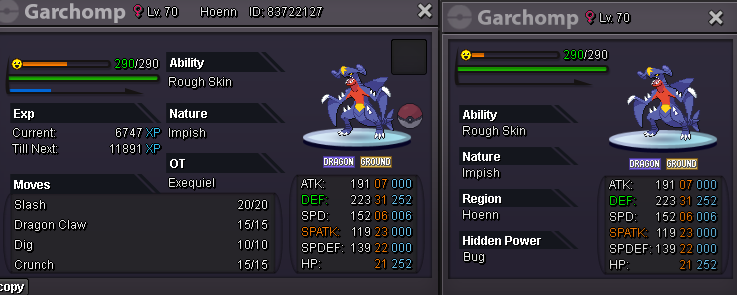
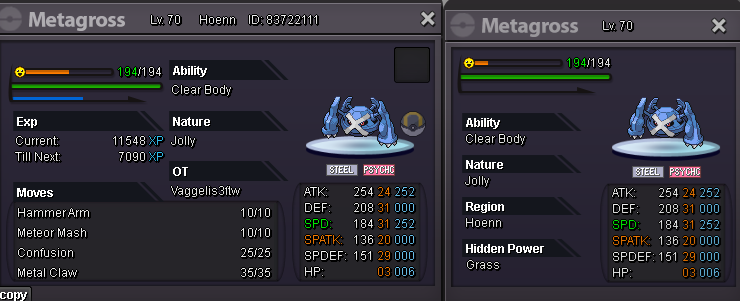
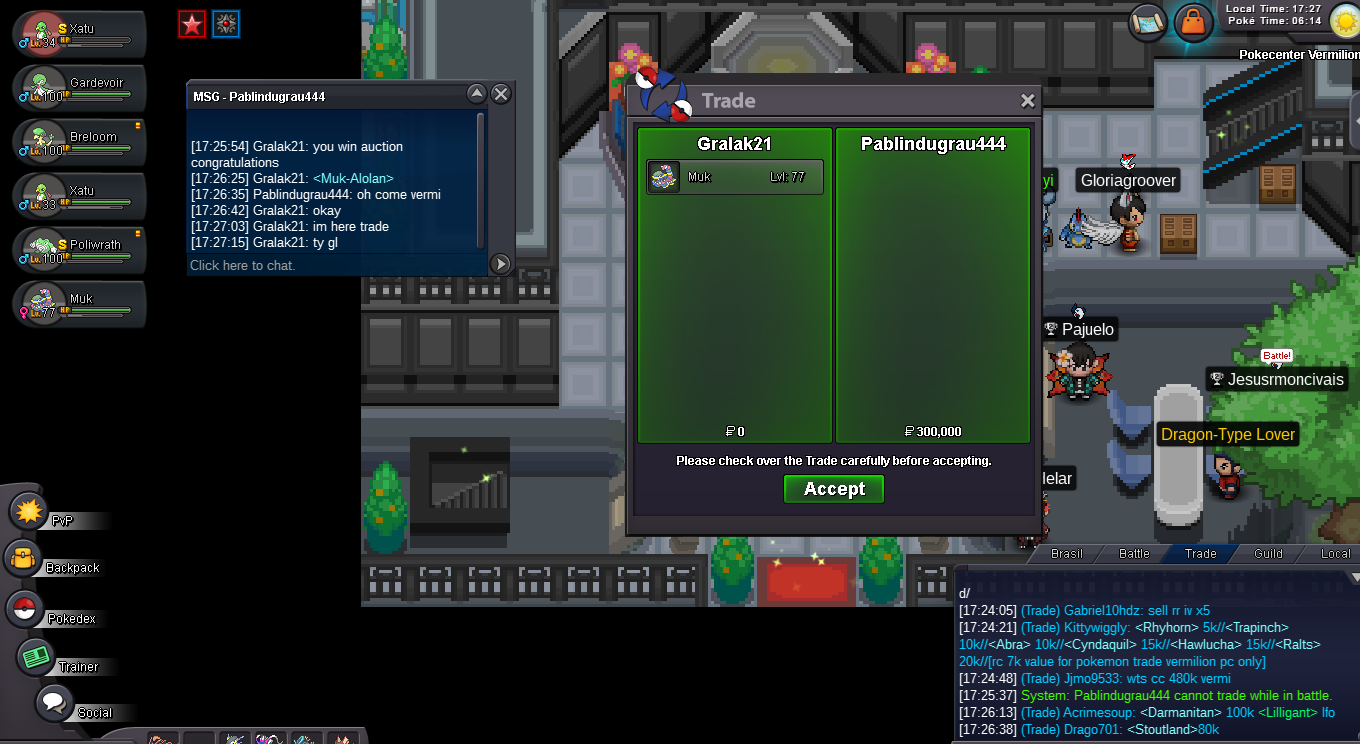
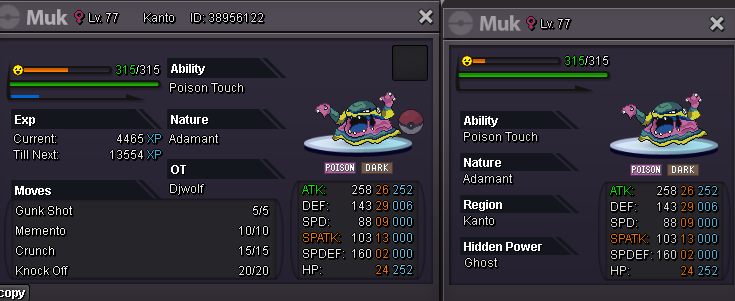 400k600kstart metagross100k eaI asked to close the auction, loppuny and mismagius didn't start in time, so I removed the post, loppuny sold and mismagius for sale 2m500k invit me pm in discord or message game


Account
Navigation
Search
Configure browser push notifications
Chrome (Android)
- Tap the lock icon next to the address bar.
- Tap Permissions → Notifications.
- Adjust your preference.
Chrome (Desktop)
- Click the padlock icon in the address bar.
- Select Site settings.
- Find Notifications and adjust your preference.
Safari (iOS 16.4+)
- Ensure the site is installed via Add to Home Screen.
- Open Settings App → Notifications.
- Find your app name and adjust your preference.
Safari (macOS)
- Go to Safari → Preferences.
- Click the Websites tab.
- Select Notifications in the sidebar.
- Find this website and adjust your preference.
Edge (Android)
- Tap the lock icon next to the address bar.
- Tap Permissions.
- Find Notifications and adjust your preference.
Edge (Desktop)
- Click the padlock icon in the address bar.
- Click Permissions for this site.
- Find Notifications and adjust your preference.
Firefox (Android)
- Go to Settings → Site permissions.
- Tap Notifications.
- Find this site in the list and adjust your preference.
Firefox (Desktop)
- Open Firefox Settings.
- Search for Notifications.
- Find this site in the list and adjust your preference.