




New Trade Zone
Trade Zone is now live
Use the new Trade Zone for auctions and instant-price trades so Pokemon and item offers are easy to find.

Pasokoss
Registered User
-
Joined
-
Last visited
Everything posted by Pasokoss
-
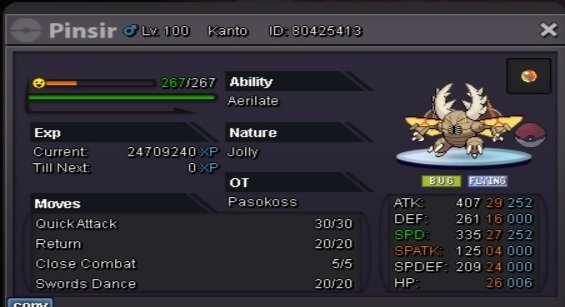
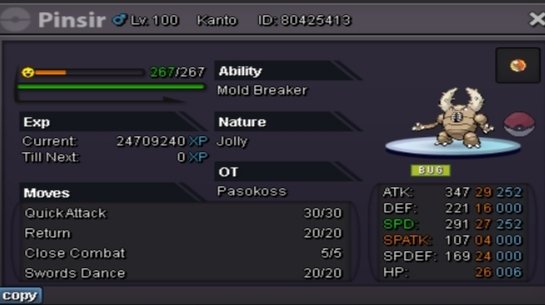
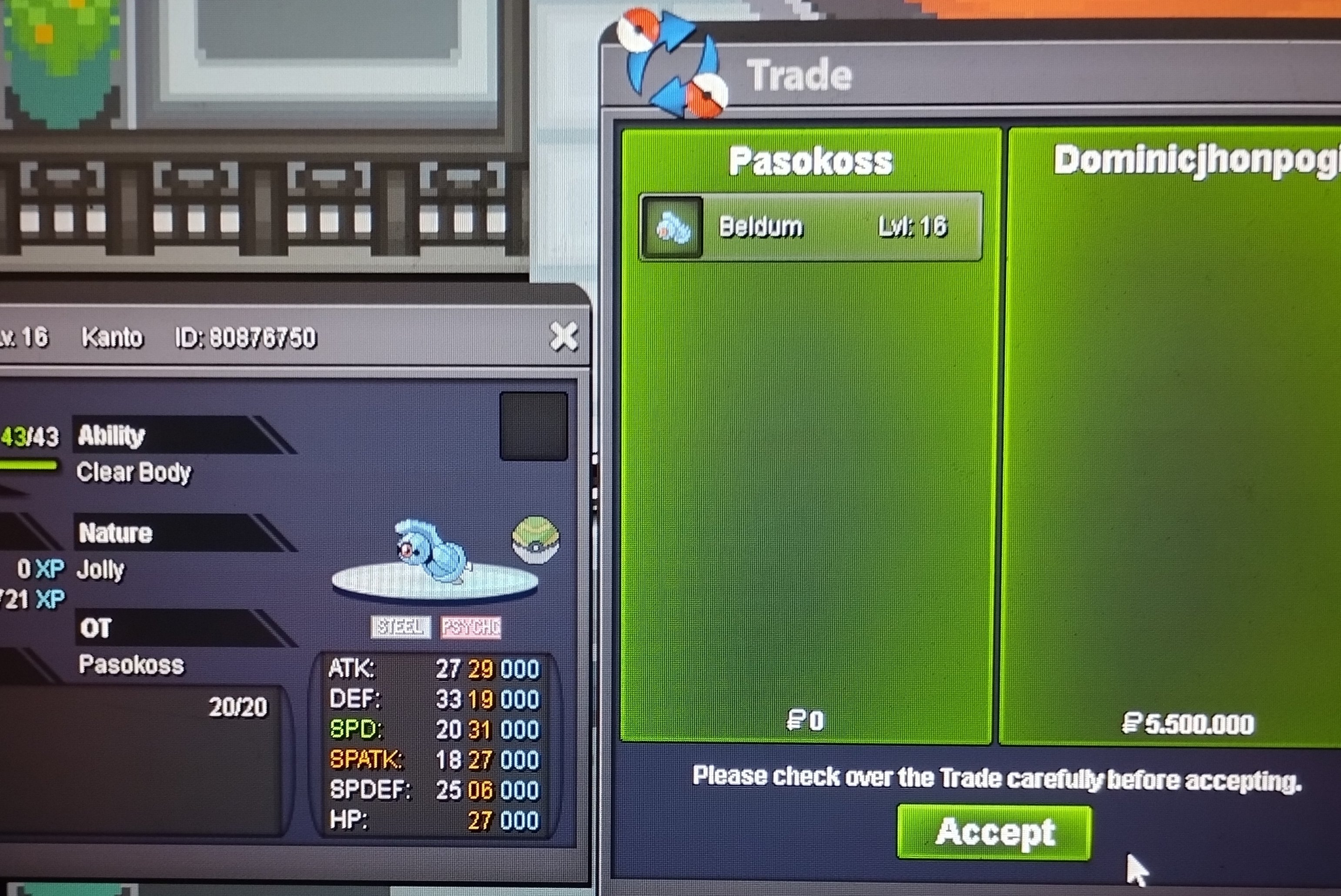
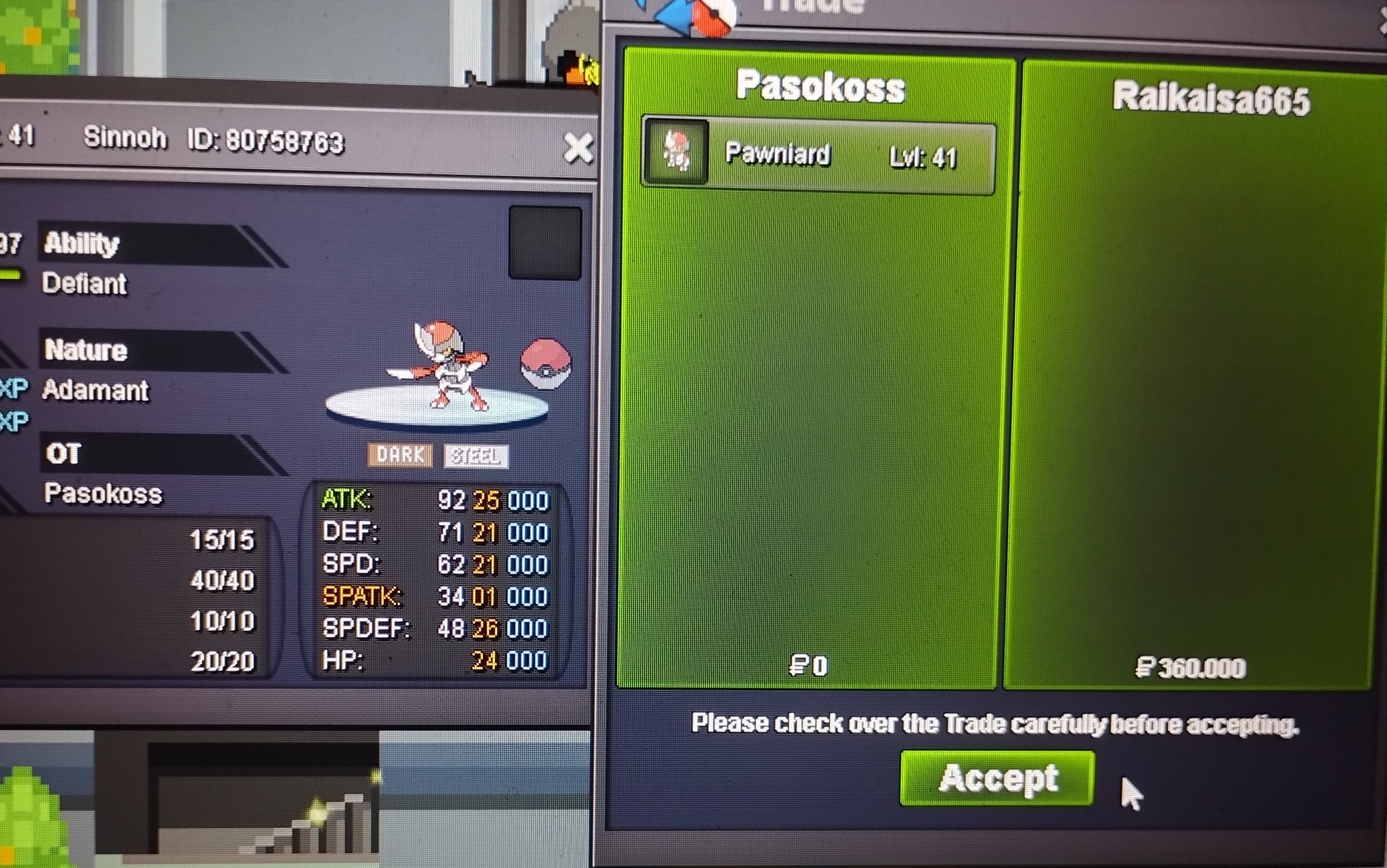
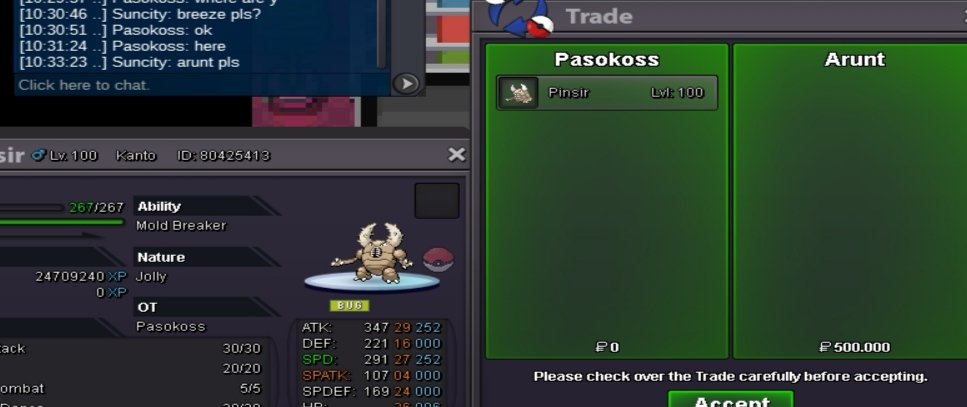
So 10 k each pokemon Min raise 10 k Accept cc 360 k 1 hours auctions after first bid for each pokemon


 Auction ended .lyn won...do the trade and take a scheenshot of the trade...for proof..and post it here .and read rules after. ThatIs 15 min rule forum auction...auction not ended..let the people bid...and if no one bids for 15 min then auction will end ..read the rulesPost proof of the ingame bid...a scheenshot to not have problems with your auction..glAuction started 17:24(+3gmt) 24 hours left glStart 50 k Min raise 50 k Accept cc 360 k 24 hours auction after first bid
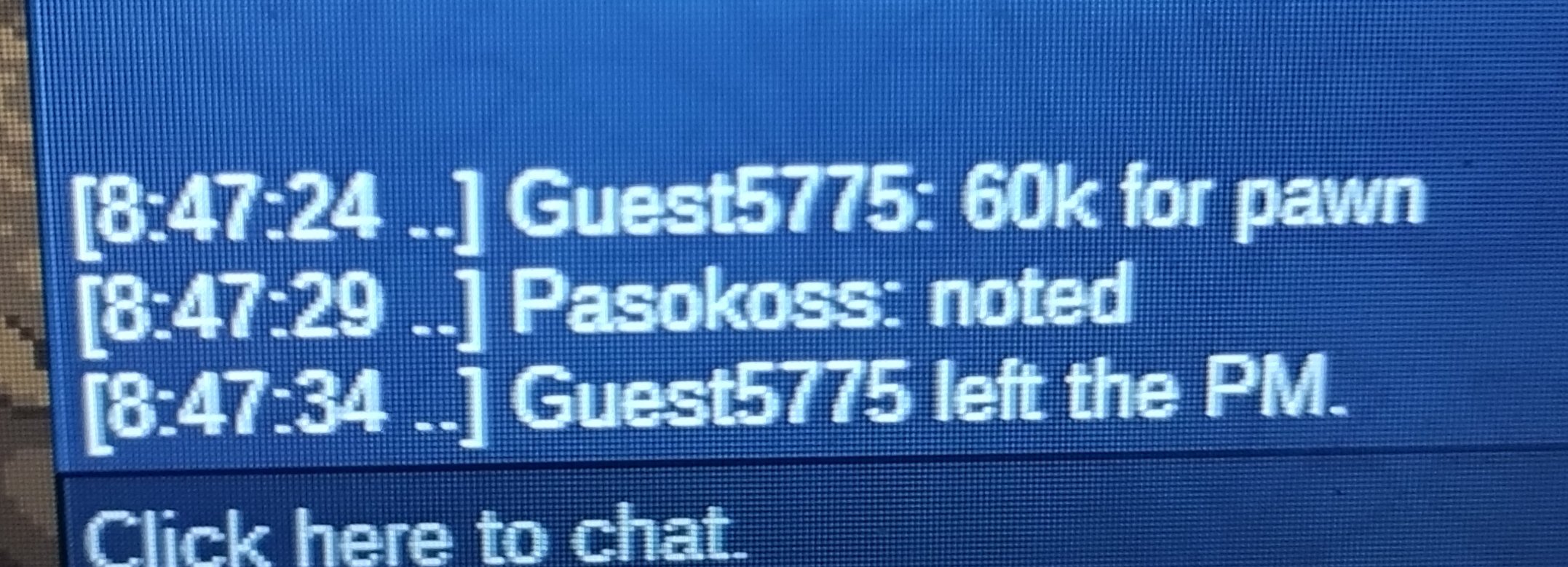
 You won paw. Pm onlineYou won pinsir pm me online ty30 min left..goodluckPawniard co 200 k..and pinsir co 300 k by youTell how much for each pokemon...pokemon and bid....Auctions started 22:13(+3 gmt) 24 hours leftSo 20 k Min raise 20 k 24 hours after first bid Accept cc 360 k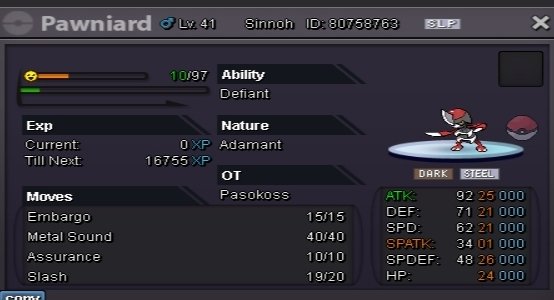
 Up.... Shiny rotom budget 100...150 + m




Account
Navigation
Search
Configure browser push notifications
Chrome (Android)
- Tap the lock icon next to the address bar.
- Tap Permissions → Notifications.
- Adjust your preference.
Chrome (Desktop)
- Click the padlock icon in the address bar.
- Select Site settings.
- Find Notifications and adjust your preference.
Safari (iOS 16.4+)
- Ensure the site is installed via Add to Home Screen.
- Open Settings App → Notifications.
- Find your app name and adjust your preference.
Safari (macOS)
- Go to Safari → Preferences.
- Click the Websites tab.
- Select Notifications in the sidebar.
- Find this website and adjust your preference.
Edge (Android)
- Tap the lock icon next to the address bar.
- Tap Permissions.
- Find Notifications and adjust your preference.
Edge (Desktop)
- Click the padlock icon in the address bar.
- Click Permissions for this site.
- Find Notifications and adjust your preference.
Firefox (Android)
- Go to Settings → Site permissions.
- Tap Notifications.
- Find this site in the list and adjust your preference.
Firefox (Desktop)
- Open Firefox Settings.
- Search for Notifications.
- Find this site in the list and adjust your preference.