




New Trade Zone
Trade Zone is now live
Use the new Trade Zone for auctions and instant-price trades so Pokemon and item offers are easy to find.

Darklives666
Registered User
-
Joined
-
Last visited
-
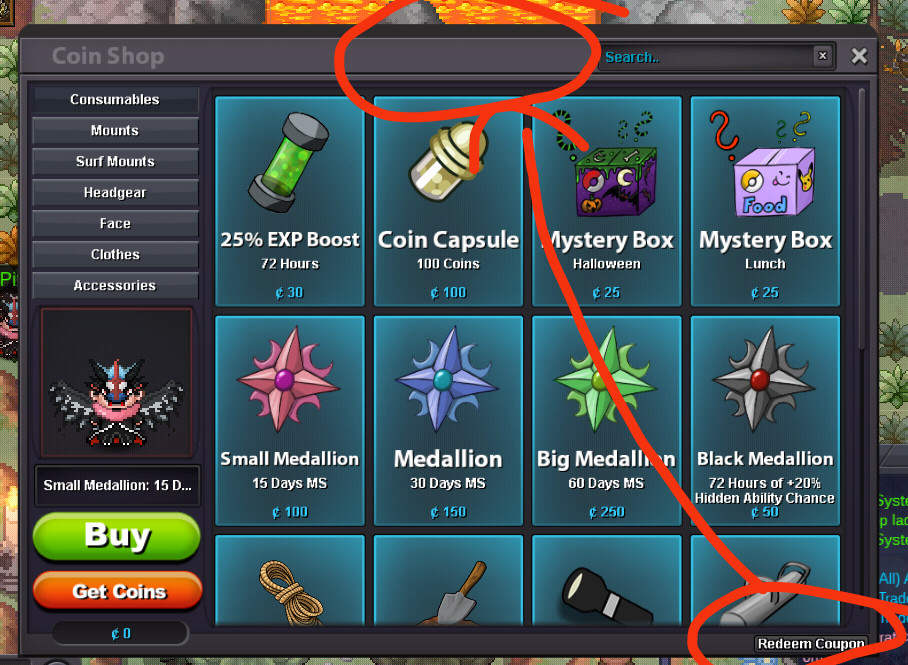
Is it possible to move the redeem button next to search instead? Tbh its to small and most pro players basically blind and lazy af to search the whole screen 💀
-
U do realized its MMO right
-
Ty i can move properly now xd
-
Yes i still have problem with moving properly. How to fix it on phone?
-
Today after my phone suddenly get reset on it own i re download pro. Now when i play it i cant move properly like when i go up suddenly go left or right, when i go down suddenly go left or right etc. Since i play on phone idk how to show this since screen record pretty much show nothing
-
1m300k
-
1m200k
-
1m
-
800k
-
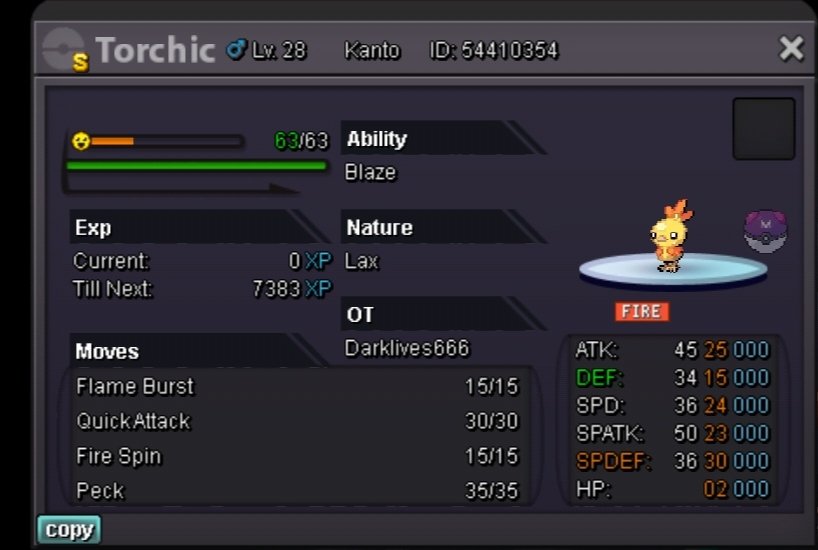
Start: 11m Min bid: 500k No insta 3 day auction start after 1st bid Payment method accepted RR =700k CC = 400k As it's a gold server auction, whoever wins the auction must come to pick up the pokemon in Gold Server.
-
I already done the quest and get the stone after that i went to the summit and use escape rope and back to mega gengar place because i curious i go back there and lose all my 6 poke i thought its go back to pc so i go back to pokemon centre and check it but its gone
