




New Trade Zone
Trade Zone is now live
Use the new Trade Zone for auctions and instant-price trades so Pokemon and item offers are easy to find.


Braxsayan
Registered User
-
Joined
-
Last visited
Everything posted by Braxsayan
-
UPDATE
-
bump
-
BUMP
-
2ND FERROSEED ADDED
-
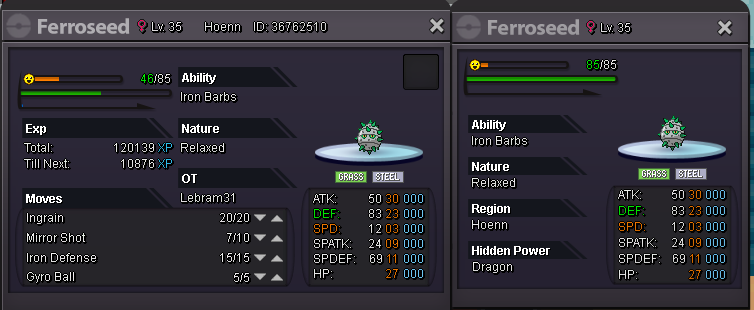
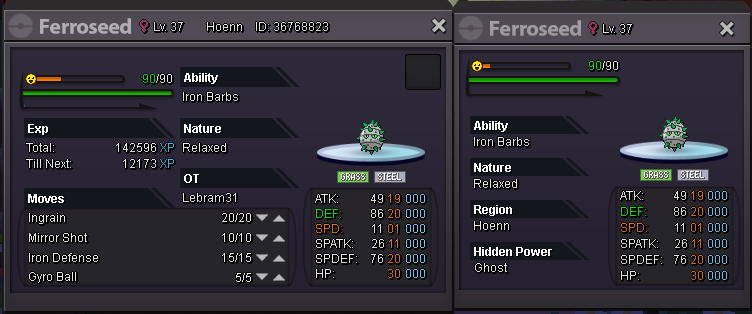
AUCTIONS FOR 2 RELAXED FERROSEED end of auctions : 72h after i validated the first bid prefer money but accept some items : CC : 260K IV RR : 600K NATU RR : 300K FERROSEED LVL 35 : start bid : 150K insta buy : 300k curent offer : canceled due to no offer end of auction : canceled due to no offer FERROSEED LVL 37 : start bid : 150K insta buy : 500k curent offer : won by konter for 335k end of auction : 19/07/19 at 12:03 ( forum time ) = london time Happy bidding
-
volca hp ground added and 2 growlithe
-
UPDATED
-
BUMP
-
I Think its not hp fire but hp ground lol good luck ;)
-
BUMP
-
UP
-
BUMP
-
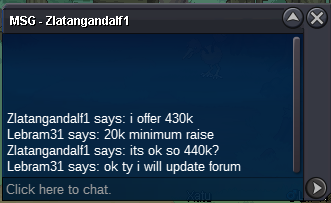
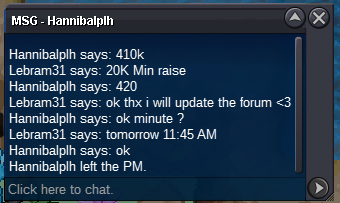
a moderator will be helpfull with this auction issue https://pokemonrevolution.net/forum/topic/131245-url thanks a lot <3
-
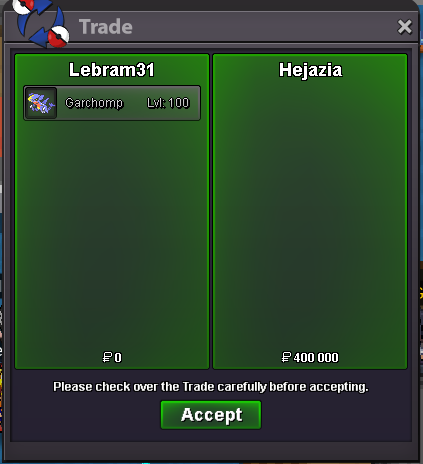
please a mod tell me if i am right or if i had to sell the mons for 400k at annajat. respectfully
-
sorry for my bad english btw :)
-
i think the mods can check the time i had edit the min raise so iam not worried with that
-
i changed the min raise before i had an offer look at the time
-
end of auction ty
-
3min left
-
15 min lefthi, I wanted a timid volcarona 31 Speed price depend of other stats but i have 10M+ private message on forum or ingame my ign is lebram31 THX FOR READINGupdate

Account
Navigation
Search
Configure browser push notifications
Chrome (Android)
- Tap the lock icon next to the address bar.
- Tap Permissions → Notifications.
- Adjust your preference.
Chrome (Desktop)
- Click the padlock icon in the address bar.
- Select Site settings.
- Find Notifications and adjust your preference.
Safari (iOS 16.4+)
- Ensure the site is installed via Add to Home Screen.
- Open Settings App → Notifications.
- Find your app name and adjust your preference.
Safari (macOS)
- Go to Safari → Preferences.
- Click the Websites tab.
- Select Notifications in the sidebar.
- Find this website and adjust your preference.
Edge (Android)
- Tap the lock icon next to the address bar.
- Tap Permissions.
- Find Notifications and adjust your preference.
Edge (Desktop)
- Click the padlock icon in the address bar.
- Click Permissions for this site.
- Find Notifications and adjust your preference.
Firefox (Android)
- Go to Settings → Site permissions.
- Tap Notifications.
- Find this site in the list and adjust your preference.
Firefox (Desktop)
- Open Firefox Settings.
- Search for Notifications.
- Find this site in the list and adjust your preference.