




New Trade Zone
Trade Zone is now live
Use the new Trade Zone for auctions and instant-price trades so Pokemon and item offers are easy to find.

Ct7y
Registered User
-
Joined
-
Last visited
-
Okie sir thanks alot :3 Good day to uh ☺ -Ct7y
-
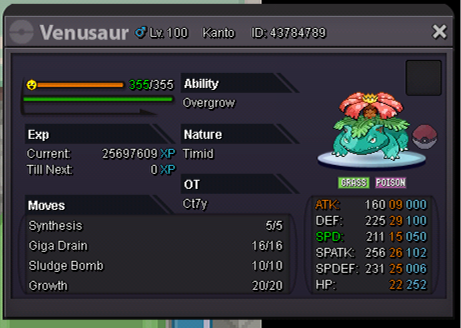
Sure sir. Here it is... I hope my issue will be solved soon 🙂
-
Hello there, i'm Ct7y player of pro..i'm making my pvp team and i need mega venu in my team. In order to get the stone i did the quest, showed prof oak the bulba he said, train and grown this to maximum level and show me..i did exactly what he said..but today i when gone in his lab to show him he said, it's not the bulbasaur you shown me...really? I only have a bulbasaur that i trained and showed him before..that's really bad i did the quest to get the stone but prof saying that it's not the bulba...please help me with that! And yeah i'm playing in gold server currently. Thanks pro staff, I hope my matter be solved soon.