




New Trade Zone
Trade Zone is now live
Use the new Trade Zone for auctions and instant-price trades so Pokemon and item offers are easy to find.

Shivansh01
Suspended
-
Joined
-
Last visited
Everything posted by Shivansh01
-
OK ..THANKSAnd I have the as of the Pokemon stating price and all the chats too... Will that work?Will I get that Pokemon back to me?I wanna ask if someone agrees to trade a Pokemon for a certain money .. and we agreed to meet at a place .. after that he says he got a better deal .. Can I do something in this regard?Lend Service
.png.cfe63fdf22dcab3887f6ceb1f35ba7bb.png) Pokedex Service
Pokedex Service.png.72b840dbbd26adbe53dcc9c2af214ec4.png) Pokedex Service
Pokedex Service.png.efa9f91d8c0ce8ceef23aadcf1f4e32e.png) 5k Tip by the buyer
5k Tip by the buyer.png.6eed5205d42bf017eecba1b40c6b5a3c.png)
.png.2083506521043fb7900149792e3e9396.png) DayCare Service :18k +2k(as Tip)
DayCare Service :18k +2k(as Tip).png.5b53abe437249d0ae58b5b069e1acfcc.png)
.png.11fbec6c0dd16da970062e6728d90660.png) Lend Service for story
Lend Service for story.png.71c6f481bbf6c5fcf783dbb99b6e2cb3.png)
.png.53a834ef0eae18a0bb68fd6c2f6906db.png) Half EV Cost:17.5k,Tip by the Person 2.5k
Half EV Cost:17.5k,Tip by the Person 2.5k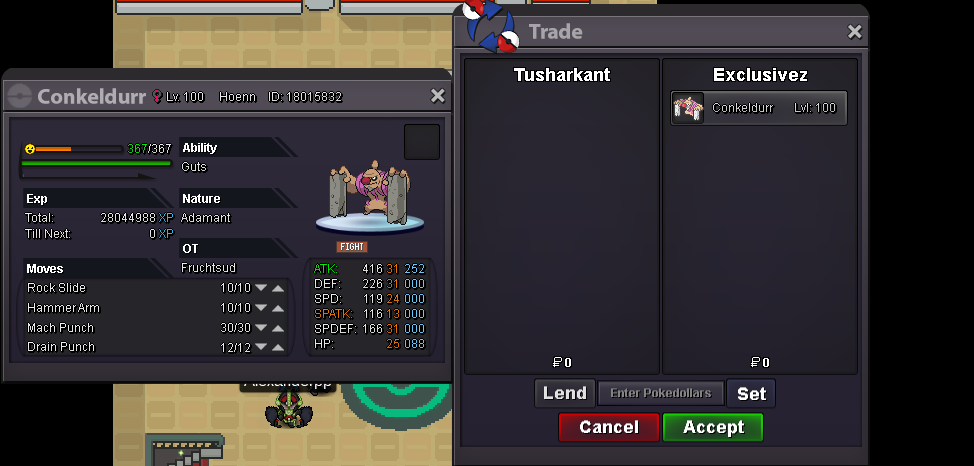
.png.ad2984144cd6c27e7bcb23d9d5e8ce15.png) Half EV cost is 17.5k,Tip by the person 2.5k
Half EV cost is 17.5k,Tip by the person 2.5k
.png.922a1086bedbb081d310983a18aac45c.png) Lend Service (Kanto E4)
Lend Service (Kanto E4).png.fec77df3fe3ed125c1a64e2d25c3cc8b.png) Lend Service :Boss Fight
Lend Service :Boss Fight.png.5a1c2e6e1e643555105d8b0788d85a16.png)
Account
Navigation
Search
Configure browser push notifications
Chrome (Android)
- Tap the lock icon next to the address bar.
- Tap Permissions → Notifications.
- Adjust your preference.
Chrome (Desktop)
- Click the padlock icon in the address bar.
- Select Site settings.
- Find Notifications and adjust your preference.
Safari (iOS 16.4+)
- Ensure the site is installed via Add to Home Screen.
- Open Settings App → Notifications.
- Find your app name and adjust your preference.
Safari (macOS)
- Go to Safari → Preferences.
- Click the Websites tab.
- Select Notifications in the sidebar.
- Find this website and adjust your preference.
Edge (Android)
- Tap the lock icon next to the address bar.
- Tap Permissions.
- Find Notifications and adjust your preference.
Edge (Desktop)
- Click the padlock icon in the address bar.
- Click Permissions for this site.
- Find Notifications and adjust your preference.
Firefox (Android)
- Go to Settings → Site permissions.
- Tap Notifications.
- Find this site in the list and adjust your preference.
Firefox (Desktop)
- Open Firefox Settings.
- Search for Notifications.
- Find this site in the list and adjust your preference.
.png.62ef8c30f1b6598efbb571e58f01719e.png)
.png.4976e87da5f20057e91f6b01df1f61b3.png)
.png.32bb3f302a6f168f5b08fe3ffa4c4e54.png)
.png.ac825721514ef0904fa1bbbfde52c33a.png)
.png.6a6fdc0efeaa331ee868067f48d01c63.png)
.png.389f2b3fce97233285c274b3bbe34dda.png)
.png.a612b7d8caa11f806740c3d5ea1d0fd9.png)
.png.715159664fb2a91bac02f6d9849f93f3.png)
.png.2691266b613c32a01920690914123fa8.png)
.png.5b0231bdfef753938a31f7743f760c66.png)
.png.116c9117319f5eb8f81ae5f732d7bd45.png)
.png.4c9691f6412744e743b086d1245ec04c.png)
.png.d0641aa5effb0dffe1d86011123da80c.png)
.png.e201c97c8942e0e0540bcd074662b4af.png)
.png.e2aa2aaa6649e1f01316d9b6b4b4b449.png)
.png.52d29f0acdf635fc17627aa5e4d2db56.png)

.png.de470cf07c4c209c718cd12977350922.png)
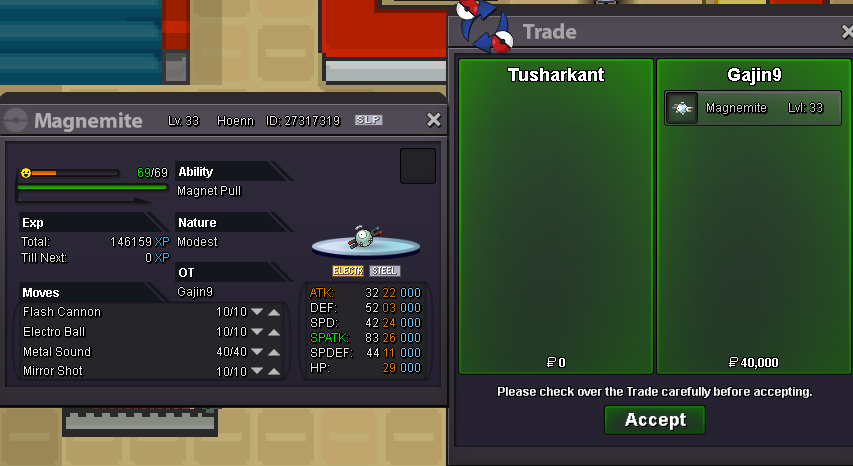
.png.a5dcc66a128cd5daa1606e014af01a4a.png)
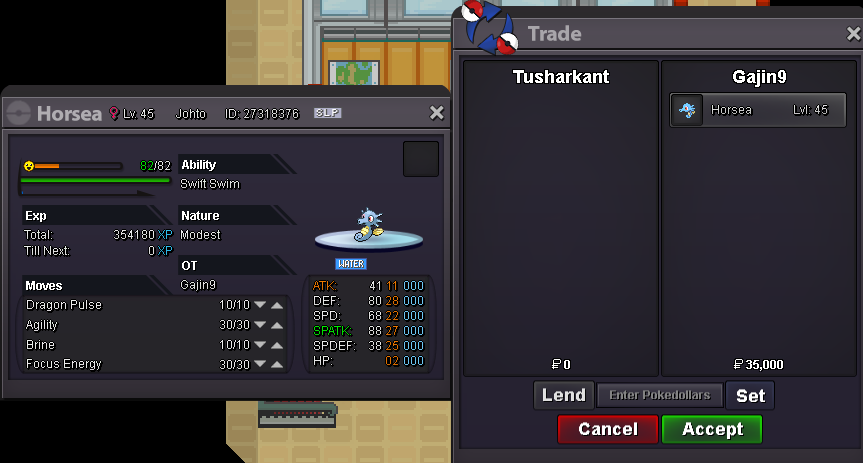
.png.e20de4d99bf0835328bca1500b57399a.png)