




New Trade Zone
Trade Zone is now live
Use the new Trade Zone for auctions and instant-price trades so Pokemon and item offers are easy to find.

Gaunhoibom
Registered User
-
Joined
-
Last visited
Everything posted by Gaunhoibom
-
1. What's your Player name (IGN)? GauNhoiBom 2. The number of hours played? 270 hours 3. What's your favorite Pokemon? Shiny Clefable 4. How old are you? 37 years old 5. When's your Birthday? August 21th
-
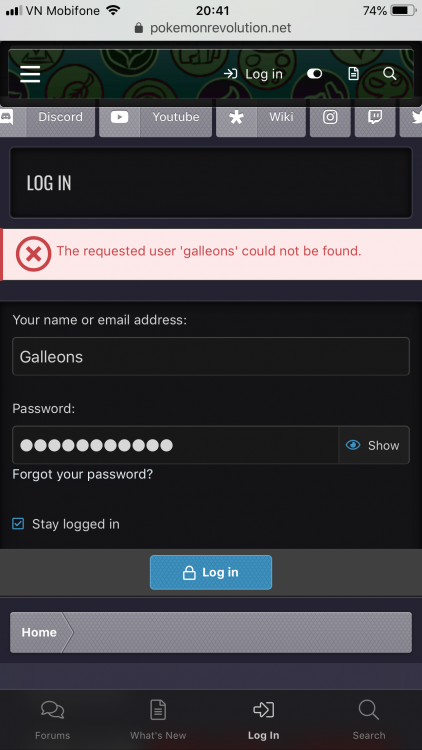
Hi , I have an account with user name : Galleons . this account can login game and dashboard . But it cant login to forum . when i log it in forum allways got noted . Users name : Galleons can not found . whats happend with it ?
-
I lost connection while i'm catching Darkrai how i can encounter it again or i must wait next Halloween in next year ?
-
I asked your help about my user name : Galleons got Bug login Forum And got Accident by your Data server down make me lost my Mew Quest . I cant login my user Galleons ask your help . Why you still not answer me ? if you dont want to help my accident happend by your stupid server please message me .
-
Please help me . My second account user name : Galleons cant login to forum . And when i going to catching Mew is server lost connect . i cant login User name Galleons for ask you help me recover my Mew quest . please help me fix Bug cant login to forum and recover my Mew quest .
-
Im catching Mew and silver server down . ill lost this mew quest ?
