New Trade Zone
Trade Zone is now live
Use the new Trade Zone for auctions and instant-price trades so Pokemon and item offers are easy to find.

Cannucciaa
Registered User
-
Joined
-
Last visited
-
Start, 1 Million
-
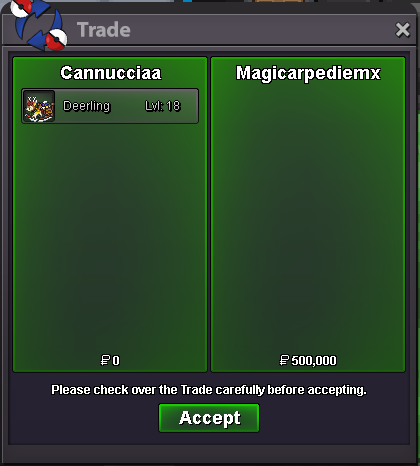
Thanks to everyone that participated
-
End of auction, winner is Magicarpediem! Let me know where we can make the trade
-
Raised to 400k by Darkhaehnchen

-
Raised to 300k by Alyson02

-
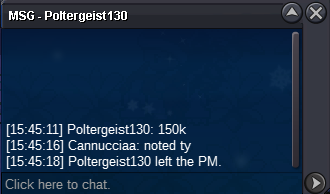
Raised to 150k by Poltergeist130
-
Raised to 125k by Ravan01

-
Starting Bid: 100k Min Bid: 25k Auction ends on: 24 hours after first bid Payment: only pokedollars accepted 15 minute rule applies: If a bid is received in the final 15 minutes of the auction, the end point will be delayed by 15 minutes from that bid, and will be delayed by 15 minutes for each new bid thereafter, until the current offer has been held for a full 15 minutes. Must be accurate to the minute that the auction is set to end. › e.g. If the auction ends at 15:00, it will end at 15:00:00. If a late bid is received in the final 15 minutes, at 14:46, the auction will end at 15:01. If another user bids at 15:00, the auction will be extended again, and will end at 15:15, this will be repeated until the current offer has been held for a full 15 minutes.