New Trade Zone
Trade Zone is now live
Use the new Trade Zone for auctions and instant-price trades so Pokemon and item offers are easy to find.

Stewie94
Registered User
-
Joined
-
Last visited
-
WELCOME TO SWEETY STEWIE'S Here you can order our daycare service (EVs training and level up to 95) Payment methodes: EVs services: 252 EVs (25k) 510 EVs (40k) Level services: 1st evolution step (50k) 2nd evolution step (80k) 3rd evolution step (100k) Pseudo-legendaries (150k) Pokemon without evo and walls (200k) DISCOUNTS: Contact: Ingame (Stewie94) Discord (St3wie#0140) Telegram (@St3wie)
-
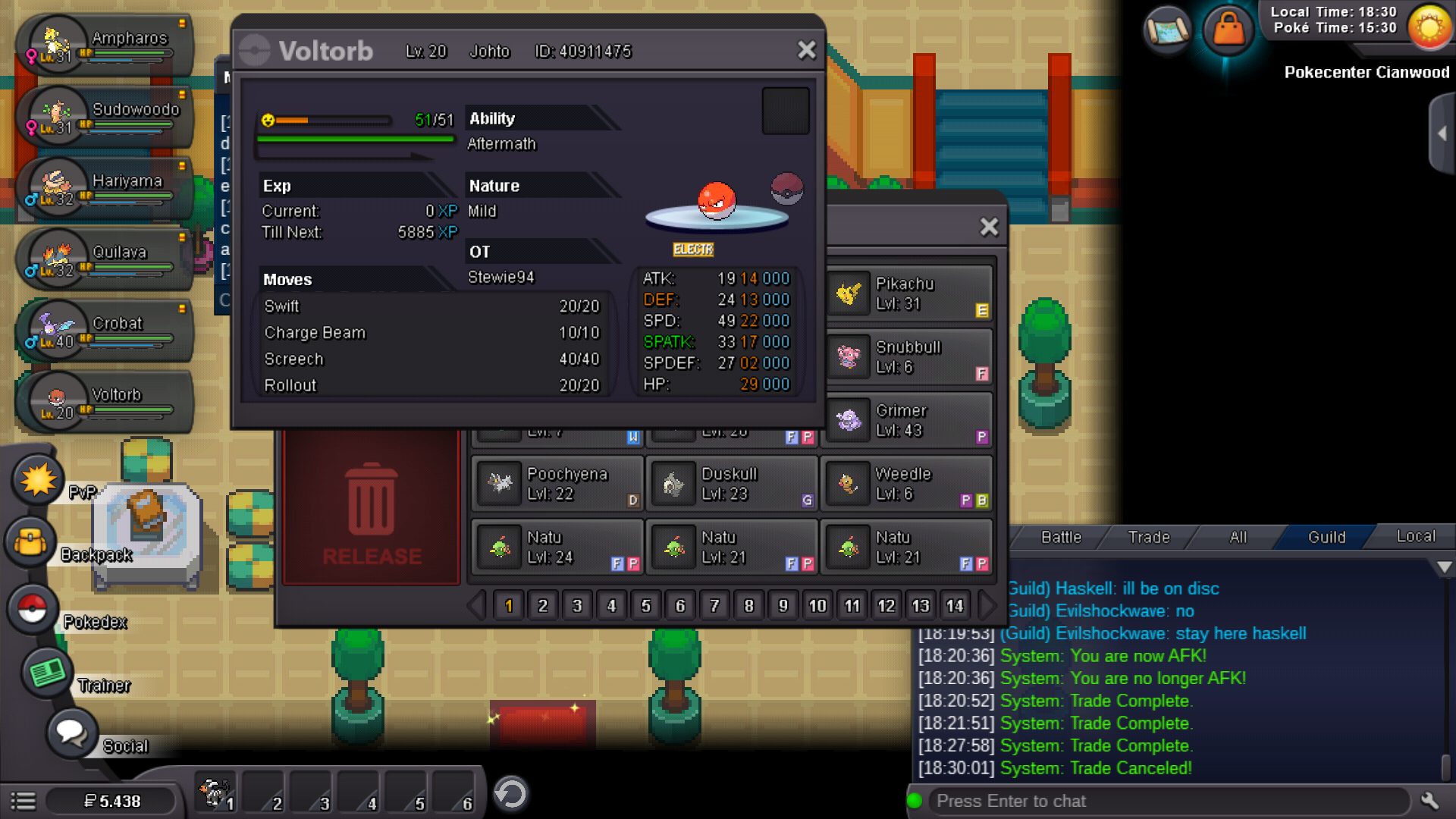
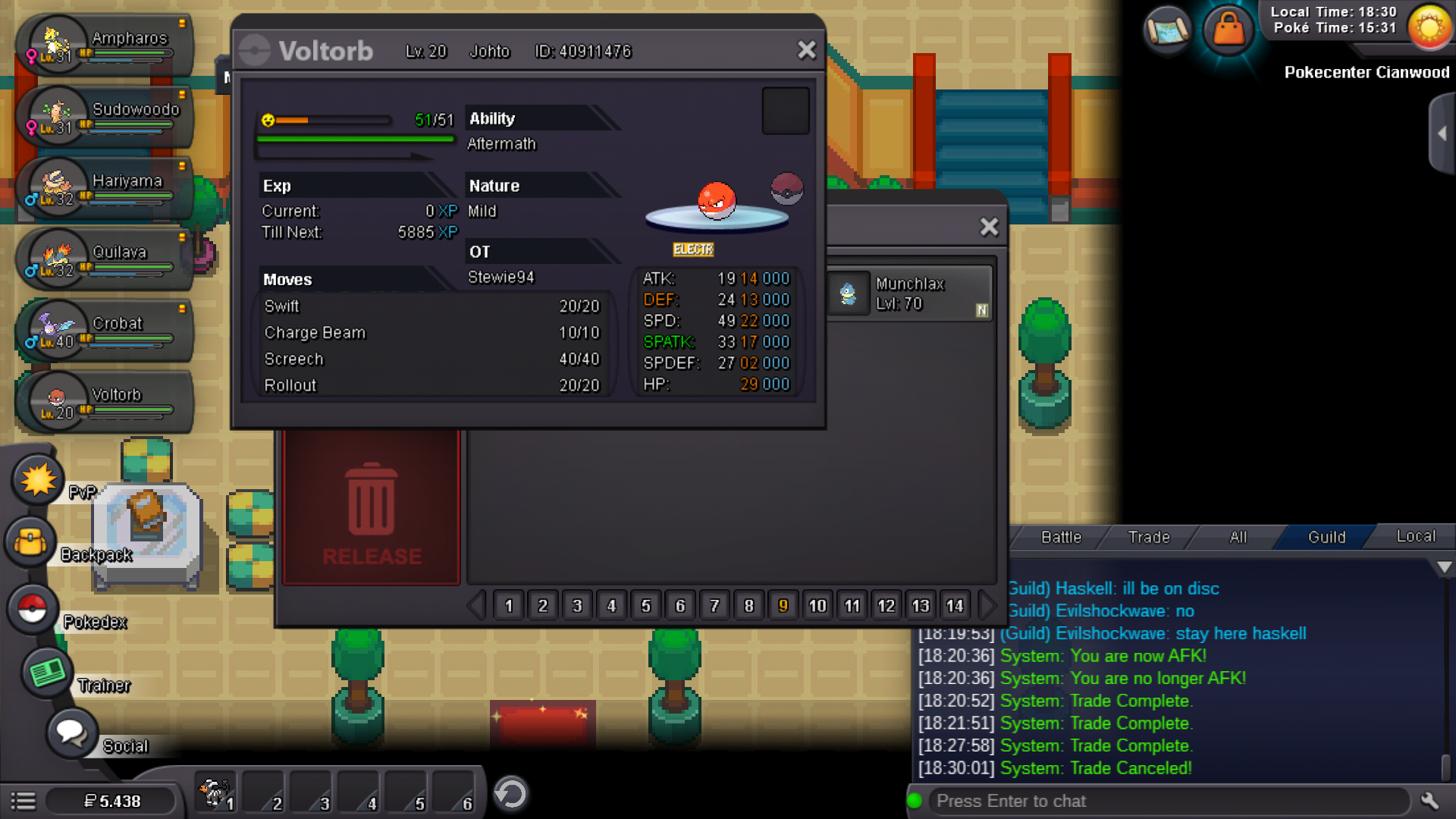
UUyes, my quagsire is bag., but without the leftovers equiped, but doen't matter because I have all 2 magnet and all 2 voltorb too, but I'll liberate both
-
My quagsire is back somehow, still voltorb seems like a duplicate so I will leave this open. Just in case sorry for the troubles, have a nice weekend
-
I had a bug that replaced a pokemon I was using to complete Johto by a copy of a Pokemon I traded a few moments ago. Here what I remember of my actions: I arrived to Oliven City and I talk with all NPC, one of them trade his Voltorb with a magnet by my Krabby and I did the trade. After take off the Voltorb's magnet I switch that pokemon by a Quagsire on PC and surf to Cianwood City. When I'm on Cianwood City I had to close PRO because it was laged and whe I open again my Quagsire was replaced by a Voltorb exactly the same as the trade before with the magnet equiped. I looked at PC to see I have 2 identical Voltorb and no Quagsire. I don't have Quagsire screenshot because it wasn't planned.