New Trade Zone
Trade Zone is now live
Use the new Trade Zone for auctions and instant-price trades so Pokemon and item offers are easy to find.

Ylmz123
Suspended
-
Joined
-
Last visited
Everything posted by Ylmz123
-
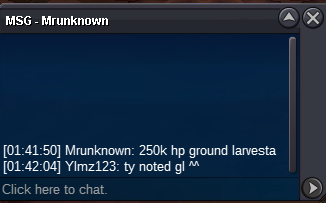
Larvesta #2 DONE! GG

-
@Mbk Ty, I thought seconds are important for auction. Sorry for this issue. @Bhimoso contact me in-game for trade please ^^ GG
-
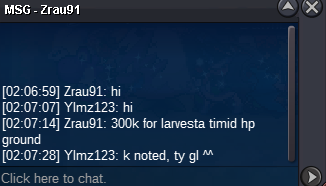
Larvesta #1 DONE!

-
@Irushia @Mbk Can you check the auction please for Who won it? Bhimoso or Redsorrow. Ty
-
When I saw Redsorrow's bid, there is seconds to end the auction. So i extended it. There is seconds talking here not minutes, He bided at last seconds of auction. Thank you.
-
BOLD EXTENDED! 15 MINS LEFT, END AT 02:06 GMT +3.
-
LARVESTA #1 DONE. Kienlc123 WON. Contact me in-game please. GG
-
BOLD ONE EXTENDED DUE TO LAST 15 MINS BID. END AT 1:52 AM GMT +3
-
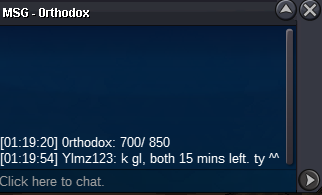
11 MINS LEFT FOR BOTH!
-
BOTH EXTENDED. 15 MINS LEFT END AT 01:42 AM GMT +3 ISTANBUL/TURKEY
-
TRADE DONE! GG
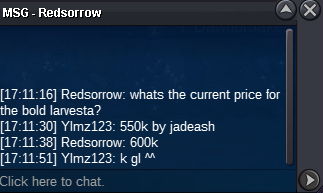
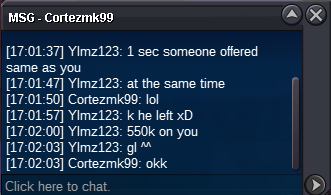
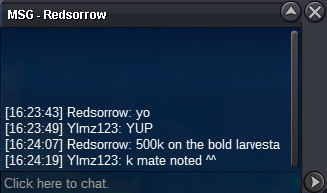
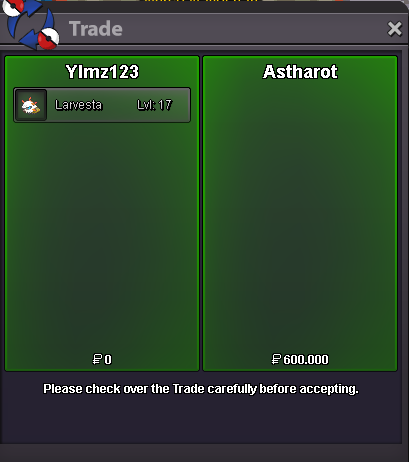 WELCOME TO MY AUCTION! Payment Methods: CC = 350k RR Ticket = 670k AUCTION TIME: 24 HOURS AFTER START OFFER! LARVESTA #1 850k by Kienlc123 WON! ------------------------------------------------------------------------------------------------------------------------------------------------------------------------------ LARVESTA #2 C.o: 1m by Redsorrow min raise: 50k END TIME: 01:42 AM GMT+3 Istanbul/Turkey GOOD LUCK EVERYONE!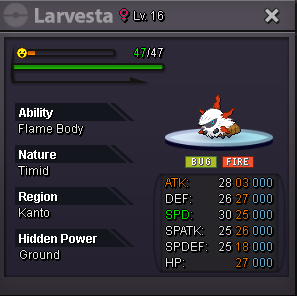
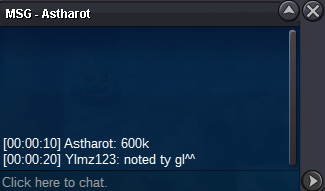
 @Astharot please pm me in-game or contact on discord: ylmzarel#1839
Account
Navigation
Search
Configure browser push notifications
Chrome (Android)
- Tap the lock icon next to the address bar.
- Tap Permissions → Notifications.
- Adjust your preference.
Chrome (Desktop)
- Click the padlock icon in the address bar.
- Select Site settings.
- Find Notifications and adjust your preference.
Safari (iOS 16.4+)
- Ensure the site is installed via Add to Home Screen.
- Open Settings App → Notifications.
- Find your app name and adjust your preference.
Safari (macOS)
- Go to Safari → Preferences.
- Click the Websites tab.
- Select Notifications in the sidebar.
- Find this website and adjust your preference.
Edge (Android)
- Tap the lock icon next to the address bar.
- Tap Permissions.
- Find Notifications and adjust your preference.
Edge (Desktop)
- Click the padlock icon in the address bar.
- Click Permissions for this site.
- Find Notifications and adjust your preference.
Firefox (Android)
- Go to Settings → Site permissions.
- Tap Notifications.
- Find this site in the list and adjust your preference.
Firefox (Desktop)
- Open Firefox Settings.
- Search for Notifications.
- Find this site in the list and adjust your preference.