




New Trade Zone
Trade Zone is now live
Use the new Trade Zone for auctions and instant-price trades so Pokemon and item offers are easy to find.

Darkwivern
Registered User
-
Joined
-
Last visited
Everything posted by Darkwivern
-
for mamoswine
.png.9094e74cc569e82f50033dc4e0821f99.png) for mamoswine
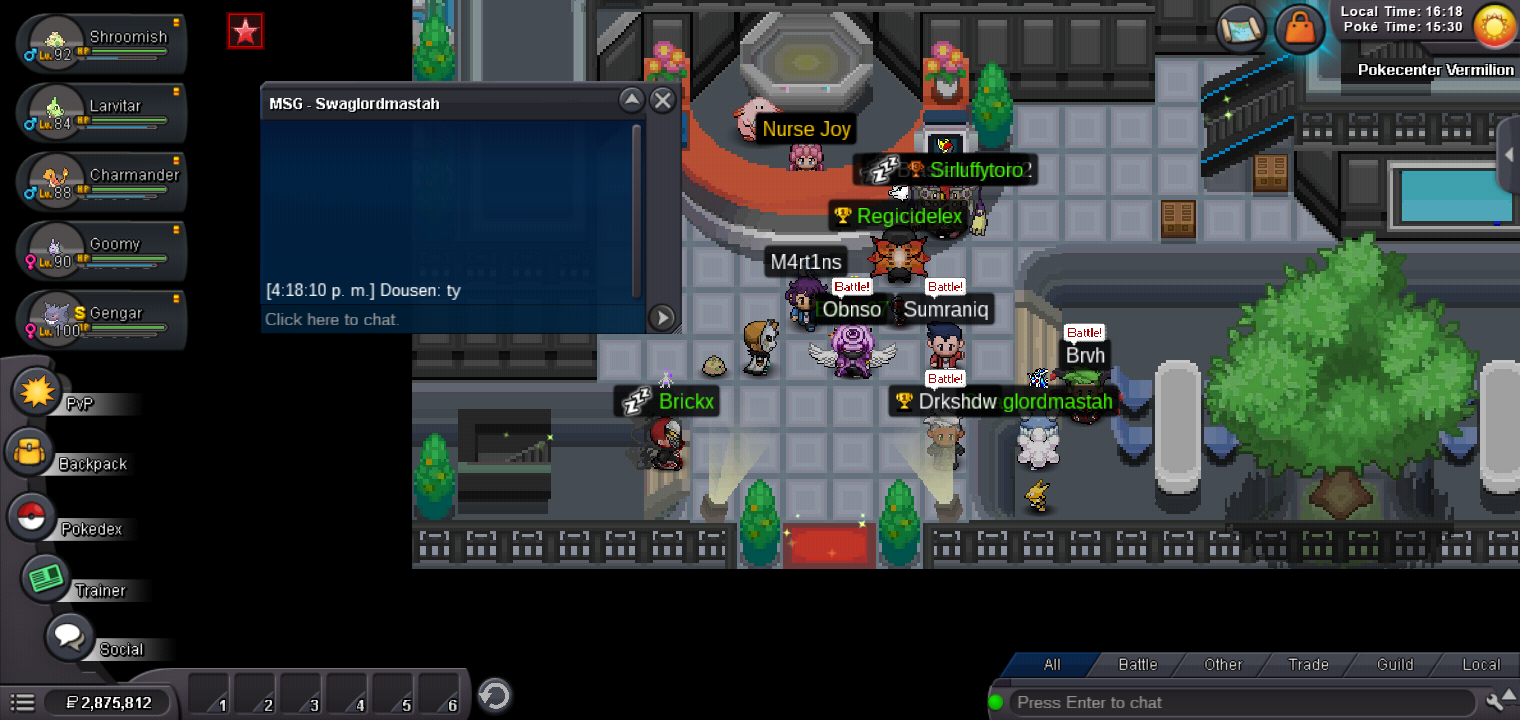
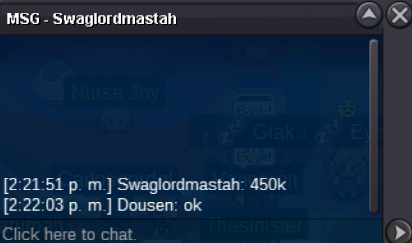
for mamoswine.png.6027f9320aee3acd2ee77de4a75c6bb8.png) no, is soldWELCOME!!! Starting Prices are non-negotiable! no isnta!! Auctions will last the days that are indicated after the first bid! Fake Offers will be reported! and the player will be ignored I take: CC = 400k, BM = 180k, 15D MS = 200k reroll iv = 700k, reroll nature = 350k. i´ll take always the last offer only if is during the time, the point of an auction is to get money but respecting the rules even if you offer more money i´m not accepting it if the time is done i´ll have exactly the time with me to avoid conflicts my time zone (GMT-6) GOOD LUCK TO EVERYONE!!! ways to contact me: discord : Darkwivern#5849 in Game : Darkwivern / Dousen Mamoswine s.o : 200k min bid : 50k 48 hr after first bid Sold to theproone19 by 250k + nature rerroll= 600k (ended feb 18 10:12, 40 am México city) ( feb 18 4:12,40 pm GMT) Magnezone hp (fire) s.o : 400k min bid : 50k 72 hr after first bid Sold to Arnold2442 by 900k (ended feb 18 2:50 am México city) ( feb 18 8:50 am GMT) Gliscor s.o : 100k min bid : 50k 28 hr after first bid Sold to swaglordmastah for 450k (ended feb 18 3:40 pm México city ) (feb 18 9:40 pm GMT)
no, is soldWELCOME!!! Starting Prices are non-negotiable! no isnta!! Auctions will last the days that are indicated after the first bid! Fake Offers will be reported! and the player will be ignored I take: CC = 400k, BM = 180k, 15D MS = 200k reroll iv = 700k, reroll nature = 350k. i´ll take always the last offer only if is during the time, the point of an auction is to get money but respecting the rules even if you offer more money i´m not accepting it if the time is done i´ll have exactly the time with me to avoid conflicts my time zone (GMT-6) GOOD LUCK TO EVERYONE!!! ways to contact me: discord : Darkwivern#5849 in Game : Darkwivern / Dousen Mamoswine s.o : 200k min bid : 50k 48 hr after first bid Sold to theproone19 by 250k + nature rerroll= 600k (ended feb 18 10:12, 40 am México city) ( feb 18 4:12,40 pm GMT) Magnezone hp (fire) s.o : 400k min bid : 50k 72 hr after first bid Sold to Arnold2442 by 900k (ended feb 18 2:50 am México city) ( feb 18 8:50 am GMT) Gliscor s.o : 100k min bid : 50k 28 hr after first bid Sold to swaglordmastah for 450k (ended feb 18 3:40 pm México city ) (feb 18 9:40 pm GMT)_LI.jpg.05fb5848b0f4db341f9bf80e1eb528d8.jpg)
_LI.jpg.d234d4830f63b37f2c4a1996fba1e1f3.jpg)
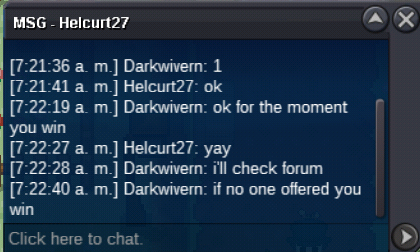
_LI.jpg.0bdaf3357b521ec5920c5d84e665c84b.jpg) after natbotbot closed pm i got ignored by him then kartikssg8 pmas i told you idw why i was not able to logg in but you can see in chat i type +4:00 gmtfirst bid: see local time
after natbotbot closed pm i got ignored by him then kartikssg8 pmas i told you idw why i was not able to logg in but you can see in chat i type +4:00 gmtfirst bid: see local time.png.f52eb3e9ed8acf936c91544eb94a10b3.png)
Account
Navigation
Search
Configure browser push notifications
Chrome (Android)
- Tap the lock icon next to the address bar.
- Tap Permissions → Notifications.
- Adjust your preference.
Chrome (Desktop)
- Click the padlock icon in the address bar.
- Select Site settings.
- Find Notifications and adjust your preference.
Safari (iOS 16.4+)
- Ensure the site is installed via Add to Home Screen.
- Open Settings App → Notifications.
- Find your app name and adjust your preference.
Safari (macOS)
- Go to Safari → Preferences.
- Click the Websites tab.
- Select Notifications in the sidebar.
- Find this website and adjust your preference.
Edge (Android)
- Tap the lock icon next to the address bar.
- Tap Permissions.
- Find Notifications and adjust your preference.
Edge (Desktop)
- Click the padlock icon in the address bar.
- Click Permissions for this site.
- Find Notifications and adjust your preference.
Firefox (Android)
- Go to Settings → Site permissions.
- Tap Notifications.
- Find this site in the list and adjust your preference.
Firefox (Desktop)
- Open Firefox Settings.
- Search for Notifications.
- Find this site in the list and adjust your preference.

.png.70b140343dd42200286879e21bebe0d6.png)
.png.b53ed239a2d9ab00b0cbf6f038e7bc42.png)
.png.3b62e56bc0f9789db1ab8cdbfbd14836.png)
.png.80b62ed6ba6fa24d9e6d6cb8c9465736.png)
.png.e643f5e9cf76b04f8740743b8e860a8d.png)
.png.96327947544ce0143cf6cfd4d2c22a66.png)

.png.01b2e9103e3ff9729345e13da4404e55.png)
.png.30688ea7e50231e9b4b7854bb36cd2d8.png)
.png.79190df82af21c321b1718c63e808747.png)
.png.46be6c164cc4fcf480d3633f1fc6ecb8.png)
.png.c9c0544153f9bd9258bb99dce90aa41c.png)