-
PLS DEVS FIX REBORN BOT (^cooldowns boss command) THANKS :)
Bump (°7th day waiting for devs response)
-
PLS DEVS FIX REBORN BOT (^cooldowns boss command) THANKS :)
Bump (5th day waiting for devs response)
-
PLS DEVS FIX REBORN BOT (^cooldowns boss command) THANKS :)
Bump (4th day waiting for devs response)
-
PLS DEVS FIX REBORN BOT (^cooldowns boss command) THANKS :)
Bump (3rd day waiting for devs response)
-
PLS DEVS FIX REBORN BOT (^cooldowns boss command) THANKS :)
Bump (2nd day waiting for devs response)
-
PLS DEVS FIX REBORN BOT (^cooldowns boss command) THANKS :)
Bump (1st day waiting for devs response)
-
(SOLD)WTS Pvp Ready 24+ Sassy Ferrothorn
START
-
PLS DEVS FIX REBORN BOT (^cooldowns boss command) THANKS :)
These bosses (ash westbrook, gingerjones, maribela, naruto fanboy, officer jenny, prof birch, spectify, toothless, battlebot) got no info in reborn bot (^cooldowns boss command) even u already battled them .. another annoying thing, when u battle a boss and got server crash and battle them again, their names will still appear ready to battle even u defeated them after crash, and another same name with cd ..like this one.. (can check my cooldowns ^cooldowns boss jastlee) ------ PS. The battlebot i assume its the boss boss in dock island where u need ms.. Pls add logan when u guys decided to fix the cooldown thanks!I I will bump always once per day this post hoping devs response thanks :)
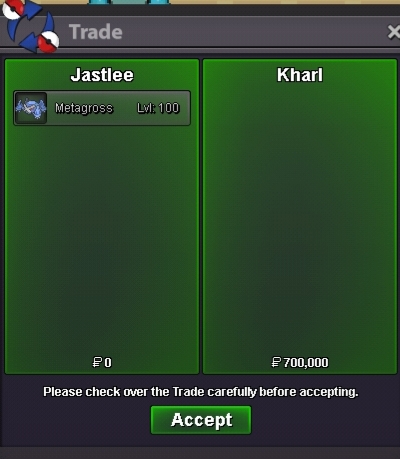
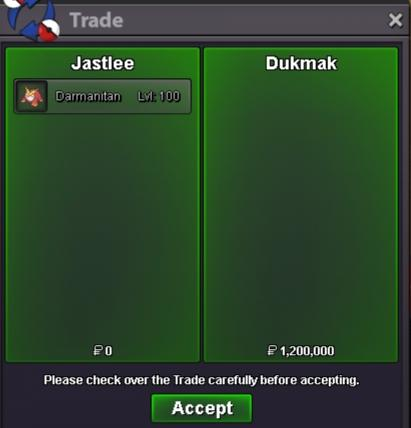
- CLOSED all auction sold (EPIC Glis(SOLD), EPIC Darma(SOLD), EPIC META (SOLD), EPIC Slaking (CLOSED))
-
Sell godly Malamar and Amoongus
what hp amoongus?
- CLOSED all auction sold (EPIC Glis(SOLD), EPIC Darma(SOLD), EPIC META (SOLD), EPIC Slaking (CLOSED))
-
CLOSED all auction sold (EPIC Glis(SOLD), EPIC Darma(SOLD), EPIC META (SOLD), EPIC Slaking (CLOSED))
message me ingame when ur online thanks :3
-
CLOSED all auction sold (EPIC Glis(SOLD), EPIC Darma(SOLD), EPIC META (SOLD), EPIC Slaking (CLOSED))
- CLOSED all auction sold (EPIC Glis(SOLD), EPIC Darma(SOLD), EPIC META (SOLD), EPIC Slaking (CLOSED))
Account
Navigation
Search
Configure browser push notifications
Chrome (Android)
- Tap the lock icon next to the address bar.
- Tap Permissions → Notifications.
- Adjust your preference.
Chrome (Desktop)
- Click the padlock icon in the address bar.
- Select Site settings.
- Find Notifications and adjust your preference.
Safari (iOS 16.4+)
- Ensure the site is installed via Add to Home Screen.
- Open Settings App → Notifications.
- Find your app name and adjust your preference.
Safari (macOS)
- Go to Safari → Preferences.
- Click the Websites tab.
- Select Notifications in the sidebar.
- Find this website and adjust your preference.
Edge (Android)
- Tap the lock icon next to the address bar.
- Tap Permissions.
- Find Notifications and adjust your preference.
Edge (Desktop)
- Click the padlock icon in the address bar.
- Click Permissions for this site.
- Find Notifications and adjust your preference.
Firefox (Android)
- Go to Settings → Site permissions.
- Tap Notifications.
- Find this site in the list and adjust your preference.
Firefox (Desktop)
- Open Firefox Settings.
- Search for Notifications.
- Find this site in the list and adjust your preference.