




New Trade Zone
Trade Zone is now live
Use the new Trade Zone for auctions and instant-price trades so Pokemon and item offers are easy to find.
.jpg.13b0cf7e264b81187b9cff434148c00e.jpg)

Zebronexx
Suspended
-
Joined
-
Last visited
Everything posted by Zebronexx
-
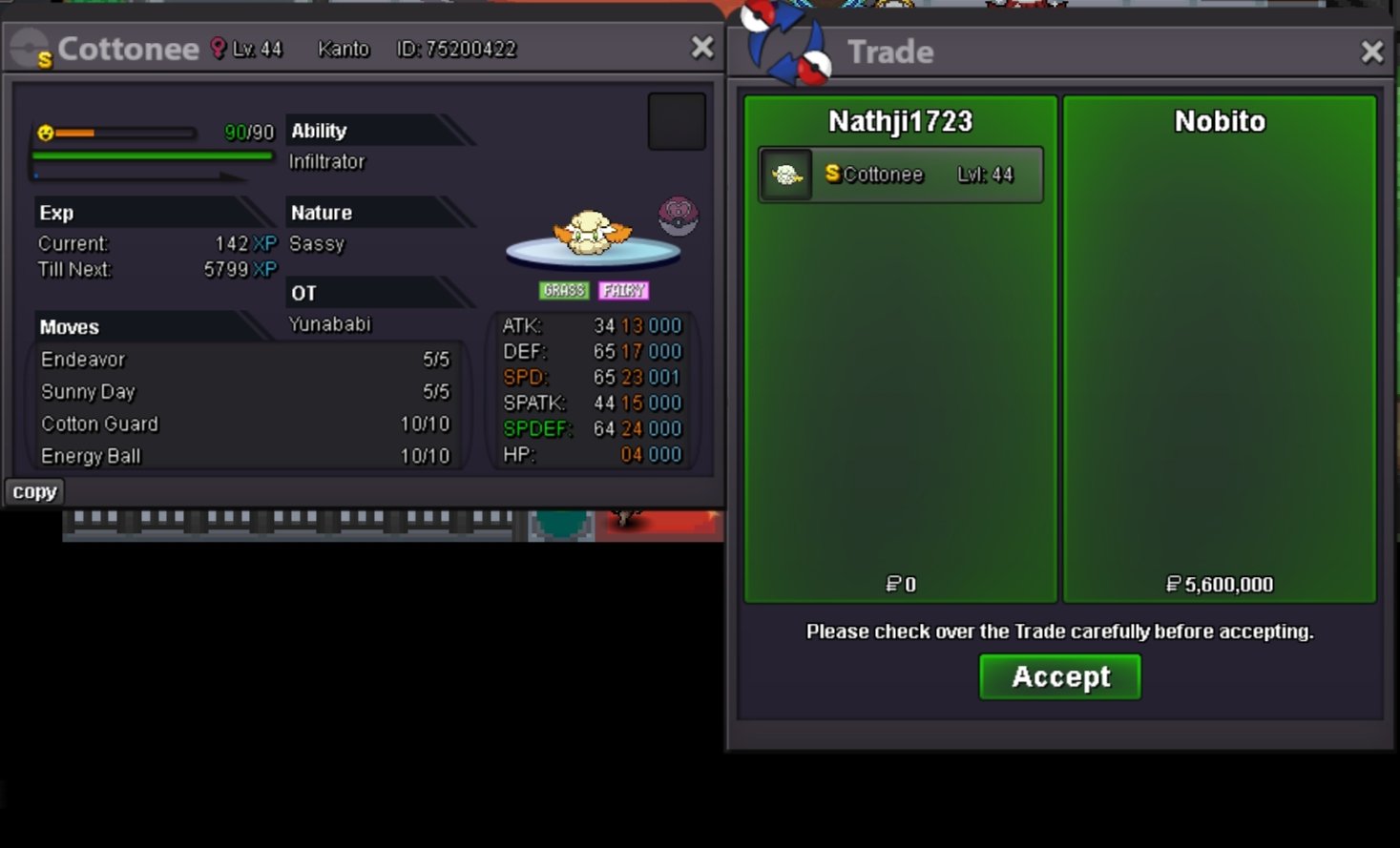
@Nobito can you say me which server are you play ?@Prakash098
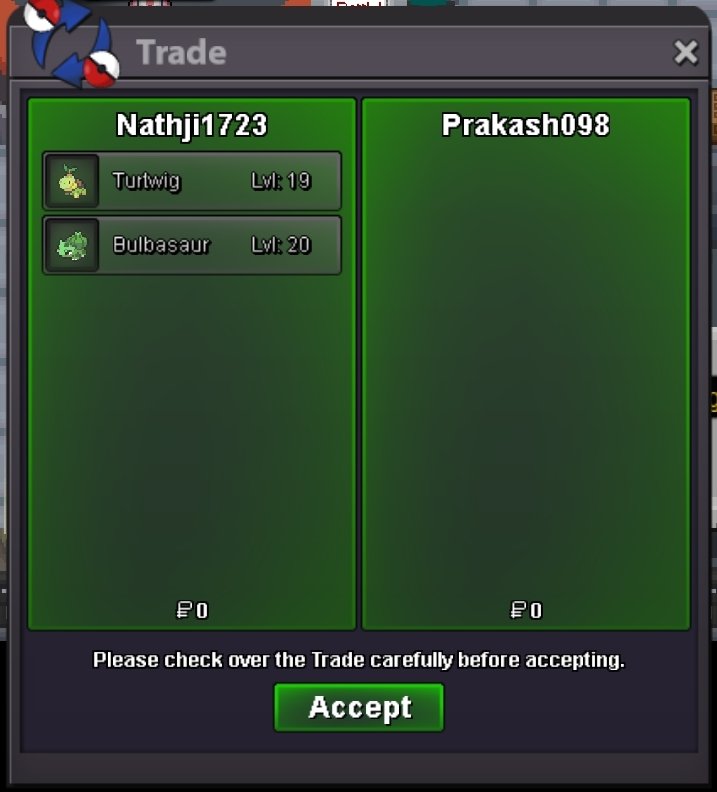
 Offer time ...I accept @Nobito offerEnd.. won @Prakash09810min left3h 15mins offer's only Now ...4h 12mins ।।।।।250k1.1m pass ty1m pass bro.....Thank you for offer me ☺️🌹
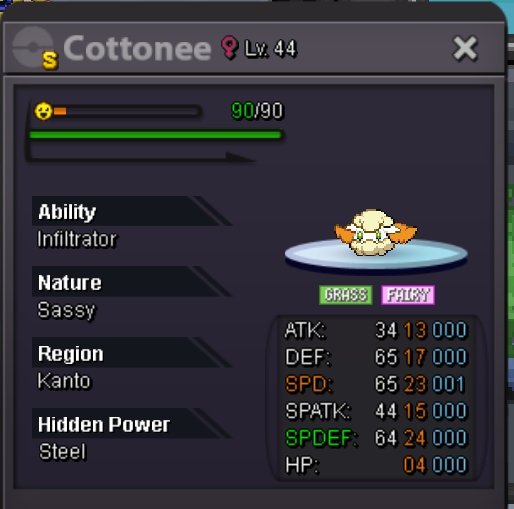 Start Bid - 10k Minimum Bid - 10k Auction time 24h after Frist bid start https://www.tickcounter.com/countdown/5798384/my-countdown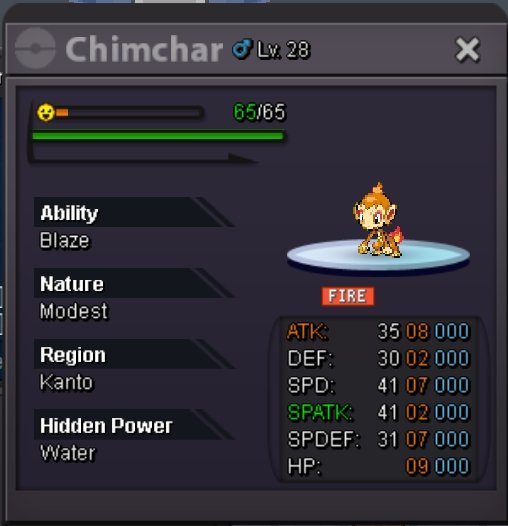
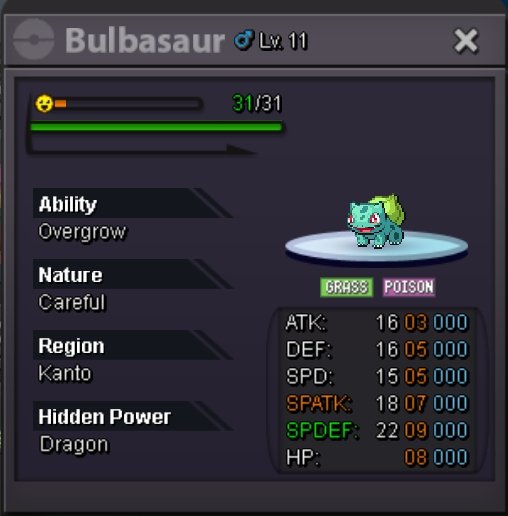
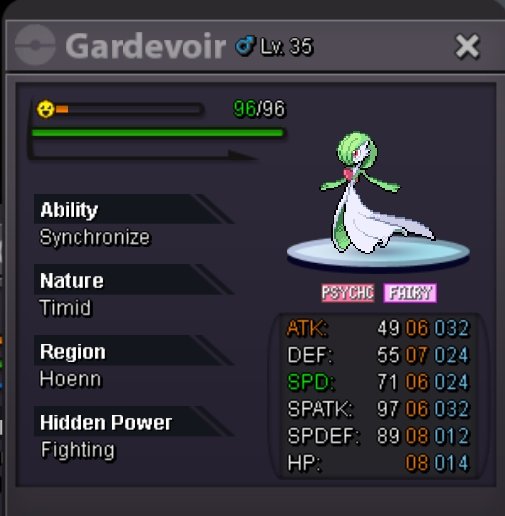
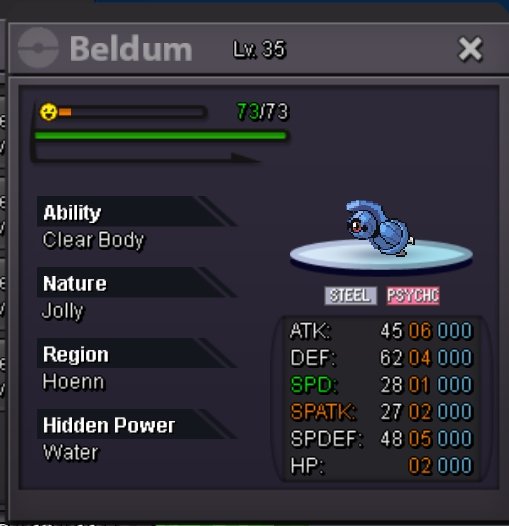
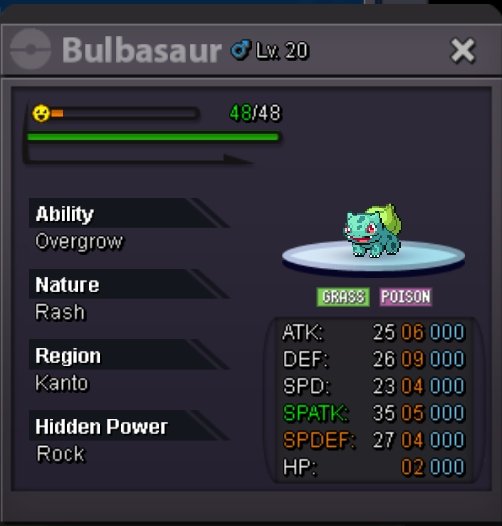
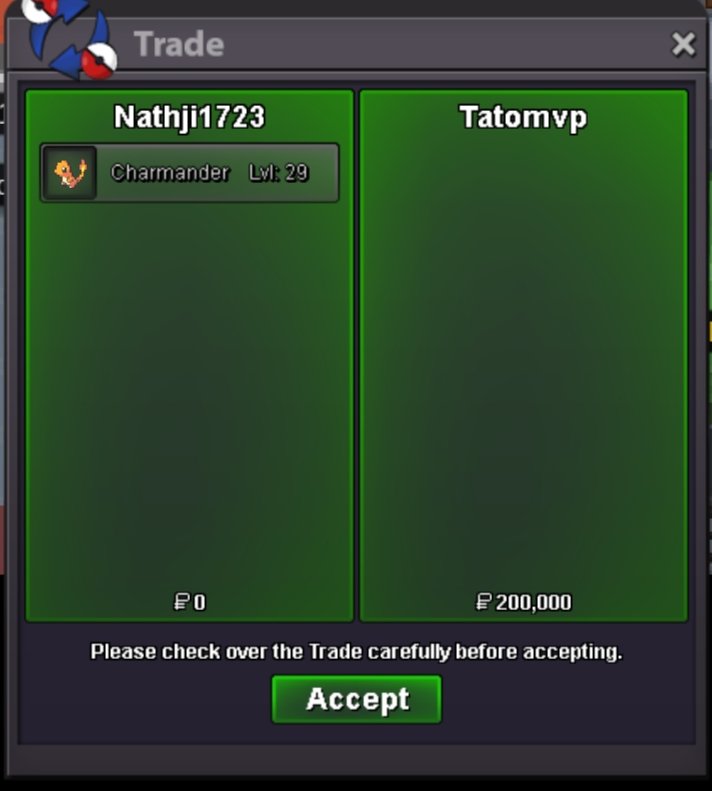
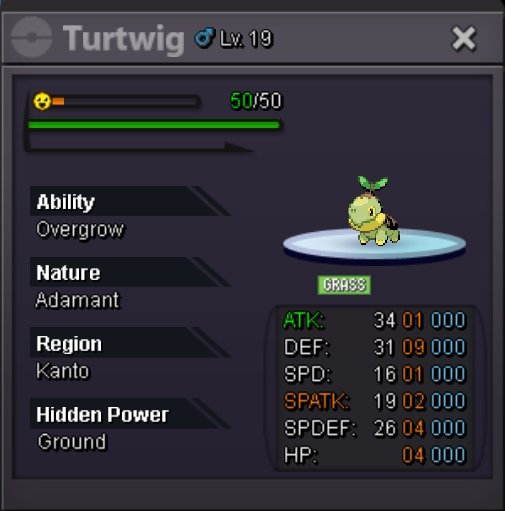 @Tatomvp meet me in verm..@Prismal
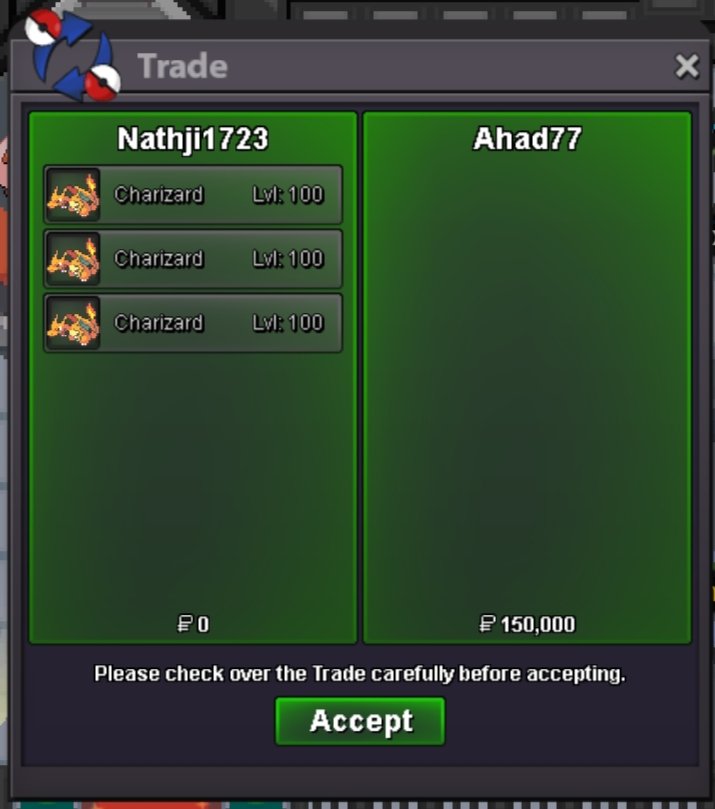
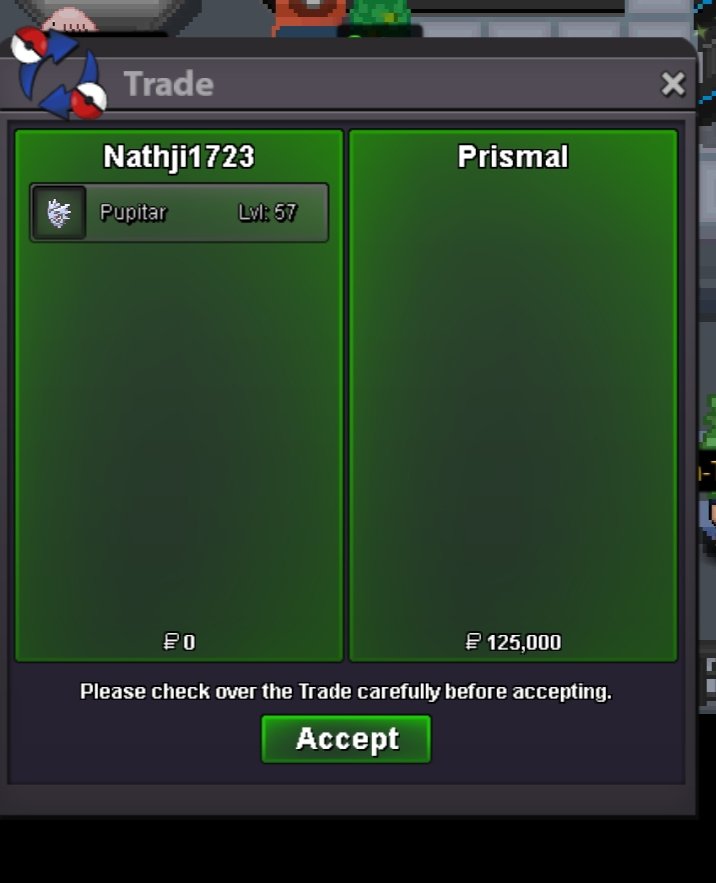 Won @Prismal come meet me verm..@Ahad77 won850kStart Bid 10k Minimum - 25k Auction time 5h only start Frist bid https://www.tickcounter.com/countdown/5794207/my-countdown
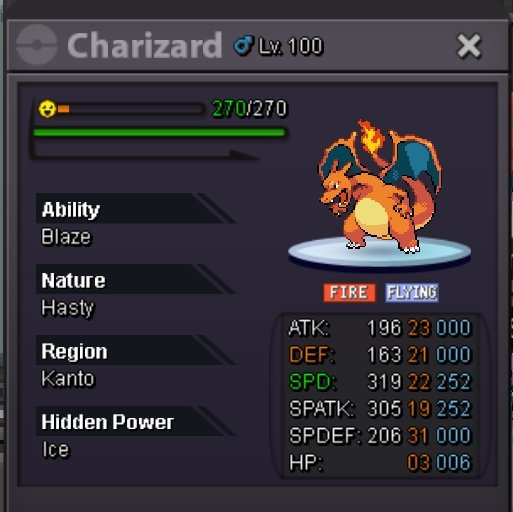
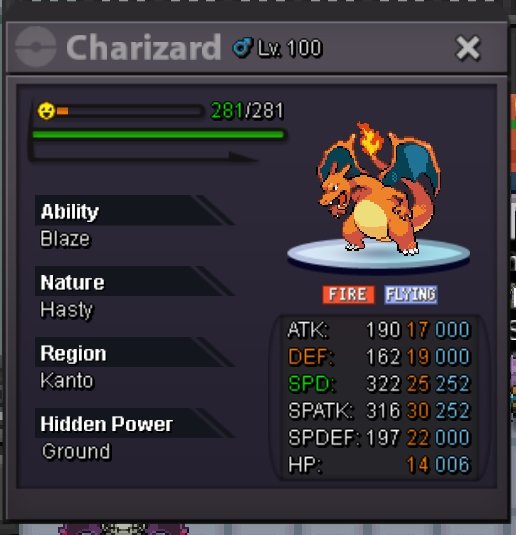
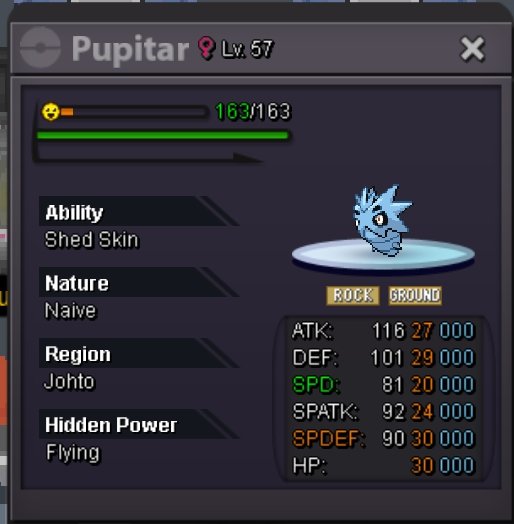 Welcome To NathJi Accepts Payment Pokedoller Coin Capsule - 450k Reroll Tickets - 600k Nature Rerolls Ticket - 300k Rare Candy - 6k Contact ING - NathJi1723 Discord - nathji1723 Trained Pokemon



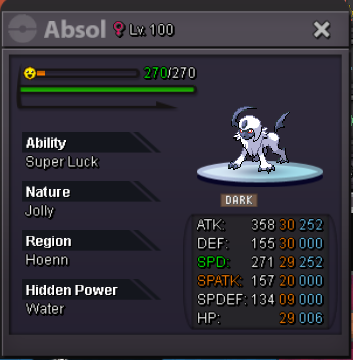
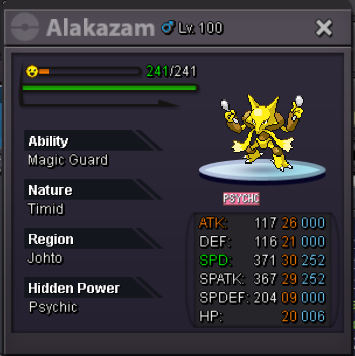
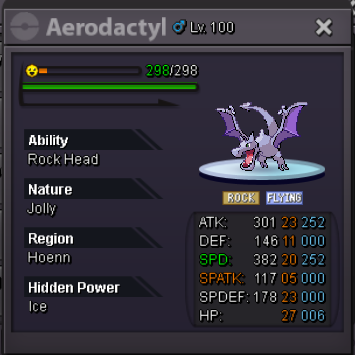
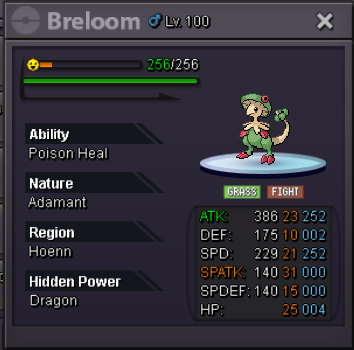
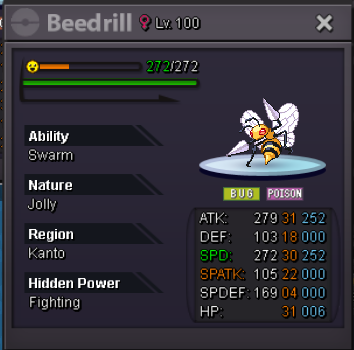
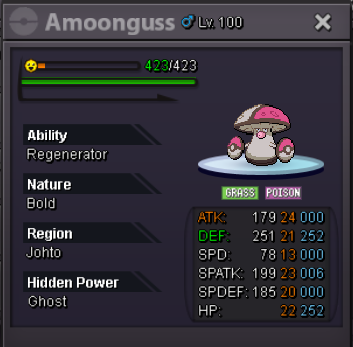
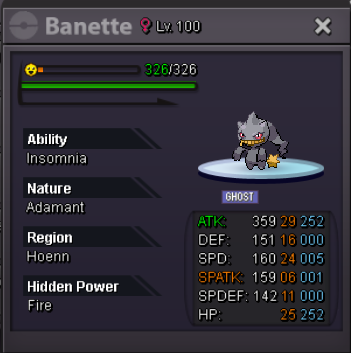
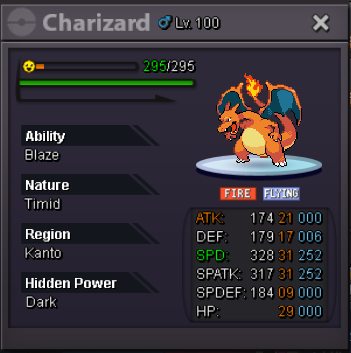
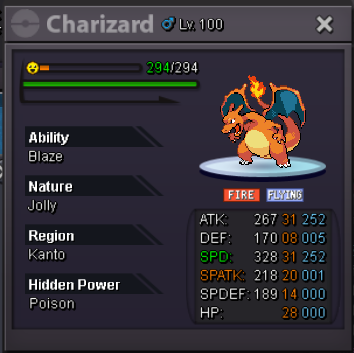
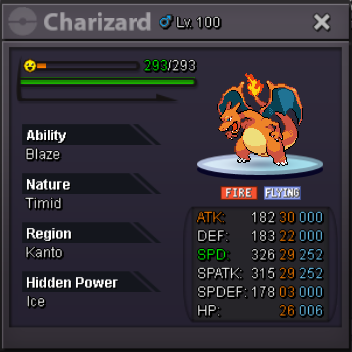
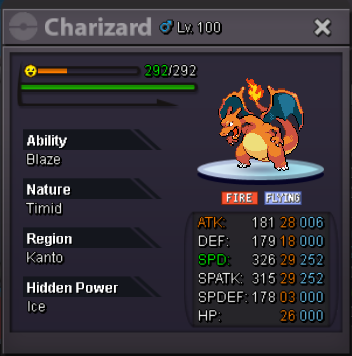
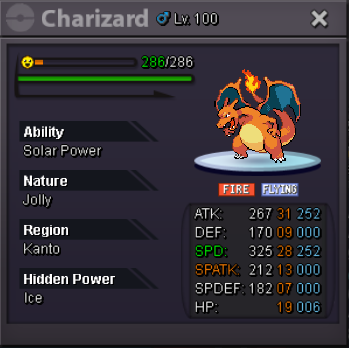
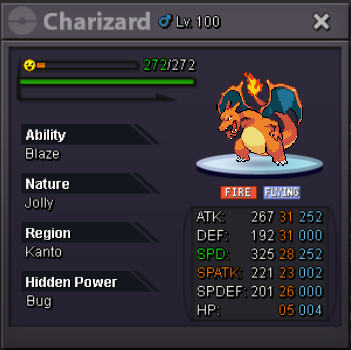
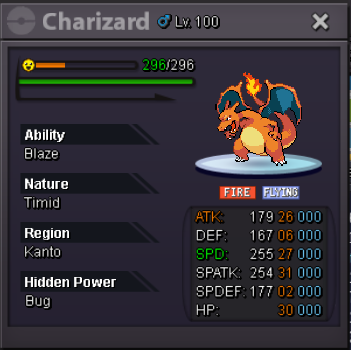
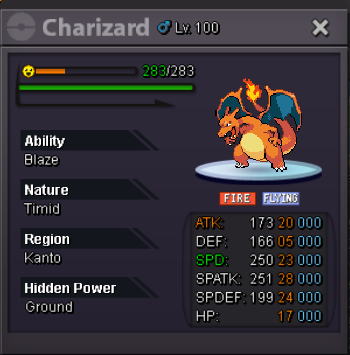
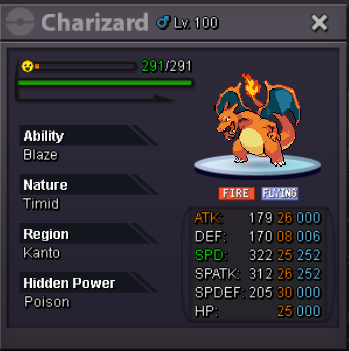
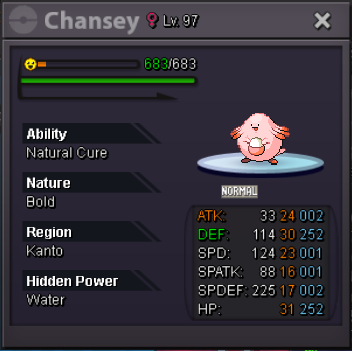
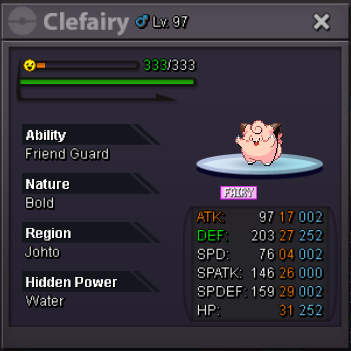
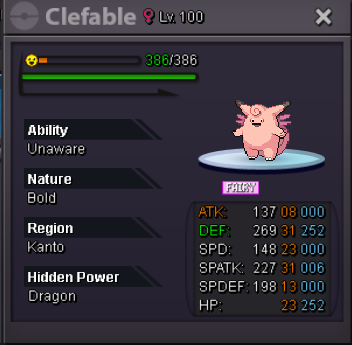
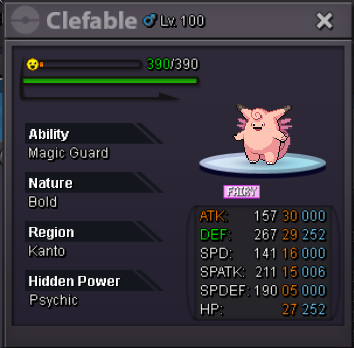
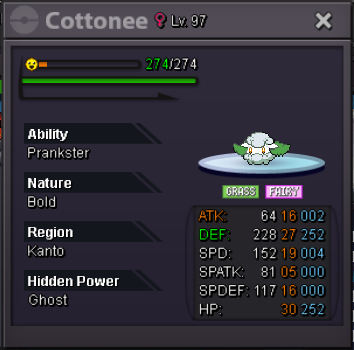
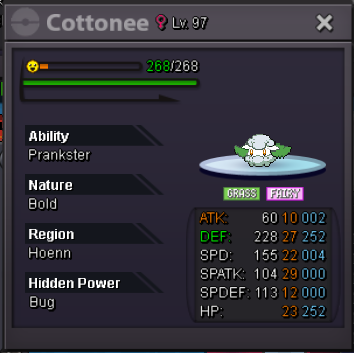
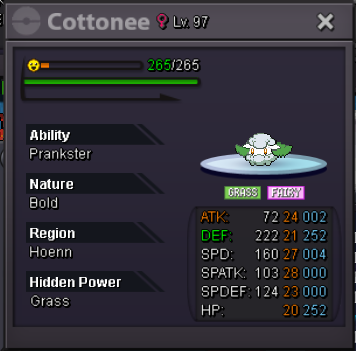
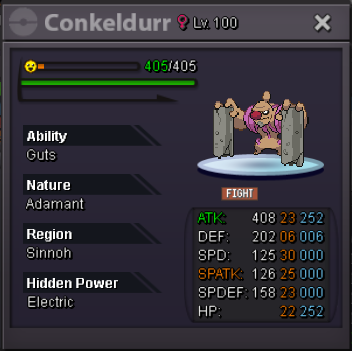
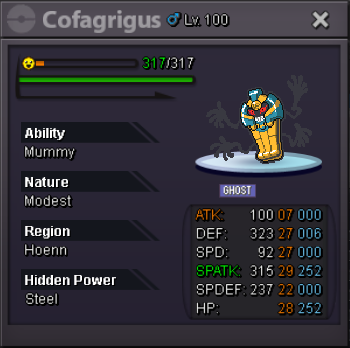
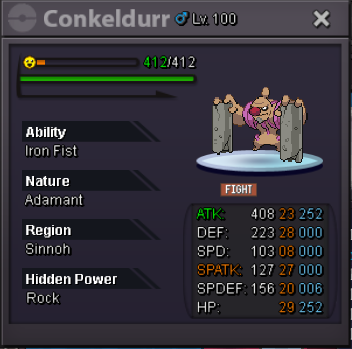
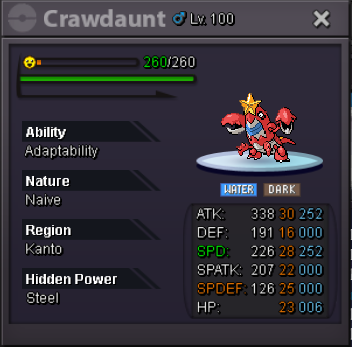
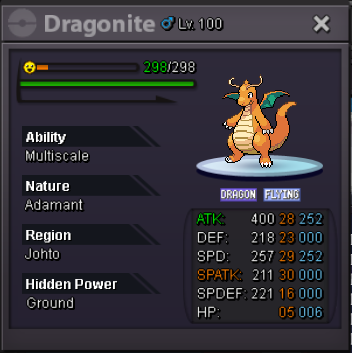
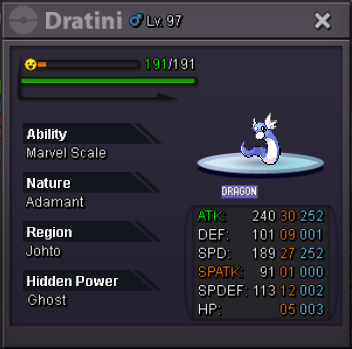
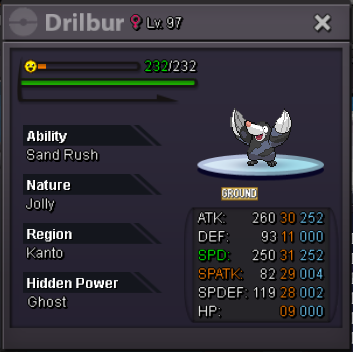
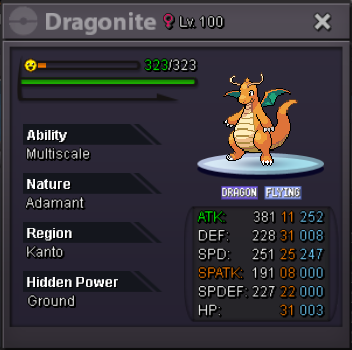
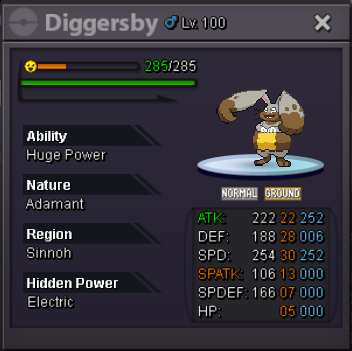
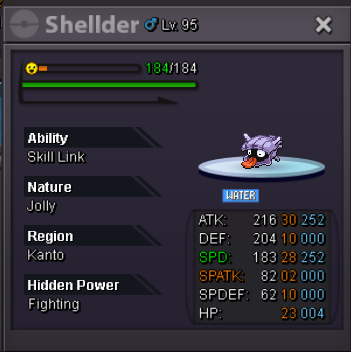
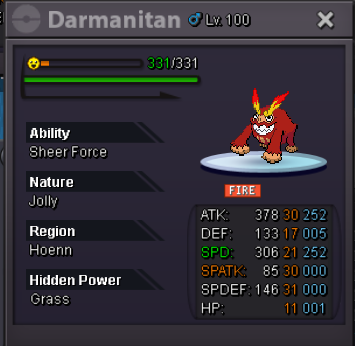
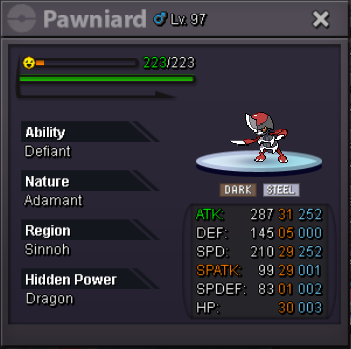
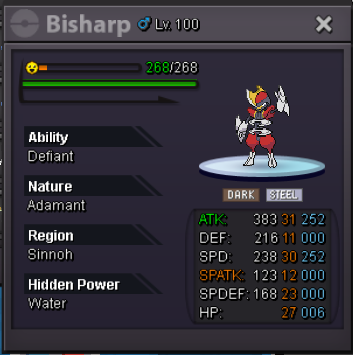
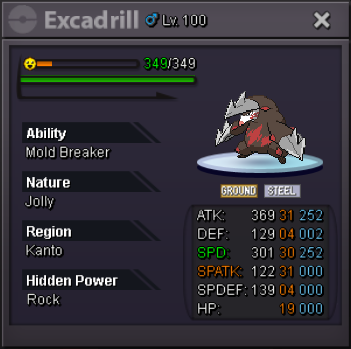
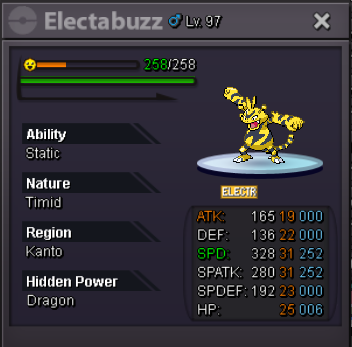
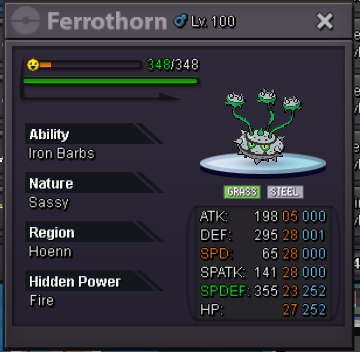
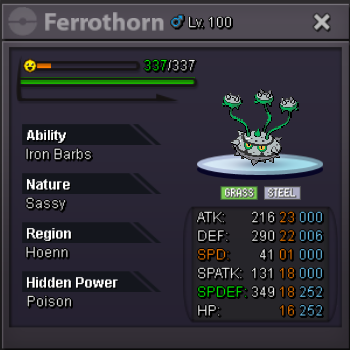
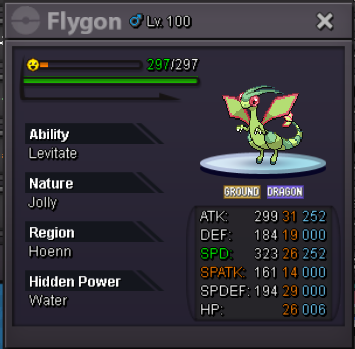
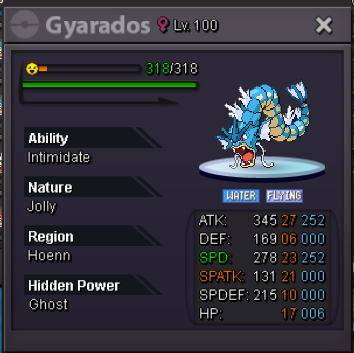
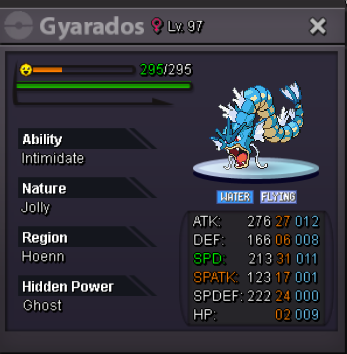
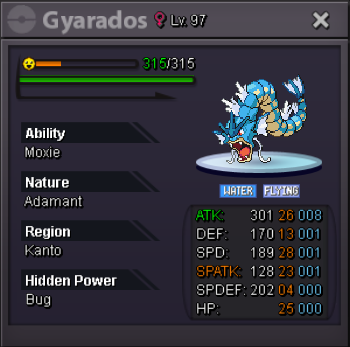
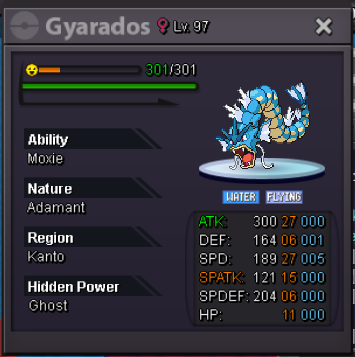
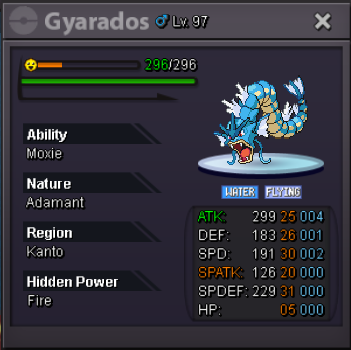
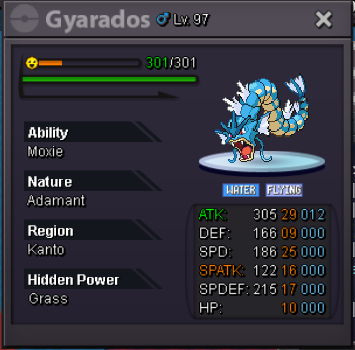
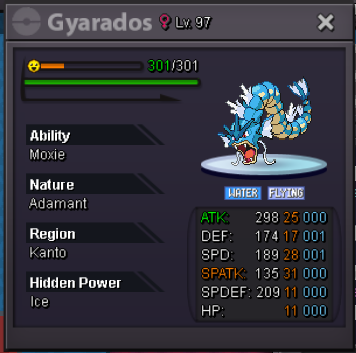
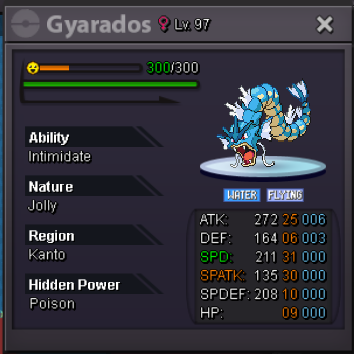
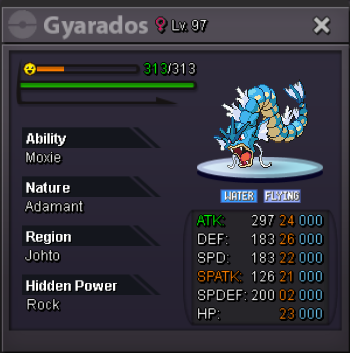
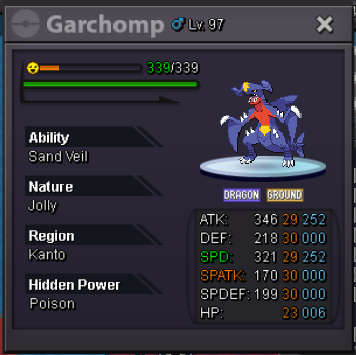
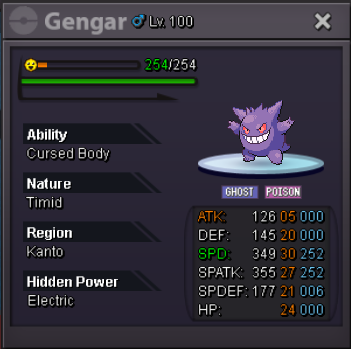
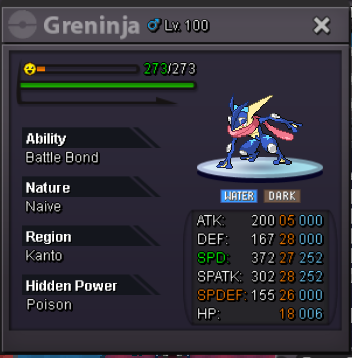
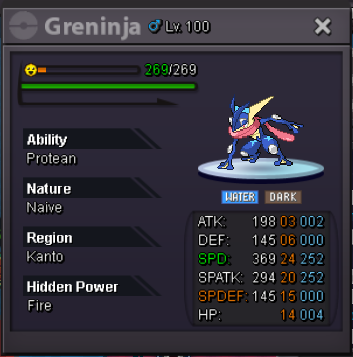
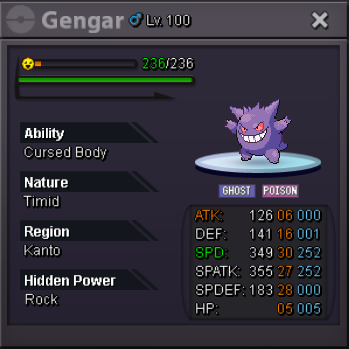
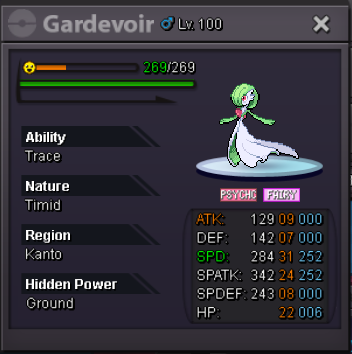
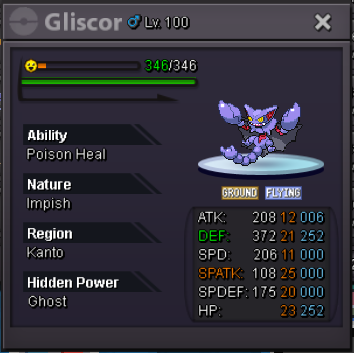
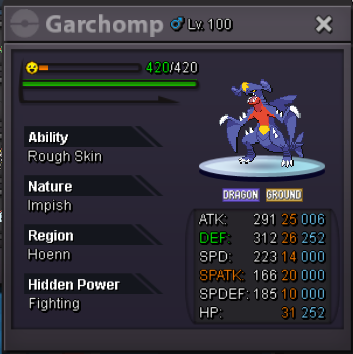
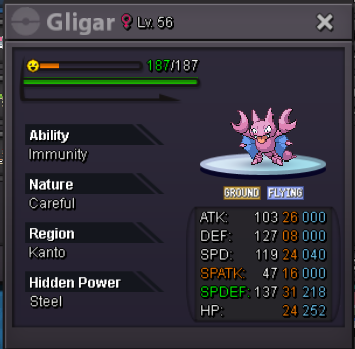
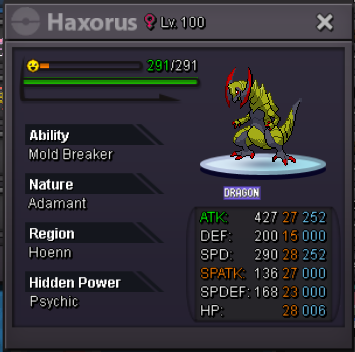
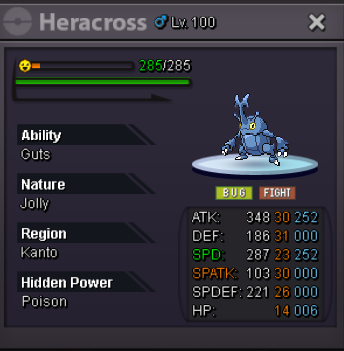
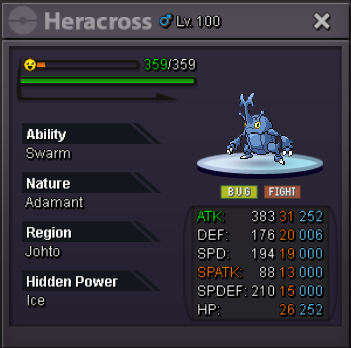
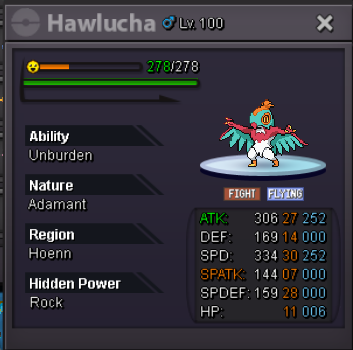
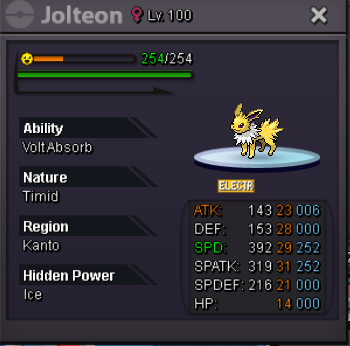
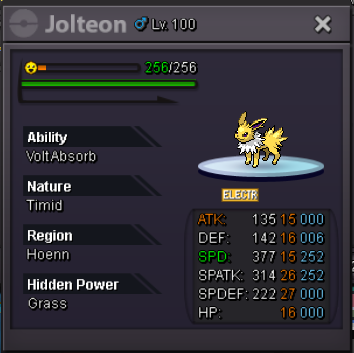
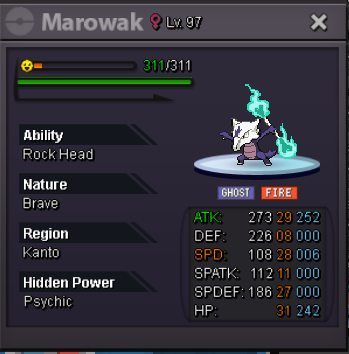
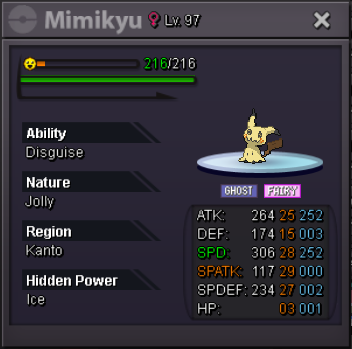
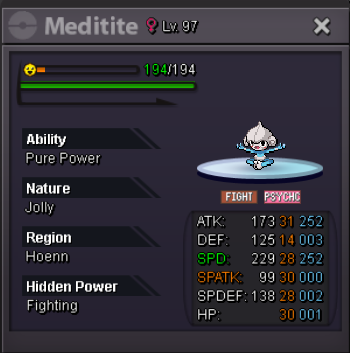
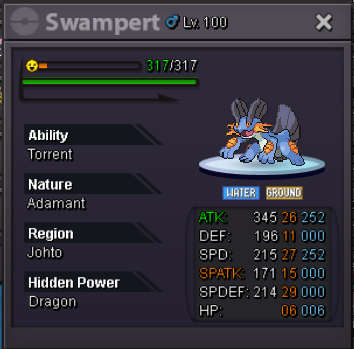
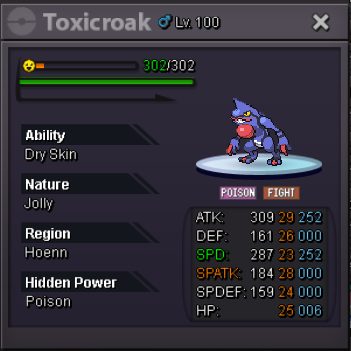
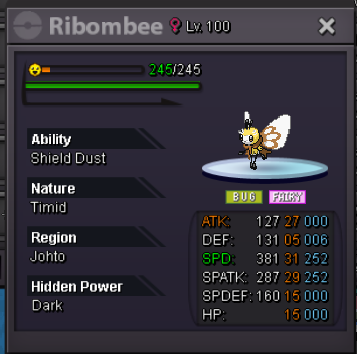
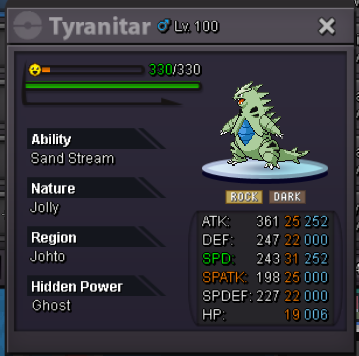
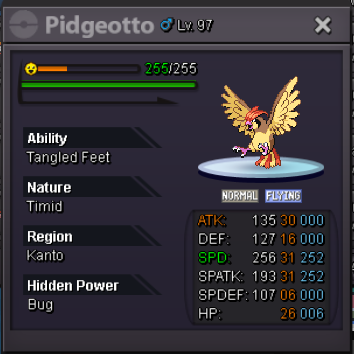
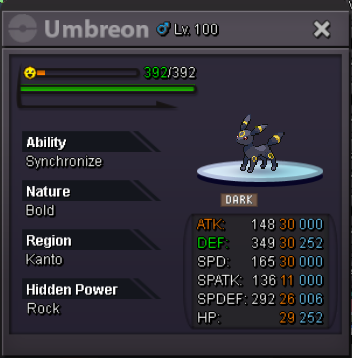
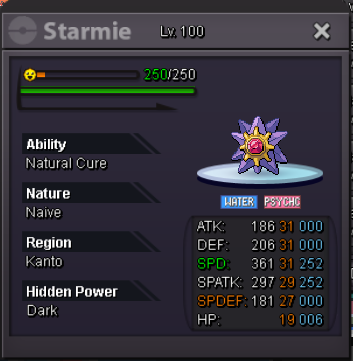
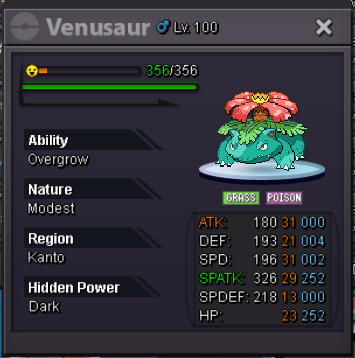
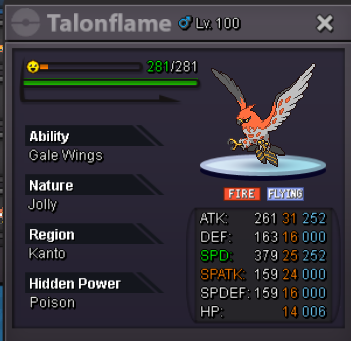
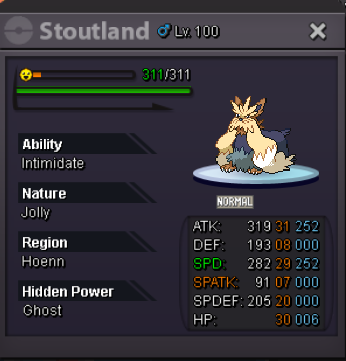
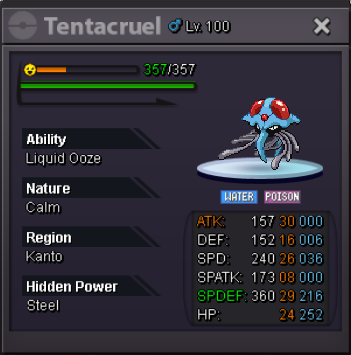
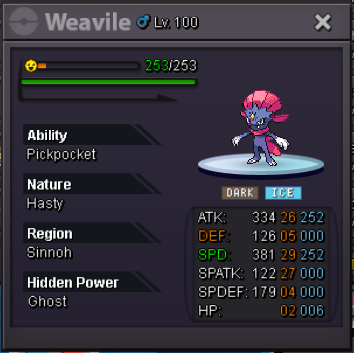
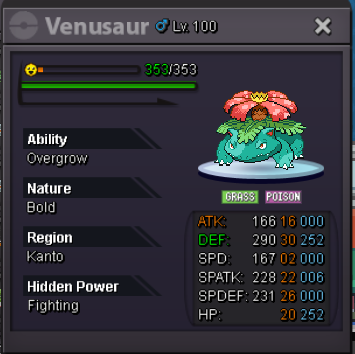
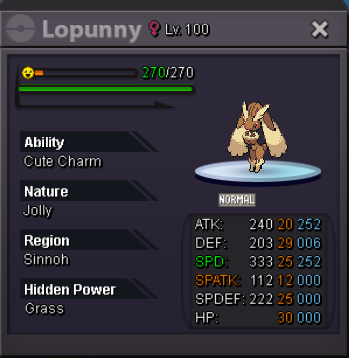
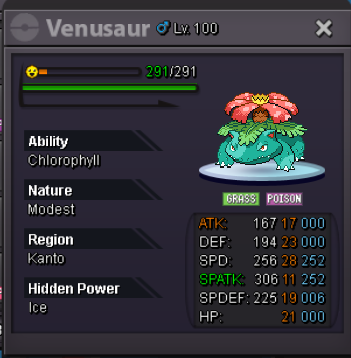
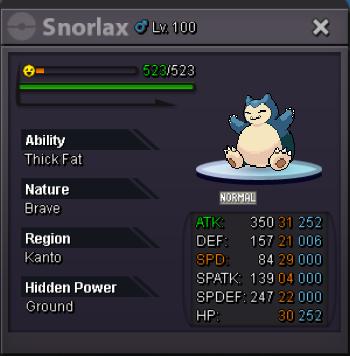
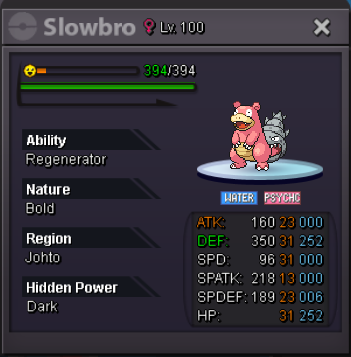
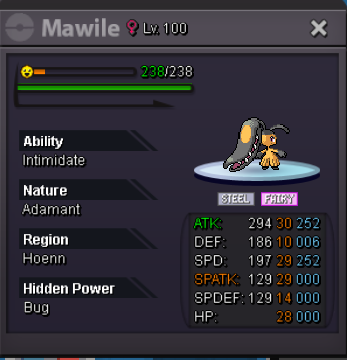
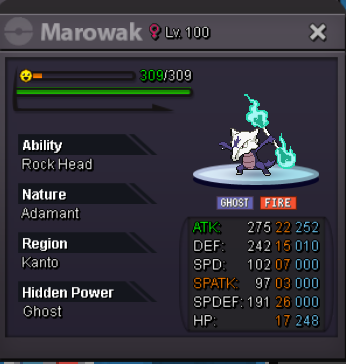
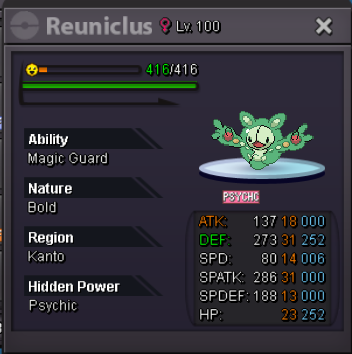
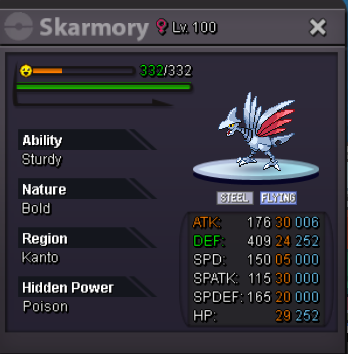
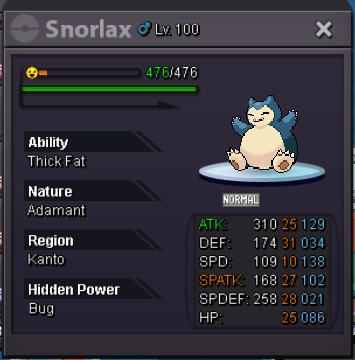
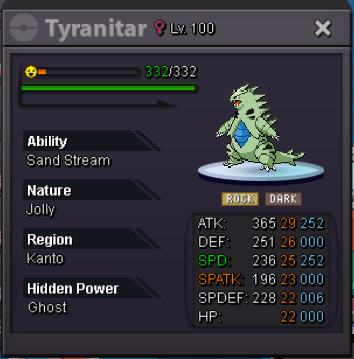
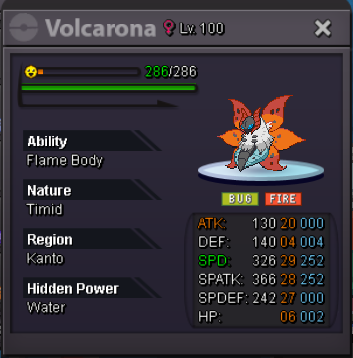
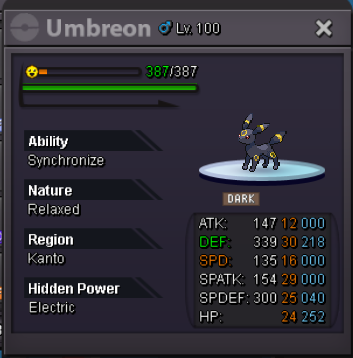
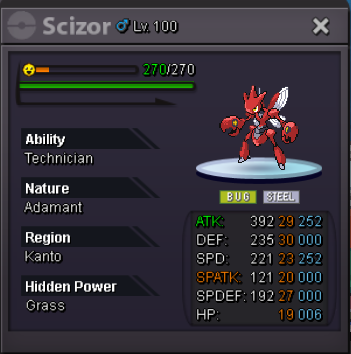
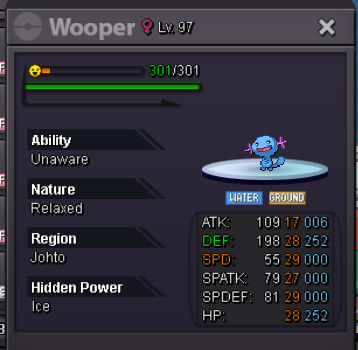
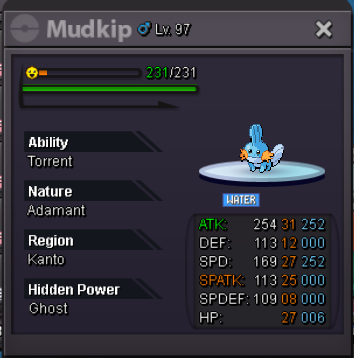
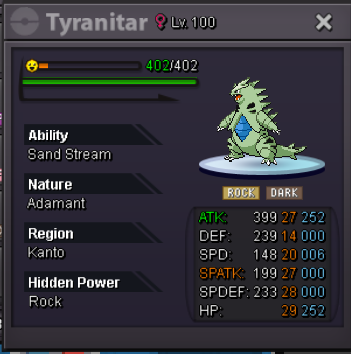
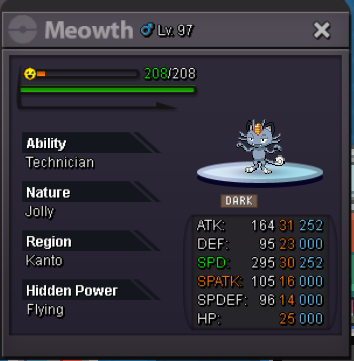
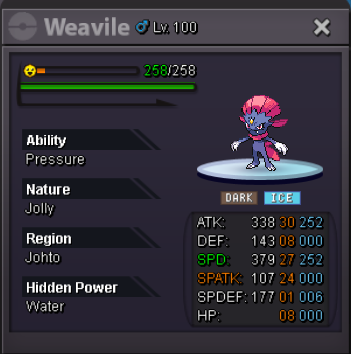
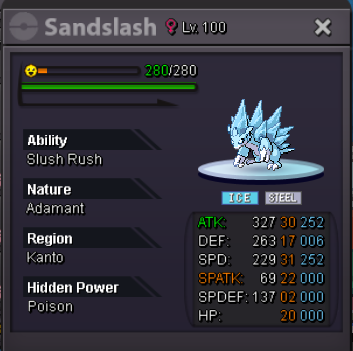
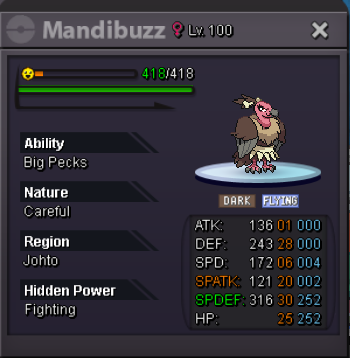
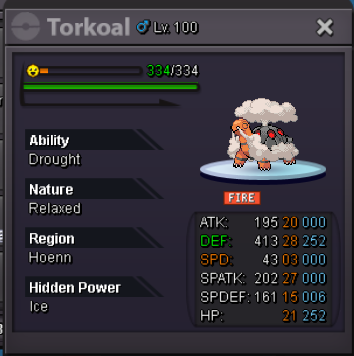
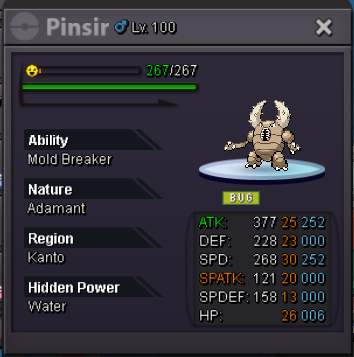
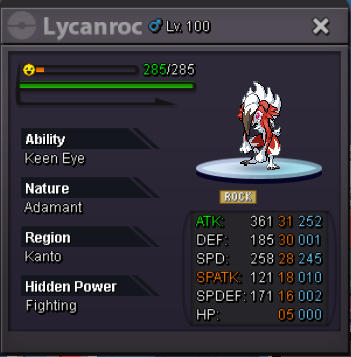
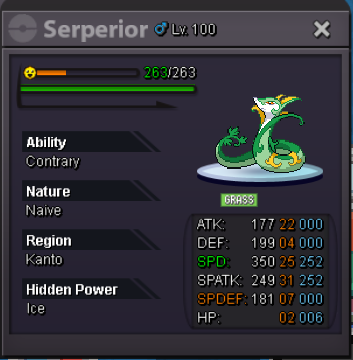
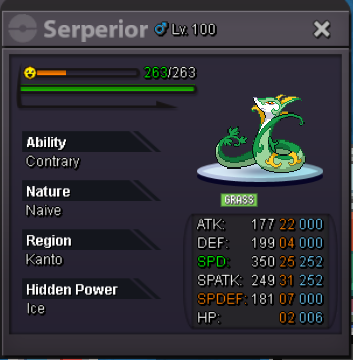
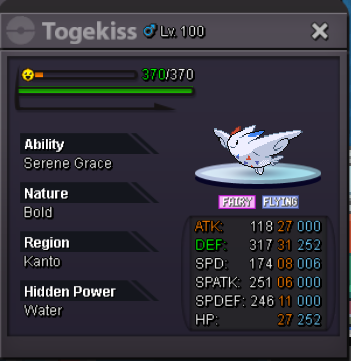
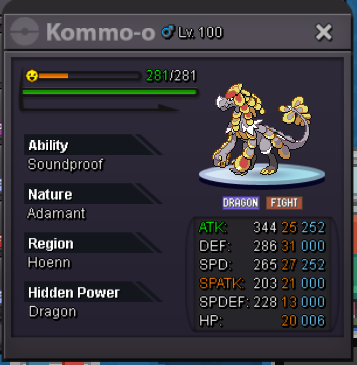
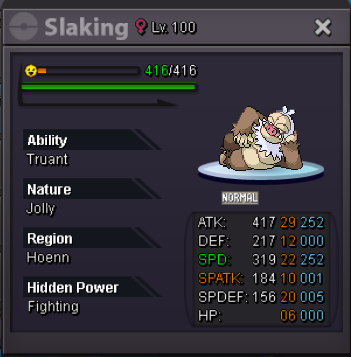
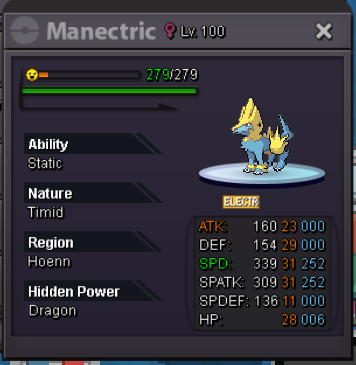
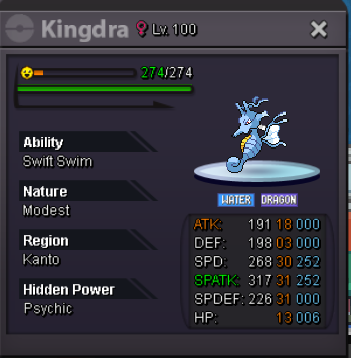
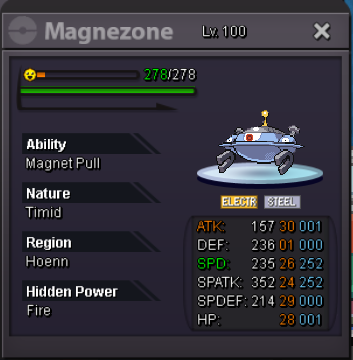
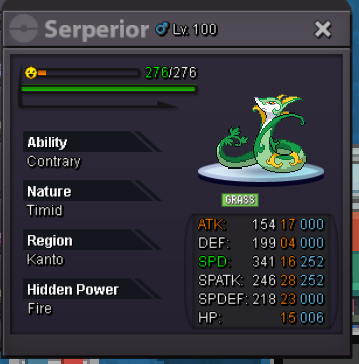
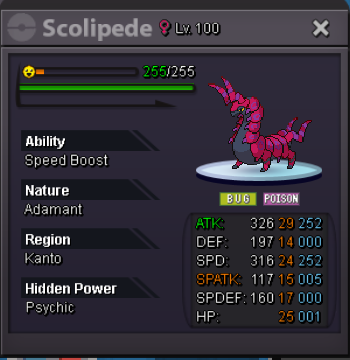
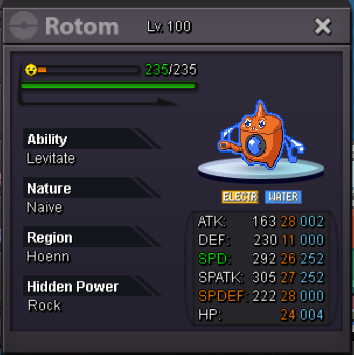
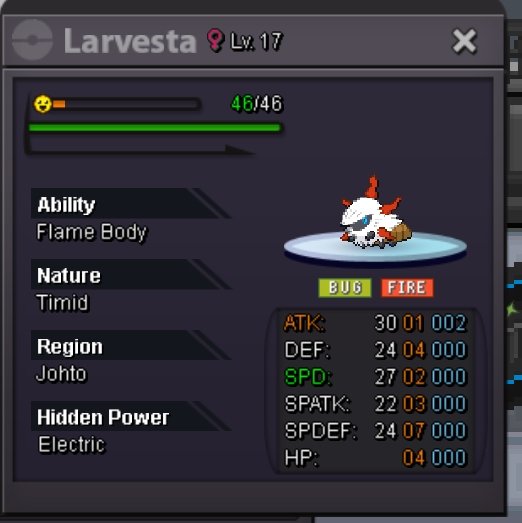
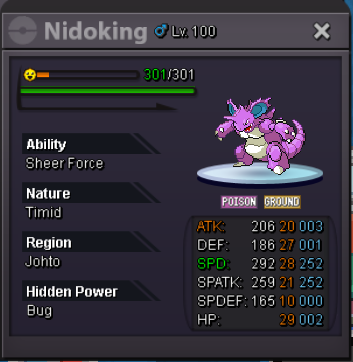 BumpStart bid - 100k Minimum bid - 50k Auction time 4h only after Frist bid https://www.tickcounter.com/countdown/5794273/my-countdown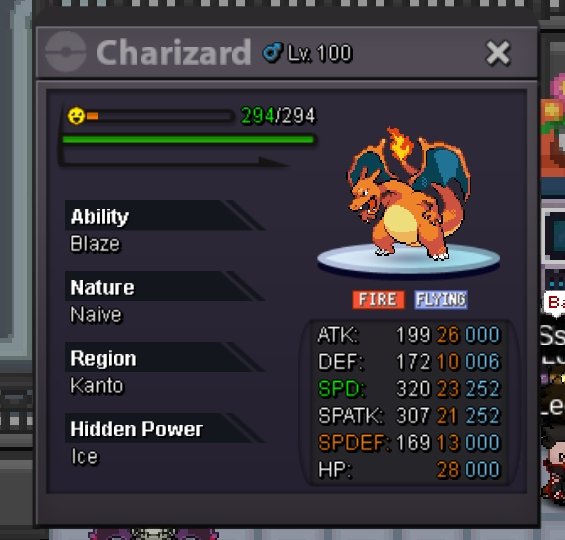

Account
Navigation
Search
Configure browser push notifications
Chrome (Android)
- Tap the lock icon next to the address bar.
- Tap Permissions → Notifications.
- Adjust your preference.
Chrome (Desktop)
- Click the padlock icon in the address bar.
- Select Site settings.
- Find Notifications and adjust your preference.
Safari (iOS 16.4+)
- Ensure the site is installed via Add to Home Screen.
- Open Settings App → Notifications.
- Find your app name and adjust your preference.
Safari (macOS)
- Go to Safari → Preferences.
- Click the Websites tab.
- Select Notifications in the sidebar.
- Find this website and adjust your preference.
Edge (Android)
- Tap the lock icon next to the address bar.
- Tap Permissions.
- Find Notifications and adjust your preference.
Edge (Desktop)
- Click the padlock icon in the address bar.
- Click Permissions for this site.
- Find Notifications and adjust your preference.
Firefox (Android)
- Go to Settings → Site permissions.
- Tap Notifications.
- Find this site in the list and adjust your preference.
Firefox (Desktop)
- Open Firefox Settings.
- Search for Notifications.
- Find this site in the list and adjust your preference.