




New Trade Zone
Trade Zone is now live
Use the new Trade Zone for auctions and instant-price trades so Pokemon and item offers are easy to find.

Terqe
Registered User
-
Joined
-
Last visited
-
Bump
-
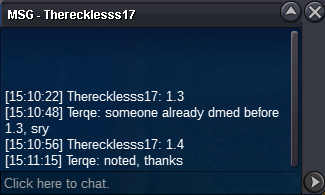
Congrats to @Therecklesss17 for winning.15 min delayed
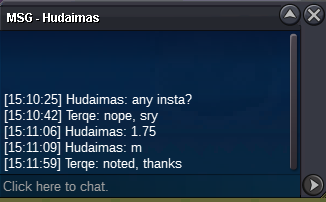
 7h 40min leftBumpStarting offer: 700k Minimum Bid: 50k Insta: No Insta Auction duration: 48 hours from first bid Payment method: Pokedollars only Reminder: If a bid is received in the final 15 minutes of the auction, the end point will be delayed by 15 minutes from that bid, and will be delayed by 15 minutes for each new bid. So, for a bid to win, it has to last 15 mins.
 BumpBumpStarting offer: 900k Minimum Bid: 100k Insta: No Insta Auction duration: 48 hours from first bid Payment method: Pokedollars only Reminder: If a bid is received in the final 15 minutes of the auction, the end point will be delayed by 15 minutes from that bid, and will be delayed by 15 minutes for each new bid. So, for a bid to win, it has to last 15 mins.
 Sorry, but your offer was out of the time, I was sleeping so I couldn't post the winner. Congrats to the winner @M0vistar.



Account
Navigation
Search
Configure browser push notifications
Chrome (Android)
- Tap the lock icon next to the address bar.
- Tap Permissions → Notifications.
- Adjust your preference.
Chrome (Desktop)
- Click the padlock icon in the address bar.
- Select Site settings.
- Find Notifications and adjust your preference.
Safari (iOS 16.4+)
- Ensure the site is installed via Add to Home Screen.
- Open Settings App → Notifications.
- Find your app name and adjust your preference.
Safari (macOS)
- Go to Safari → Preferences.
- Click the Websites tab.
- Select Notifications in the sidebar.
- Find this website and adjust your preference.
Edge (Android)
- Tap the lock icon next to the address bar.
- Tap Permissions.
- Find Notifications and adjust your preference.
Edge (Desktop)
- Click the padlock icon in the address bar.
- Click Permissions for this site.
- Find Notifications and adjust your preference.
Firefox (Android)
- Go to Settings → Site permissions.
- Tap Notifications.
- Find this site in the list and adjust your preference.
Firefox (Desktop)
- Open Firefox Settings.
- Search for Notifications.
- Find this site in the list and adjust your preference.